12. Commissioning
MiR250 Hook User Guide (en) 01/2023 - v.1.2 ©Copyright 2021-2023: Mobile Industrial Robots A/S. 155
Shelves
Shelves are often placed in a certain height above the floor on four (or more) posts and will often
appear as dots on a map for the robot. This may cause the robot to believe that there is enough
space (if the posts are far enough apart) below the shelves to pass through. The robot will then
plan a path underneath the shelves, but when it comes closer, the camera will see the obstacle.
This could result in replanning paths several times a day.
Issue: The robot will only see shelves as dots on the map and believe that it can make a global
plan underneath the shelves.
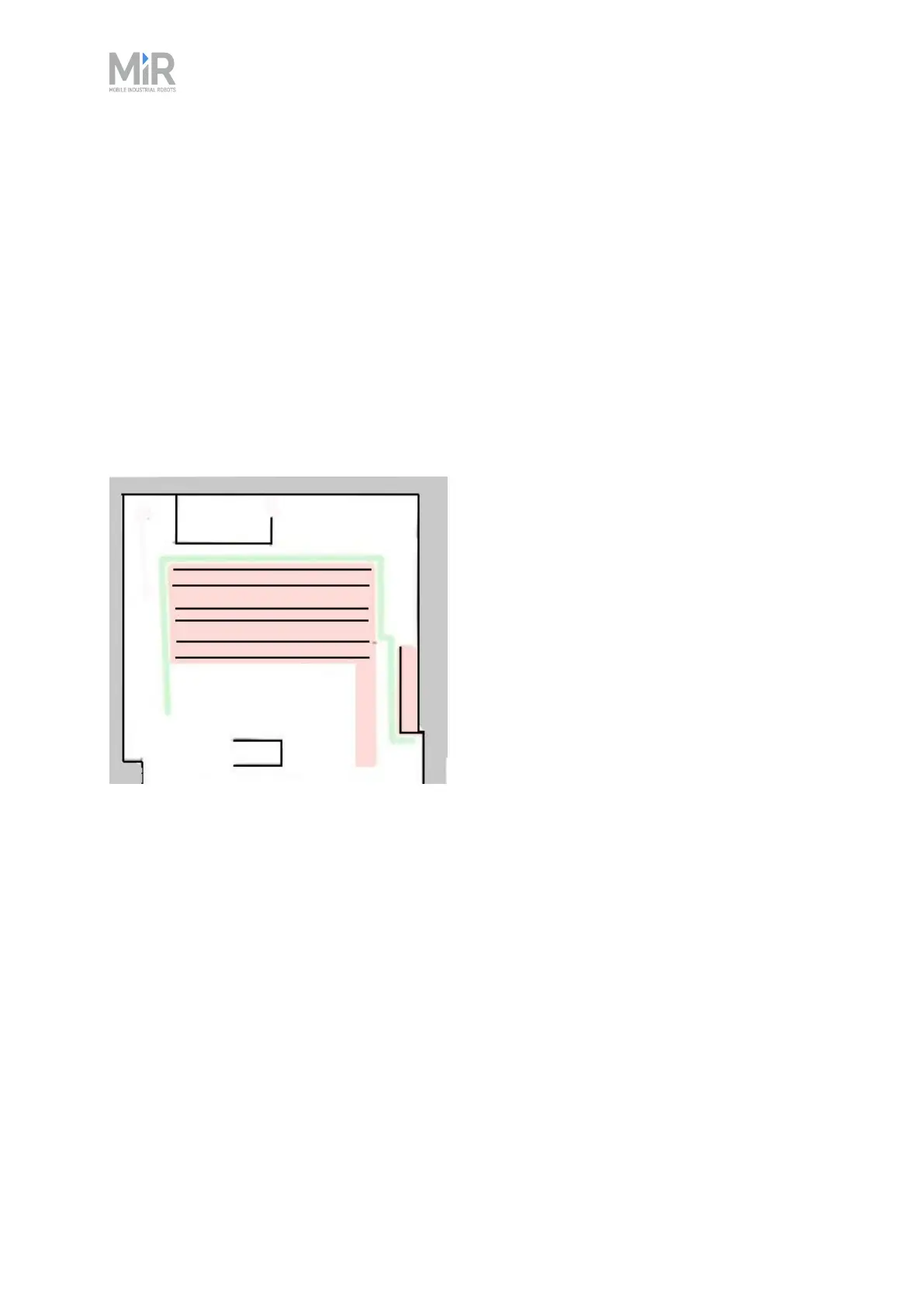
Solution: Add a Forbidden zone (red) around the shelves.
Figure 12.9 A Forbidden zone covering the shelf area.
Glass
Highly transparent glass may not be detected by the safety laser scanners.
Issue: The robot will not stop before driving into a glass window, door, or other glass objects.
Solution: Make the glass visible to the safety laser scanners by gluing non-transparent window
film on the glass in the scanner height, 150 to 250 mm, or mark the wall as a Forbidden zone. Edit
the map afterwards in the robot interface and mark the glass as walls to help the robot localize.



 To Next Page