2. Product presentation
MiR250 Hook User Guide (en) 01/2023 - v.1.2 ©Copyright 2021-2023: Mobile Industrial Robots A/S. 19
Rated drawbar pull : Model : MiR250 Hook
This device complies with part of the FCC Rules.
Operation is subject to the following two conditions:(1)
This device may not cause harmful interference, and (2)
this device must accept any interference received,
including interference that may cause undesired
operation.
Coupling height : 80–350mm S/N : 103103001
Year of construction: 2023
Made in Denmark
Lithium ion battery Mobile Industrial Robots A/S
Nominal voltage : 48V Emil Neckelmanns Vej 15F
Rated ampere-hour capacity : 34,2Ah DK-5220 Odense SØ
Mass : 14 kg
Control panel
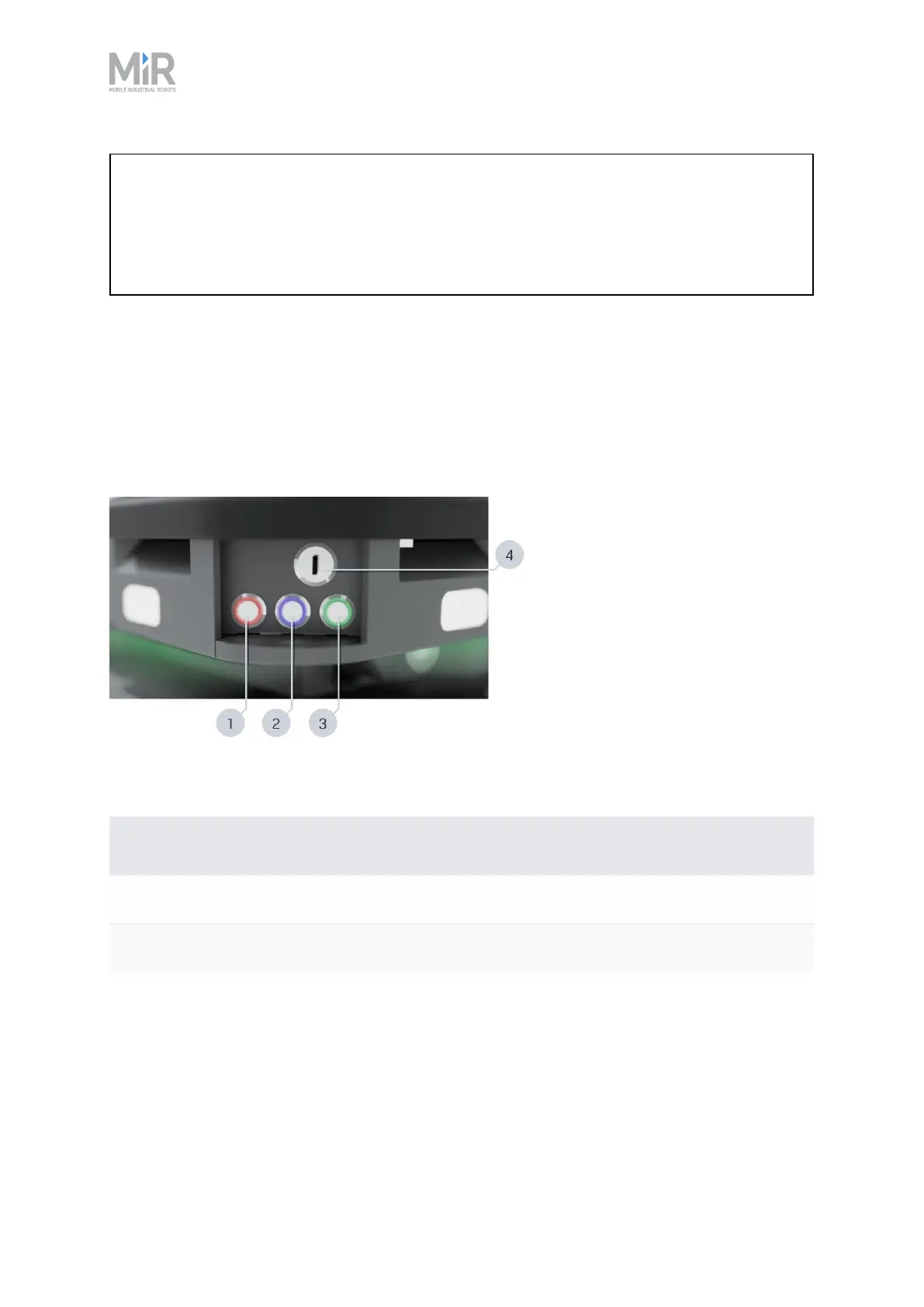
MiR250 Hook has a control panel in the rear-left corner of the robot.
The control panel buttons
Figure 2.6 The MiR250 Hook control panel.
Pos. Description Pos. Description
1 Manual stop button 2 Resume button
3 Power button 4 Operating mode key
Table 2.2 Identification of items on the control panel in Figure 2.6
Manual stop button
Pressing this button stops the robot. After pressing this button, you must press the Resume
button to let the robot continue operating.



 To Next Page