13. Usage
MiR250 Hook User Guide (en) 01/2023 - v.1.2 ©Copyright 2021-2023: Mobile Industrial Robots A/S. 212
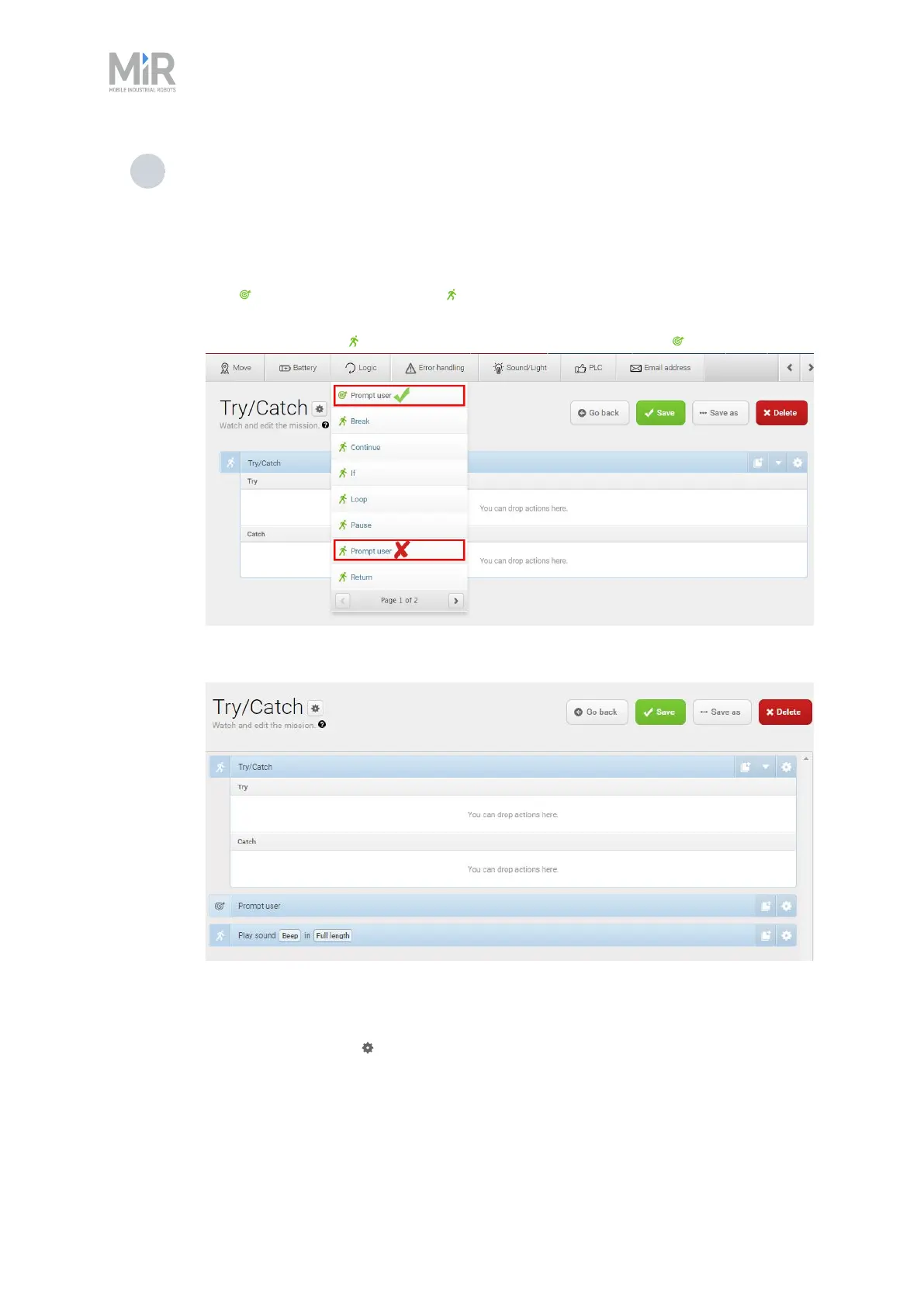
3 Select the following actions:
• In the Error handling menu, select Try/Catch.
• Select the Prompt user mission you have made.
The mission group you have saved the mission under will figure as a menu in the
mission editor. The menus contain both missions and actions. Missions have this
icon and actions have this icon .
In this example, the mission is saved under the Logic menu that also includes the
Prompt user action . Be sure to select the Prompt user mission .
• In the Sound/Light menu, select Play sound.
The following steps describe which parameters each action should be set to. To modify the
parameters, select the gearwheel at the right end of the action line to open the action dialog
box. When you have set the parameters, select Validate and close.



 To Next Page