13. Usage
MiR250 Hook User Guide (en) 01/2023 - v.1.2 ©Copyright 2021-2023: Mobile Industrial Robots A/S. 220
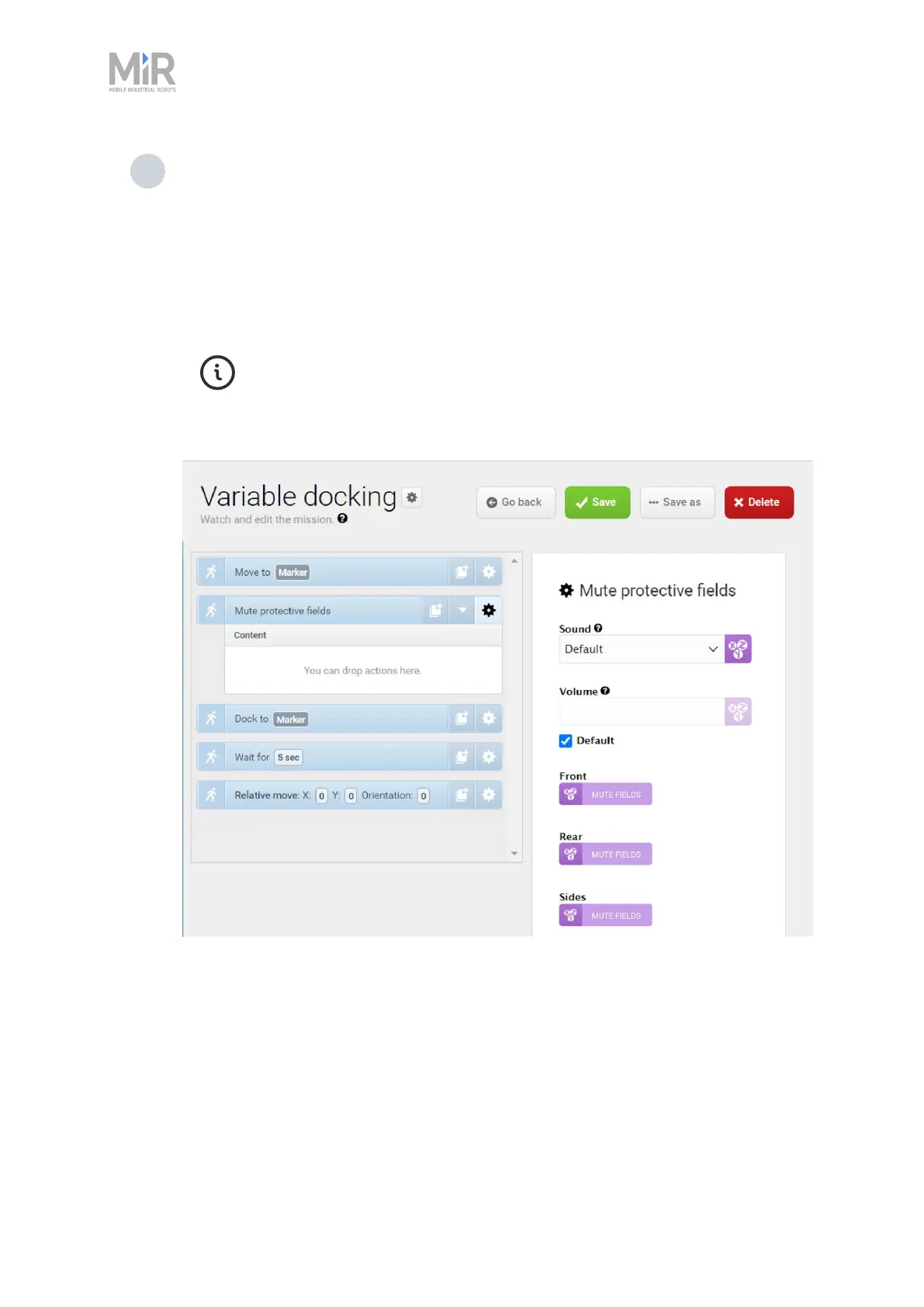
5 In the Mute protective fields action, set the parameters as follows:
• Sound: Select Default
• Front:Create a variable titled Mute fields.
• Rear:Create a variable titled Mute fields.
• Sides:Create a variable titled Mute fields.
MiR250 Hook cannot mute specific Protective fields; you must either mute
all or none of the fields. Otherwise, the robot reports an error. If you use a
variable with the same name in all parameters, you ensure that you apply
the same parameter setting to all.



 To Next Page