Installation
145
Mitel 415/430 as of R4.1
syd-0580/1.2 – R4.1 – 08.2016
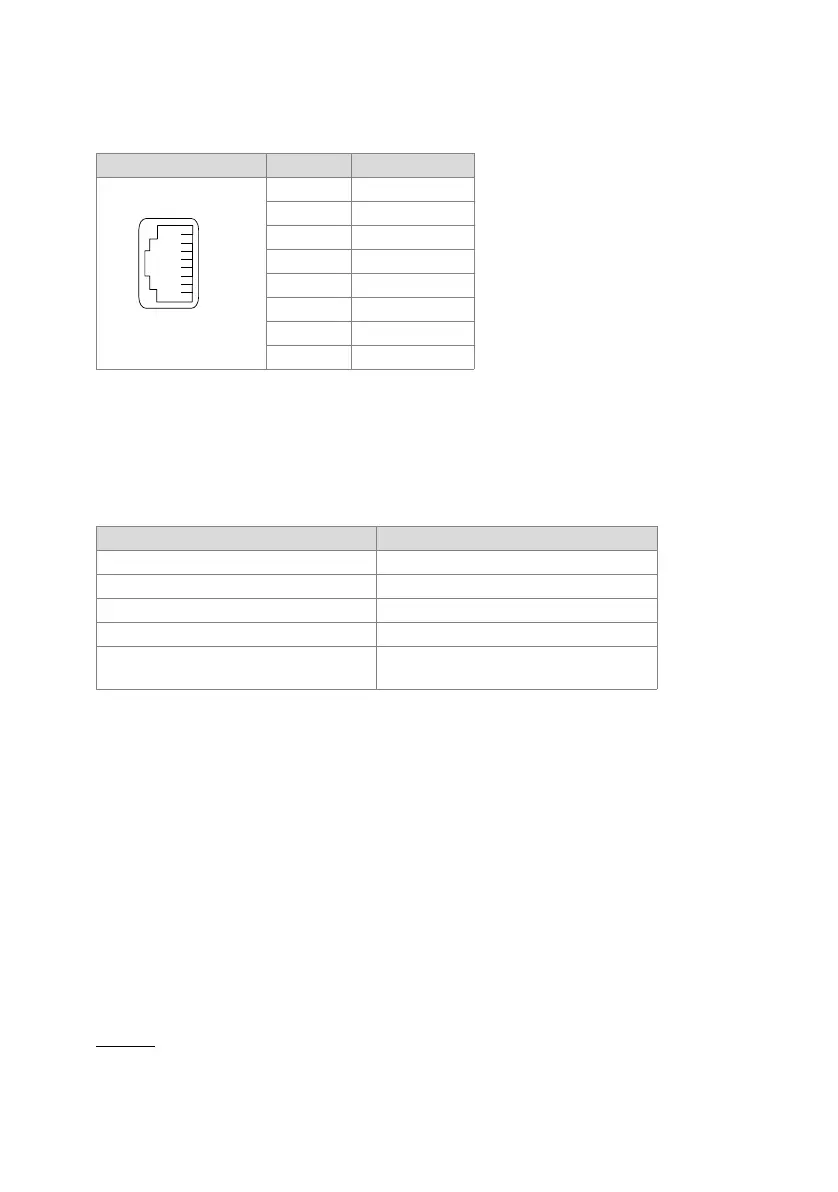
Socket
Tab. 73 Connection of Ethernet interfaces
Settings
The IP address can either be taken from a DHCP server in the IP network or config-
ured statically. If a DNS server is used, the communication server can also be ad-
dressed via its host name.
Tab. 74 Default values, IP address
First-start response
The IP addressing after a first start depends on whether a static IP addressing is al-
ready stored on the EIM card from a previous configuration. A static IP addressing (IP
address, subnet mask, gateway) entered manually is stored on the EIM card and re-
mains available after a first start. This means that the communication server remains
accessible via Ethernet interface in the same way as before the first start.
If no IP addressing is entered on the EIM card (e.g. after initial delivery), the communi-
cation server is started with DHCP after a first start. The communication server tries to
log on with the DHCP server and to enter its host name on the DNS server. If logon is
successful the communication server is accessible via the host name.
If the communication server cannot find a DHCP server within 90 seconds, it deacti-
vates the DHCP mode and is then accessible via the standard IP address (see
Tab. 74
) with a direct connection.
RJ45 socket Pin Signal
1Tx+
2Tx–
3Rx+
4—
5—
6Rx–
7—
8—
Parameter Parameter value
IP address 192.168.104.13
Subnet mask 255.255.255.0
Gateway 0.0.0.0
DHCP yes
Host name <Model name>-<MAC-Address>
1)
Example: Mitel430-00085d803100
1) This entry is hidden and does not appear in the parameter’s input field



 To Next Page