MultiSmart Installation & Operation Manual
14.9.4 Configuring General Faults
Up to ten (10) General purpose (or custom) faults can be created. A General fault is typically used when
none of the predefined faults are a close match to the required functionality (based on the name of the fault).
However, all of the predefined faults can be renamed.
Be aware that the predefined faults are always listed in the Advanced menu under the original name, so if
the functionality is not similar it can become difficult to locate the renamed fault in the Advanced menu.
The same parameters are present for General faults as for the predefined faults. So a General fault can be
created to stop one or more pumps, fault acknowledgement can be set to auto or manual and activation
delay set, to name a few of the options. The source, description, activation and deactivation delays for a
General fault can be modified in the low level menus.
To illustrate the configuration of a General fault, the following two examples will be implemented.
Example 1:
A fault called Manual Mode is required to stops all pumps when a digital input (Din 16) becomes active. A
manual reset is required before the pumps are free to run again. The setup for this fault follows.
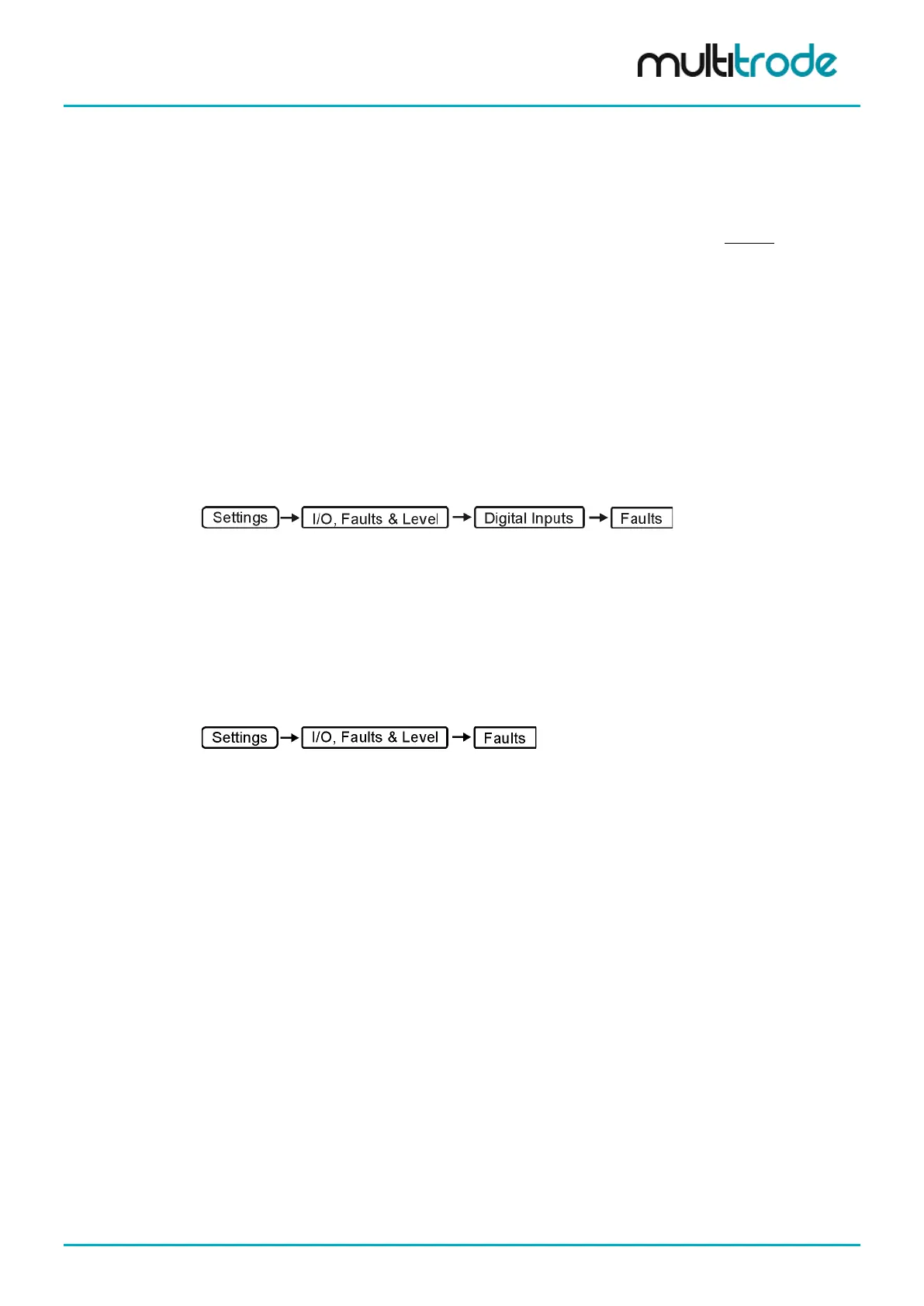
1. Set the Source
Navigate to:
• Scroll down to General fault 1
• Press Assign
• Scroll down to Digital Input 16
• Press Select
• Press Back, Save and the Home key
2. Set the other Parameters
Navigate to:
• Scroll down to General fault 1
• Press Configure
• Enter the new fault description – Manual Mode
• Scroll down to Manual Reset Req and press Toggle to check the box
• Press Context
• Press Toggle to check the Station box (This will stop all pumps)
• Press Save and Restart Now
Whenever Din 16 becomes active, all the pumps will stop and the fault message Manual Mode is displayed.
MultiSmart_IO_Manual_R20 Page 127 of 260



 To Next Page