MultiSmart Installation & Operation Manual
Pressing Resource cycles to the next “application” and Disable allows the user to stop one or many
ISaGRAF “Resources” from running.
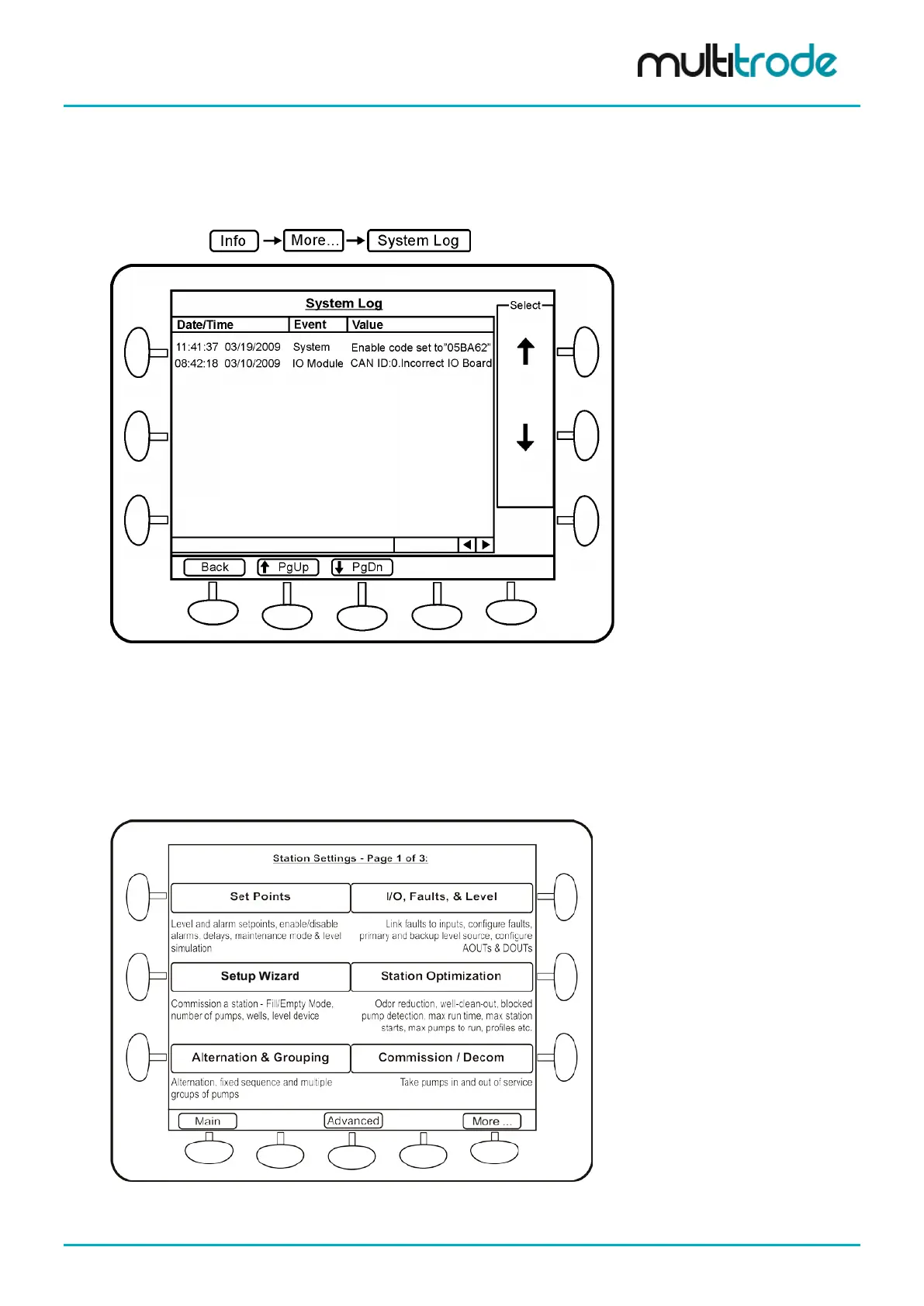
5.4.3.9 System Log
System Log displays any system errors with a time stamp.
Navigate to:
Figure 26 – System Log
5.4.4 Settings Screen
Changes to the operation of the MultiSmart unit can be done by accessing this menu. Most of the general
pump station requirements can be configured from the sub-sections under Settings. However a wide range
of advanced configuration options are also available, and can be accessed and configured through the
Advanced button in the Settings menu.
Figure 27 – Settings Screen
MultiSmart_IO_Manual_R20 Page 31 of 260



 To Next Page