204 Chapter 8 Ensure the best output quality
Output quality problems
Overview of output quality problems - Waves / Cockle
[82]
[82] Waves / Cockle problems
Graphical representation of the
problem
Description
[168]
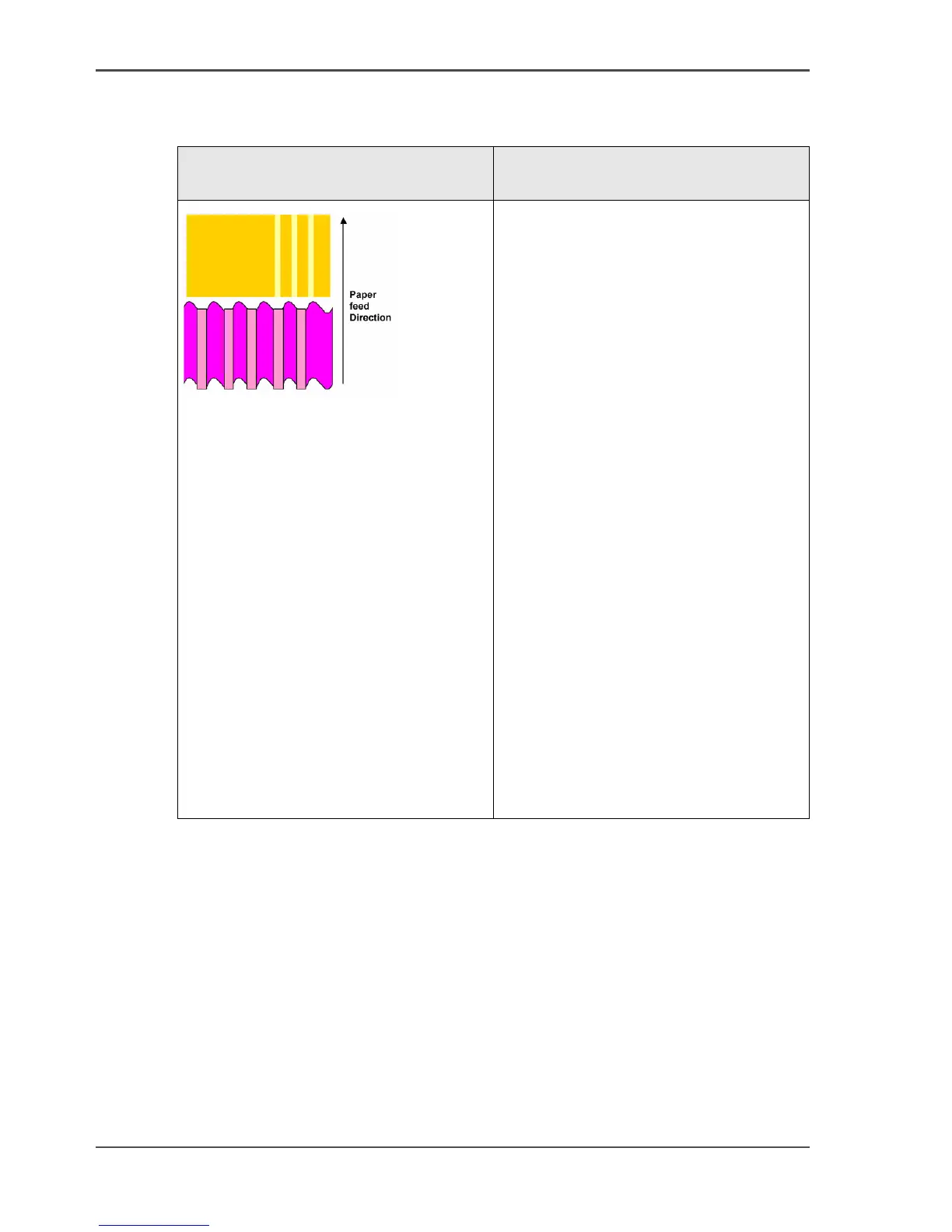
Waves and or light stripes in the
paper feed direction
Bands can consist of waves and / or
slight color differences of
approximately 1 cm.
Check if the correct media is defined on
the system. (see ‘How to correct the
media type defined on the system’ on
page 246)
If yes, select a different media type.
When the printer applies a lot of ink the
paper can cockle. Use premium papers
or coated papers because they have a
better resistance towards waving (also
called cockle). If the problem persists,
the use of heavier media will reduce
cockle.
The following papers will never show
cockle.
■ IJM149 Océ Smart Matte 32 lb
■ IJM150 Océ Smart Matte 46 lb
■ IJM155 Océ Smart Poster Paper
Matte (47 lb)
■ IJM222 Océ Top Photopaper
■ PrintPerfectPaper 47 lb (Océ USA)
■ PhotoPerfectPlusGlossy (47 lb)
(Océ USA)



 To Next Page