Operation
900-0117-01-00 Rev B 57
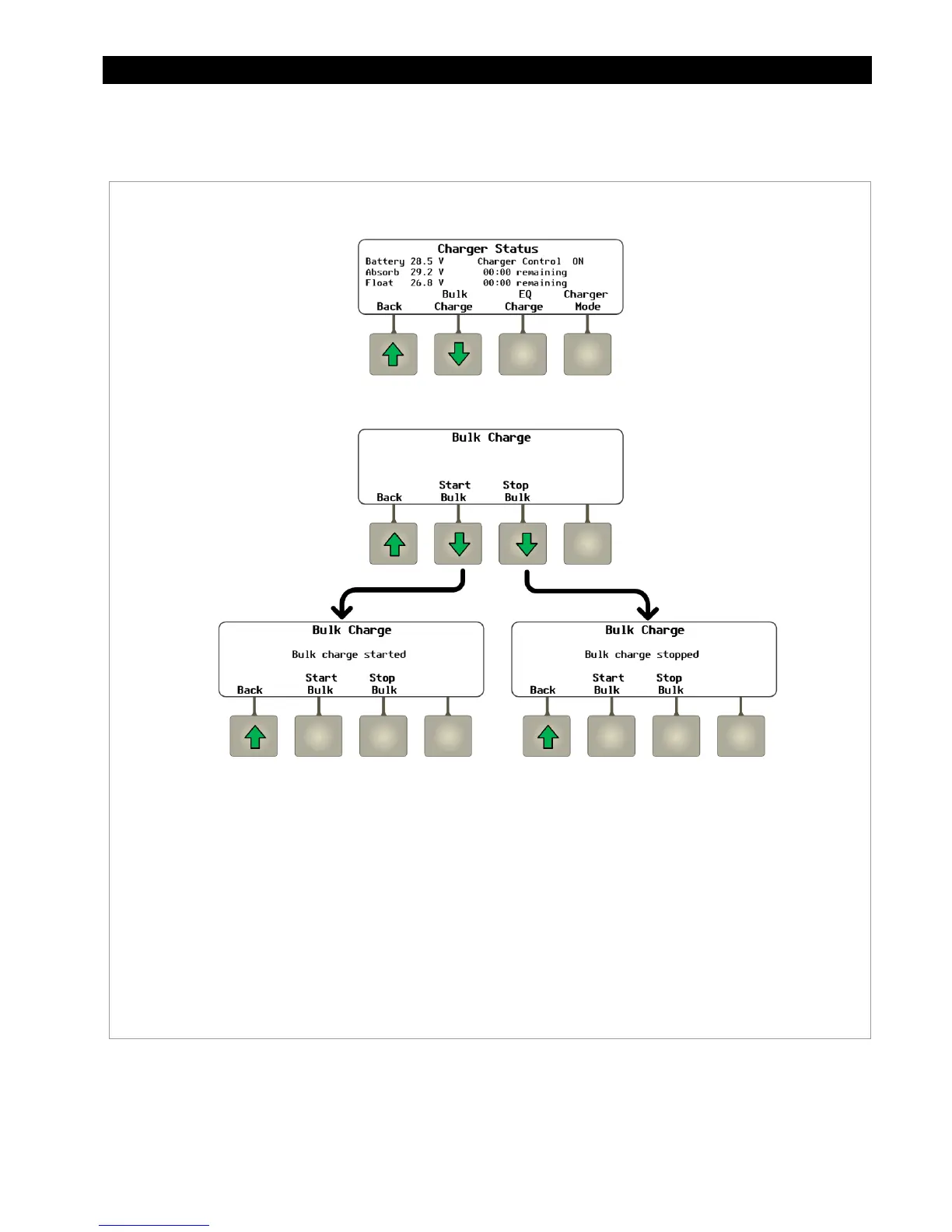
From the
CHARGER
hot key’s
Charger Status
screen, the
<Bulk Charge>
soft key brings up a screen
that can start or stop the bulk stage of a new charging cycle.
Figure 56 Using the CHARGER Hot Key (Bulk Charge)
Soft Key Options:
<Start Bulk> starts a new charging cycle. The screen will display
Bulk Charge
Started
when the <Start Bulk> soft key is pressed.
<Stop Bulk> stops a charging cycle once started. The screen will display
Bulk
Charge Stopped
when the <Stop Bulk> soft key is pressed.
<BACK> returns to the
Charger Status Screen
.


 To Next Page