lé^i= lñÑçêÇ=fåëíêìãÉåíë=mä~ëã~=qÉÅÜåçäçÖó= System Manual
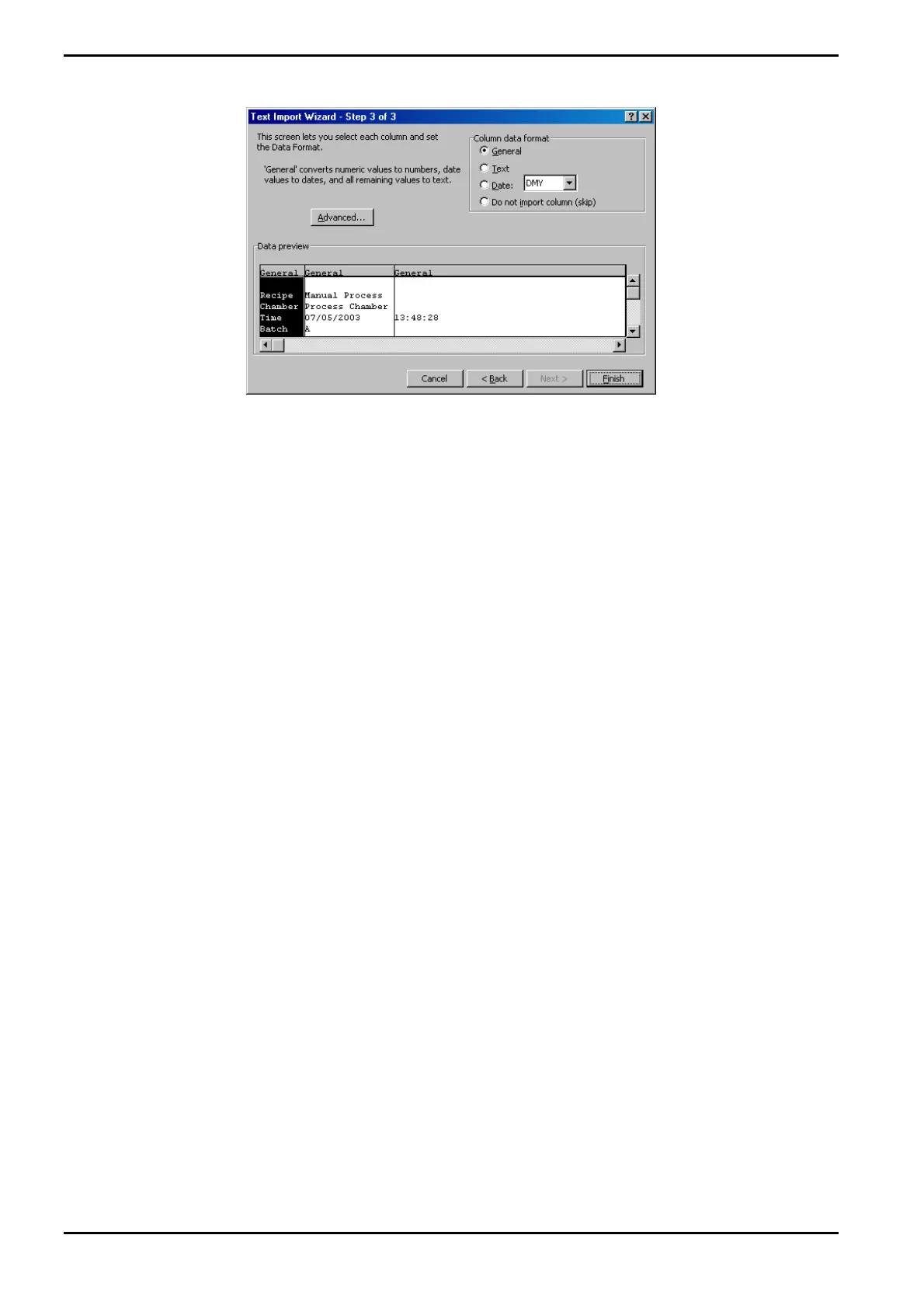
9) In the ‘Column data format’ panel, ensure that the ‘General’ option is selected and
then select the Finish button. The process run log data is now displayed in the Excel
worksheet.
10) Adjust the column widths so that all text is visible and then save the spreadsheet.
Operating Instructions
Generic (OpAL Plasma) Issue 1: Oct. 07 Page 5-30 of 60 Printed: 06 November 2007 09:42


 To Next Page