System Manual= lñÑçêÇ=fåëíêìãÉåíë=mä~ëã~=qÉÅÜåçäçÖó= lé^i
RKNM m`=OMMM=pçÑíï~êÉ=oÉÑÉêÉåÅÉ=
This sub-section gives functional descriptions of the PC 2000 screens.
RKNMKN mìãé=`çåíêçä=m~ÖÉ=
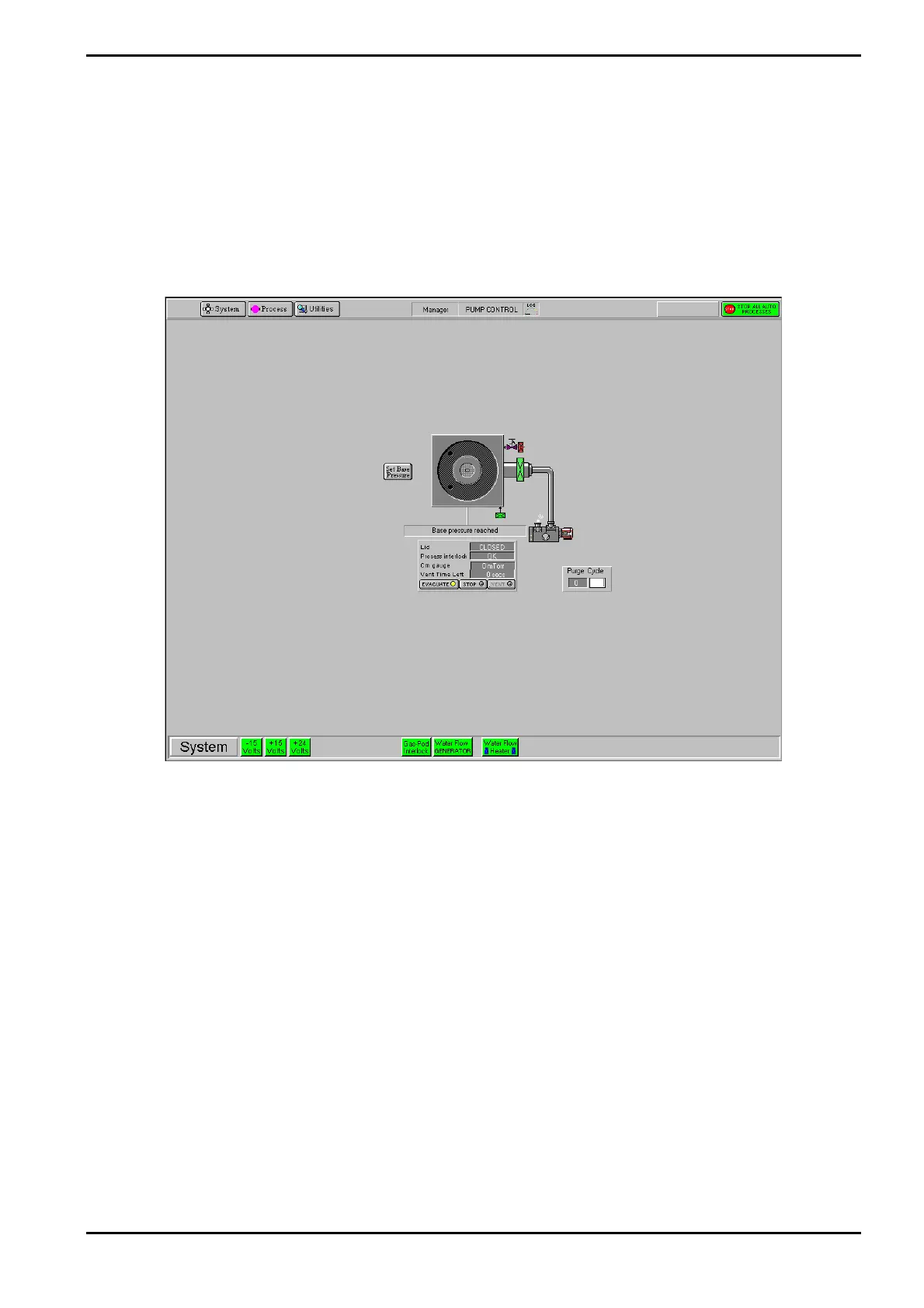
The Pump Control page is automatically displayed when PC 2000 is first accessed; the page
can also be accessed by selecting the System button, then the Pumping option. The Pump
Control page is shown in Fig 5-10.
Fig 5-10: Typical Pump Control page
The Pump Control page provides control and monitoring of the vacuum system. The page has
the following features:
=
Operating Instructions
Printed: 06 November 2007 09:42 Page 5-35 of 60 Generic (OpAL Plasma) Issue 1: Oct. 07


 To Next Page