lé^i= lñÑçêÇ=fåëíêìãÉåíë=mä~ëã~=qÉÅÜåçäçÖó= System Manual
RKNMKP ^ia=eÉ~íÉê=mêÉëÉíë=é~ÖÉ=
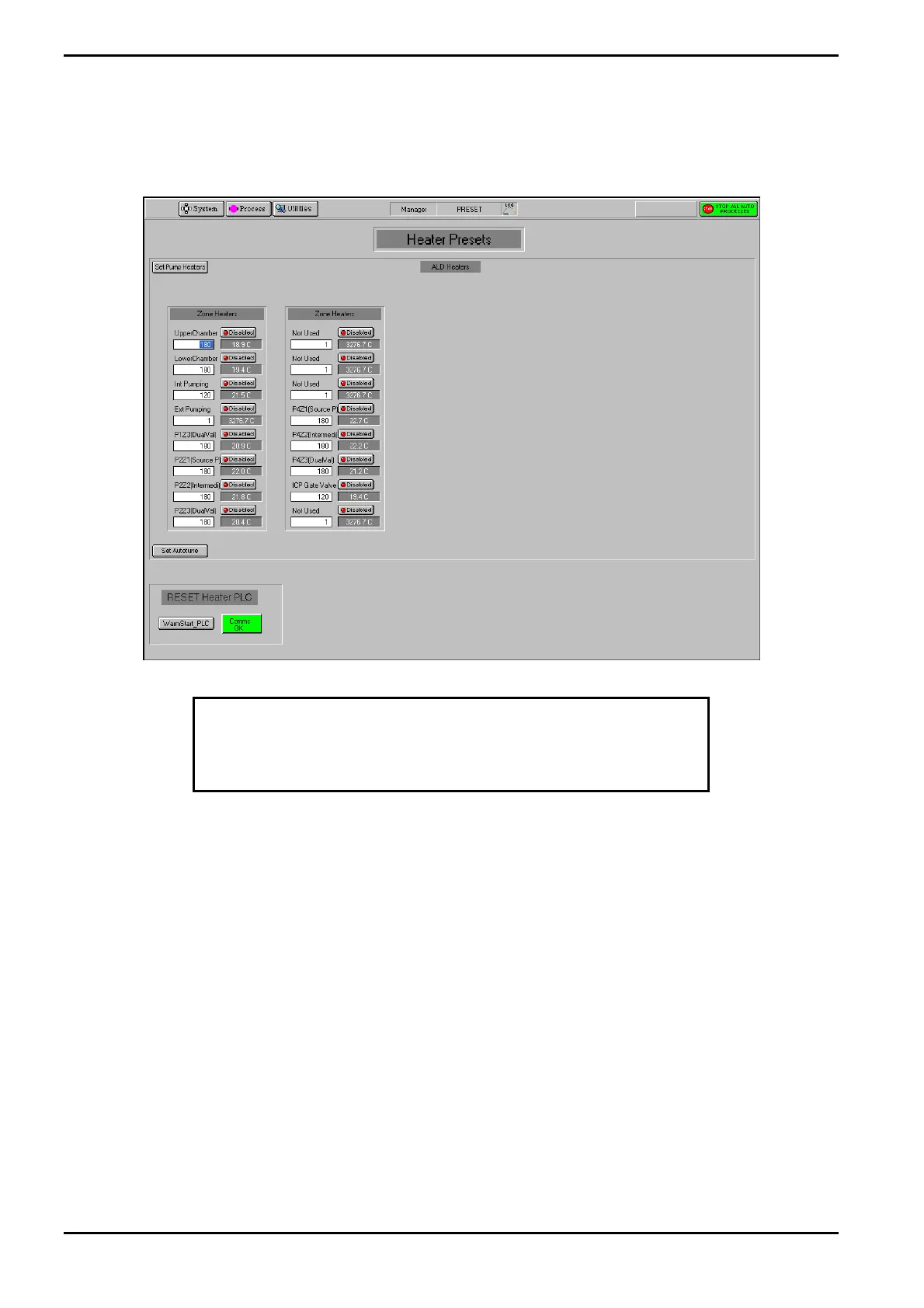
The Heater Presets page, accessed from the Utilities menu, is used to view, set and save the
ALD heater presets.
Fig 5-14: Heater Presets page
CAUTION
If the heaters are not in tolerance, the process will not start.
RKNMKPKN ^ìíçíìåÉ=òçåÉ=ÜÉ~íÉêë=
All zones can be autotuned at the same time or each zone can be autotuned individually.
^ìíçíìåÉ=~ää=òçåÉë=
1) Ensure the Main Heater and Thermocouples are connected.
2) Select the Enable button for each zone to be autotuned.
3) For each zone to be autotuned, enter the required setpoint. Note that the entered
setpoint must be 50 degrees higher than the actual temperature.
4) Select the Set Pump Heaters button to send the setpoints to the PLC.
5) Select the Set Autotune button.
6) When the temperature has reached the selected setpoint wait for 30 minutes.
7) Autotune is now complete.
Operating Instructions
Generic (OpAL Plasma) Issue 1: Oct. 07 Page 5-40 of 60 Printed: 06 November 2007 09:42


 To Next Page