lé^i= lñÑçêÇ=fåëíêìãÉåíë=mä~ëã~=qÉÅÜåçäçÖó= System Manual
RKNMKQ póëíÉã=içÖ=é~ÖÉ=
The System Log page is displayed by selecting the System button, then the System Log
option.
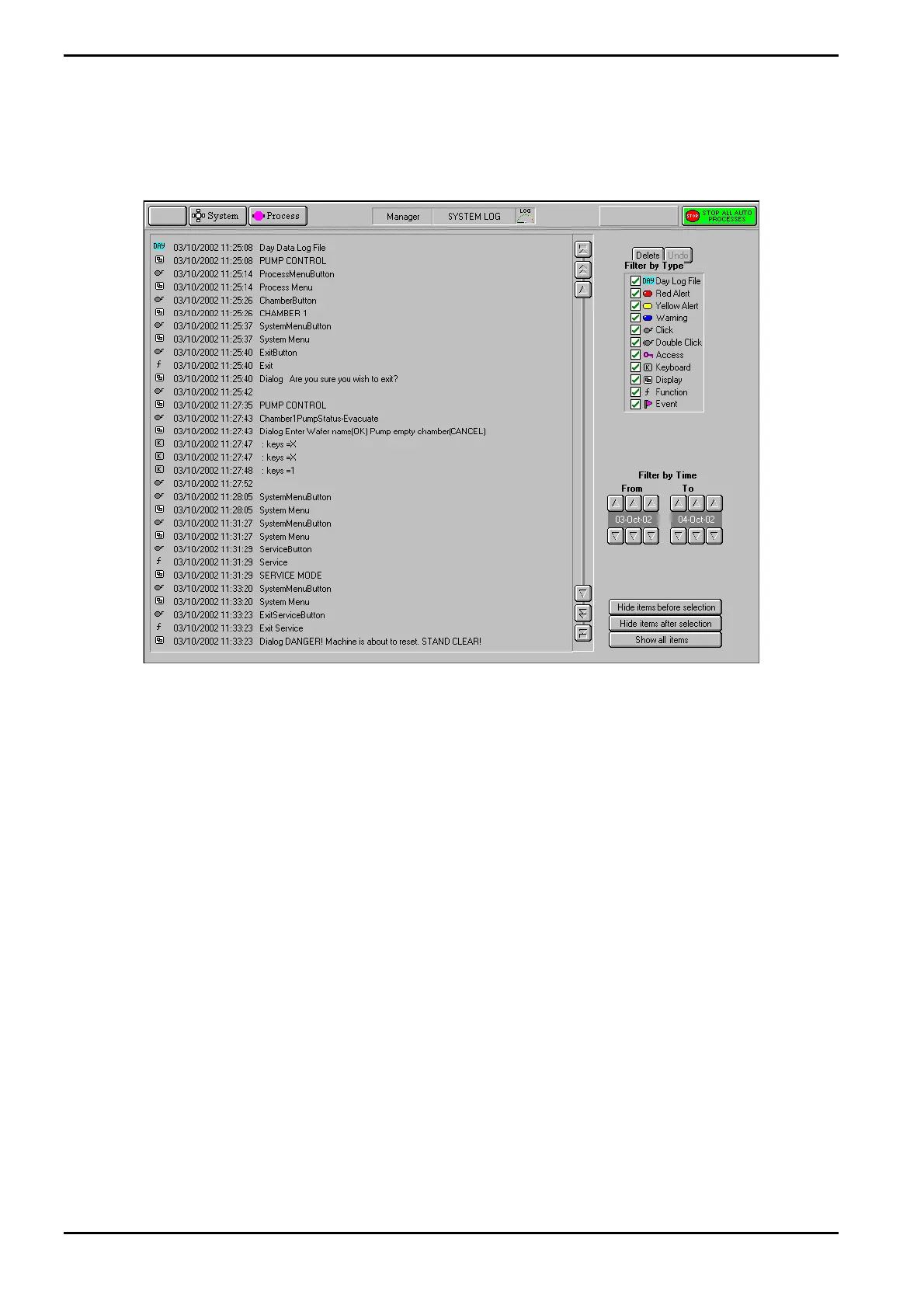
Fig 5-15: System Log page
The system log page allows logged system events to be viewed. A filter facility allows the
viewed events to be displayed by event type and time of occurrence.
The page provides the following features:
Event list: A scrollable list of events in date/time order. Each event is categorised
by an icon, and an event description is given. Use the scrollbar and
associated buttons to move the list up or down by a single event, a
page of events or to the end of the list.
Delete button
Removes the selected event(s) from the Event list.
Undo button
Only active after a Delete action. Restores the last deleted event.
Filter by Event
Type panel:
A list of event types with associated checkboxes. Use this panel to select
the events to display in the Event list. A checkbox showing an ‘x’
indicates that the associated event type will not be displayed. A
checkbox showing a ‘9’ indicates that the associated event type will be
displayed.
Filter by time
controls:
Use these controls to select events occurring in a time range to be
displayed.
Operating Instructions
Generic (OpAL Plasma) Issue 1: Oct. 07 Page 5-42 of 60 Printed: 06 November 2007 09:42


 To Next Page