System Manual= lñÑçêÇ=fåëíêìãÉåíë=mä~ëã~=qÉÅÜåçäçÖó= lé^i
RKNMKS mêçÇìÅíáçå=ãçÇÉ=é~ÖÉ=
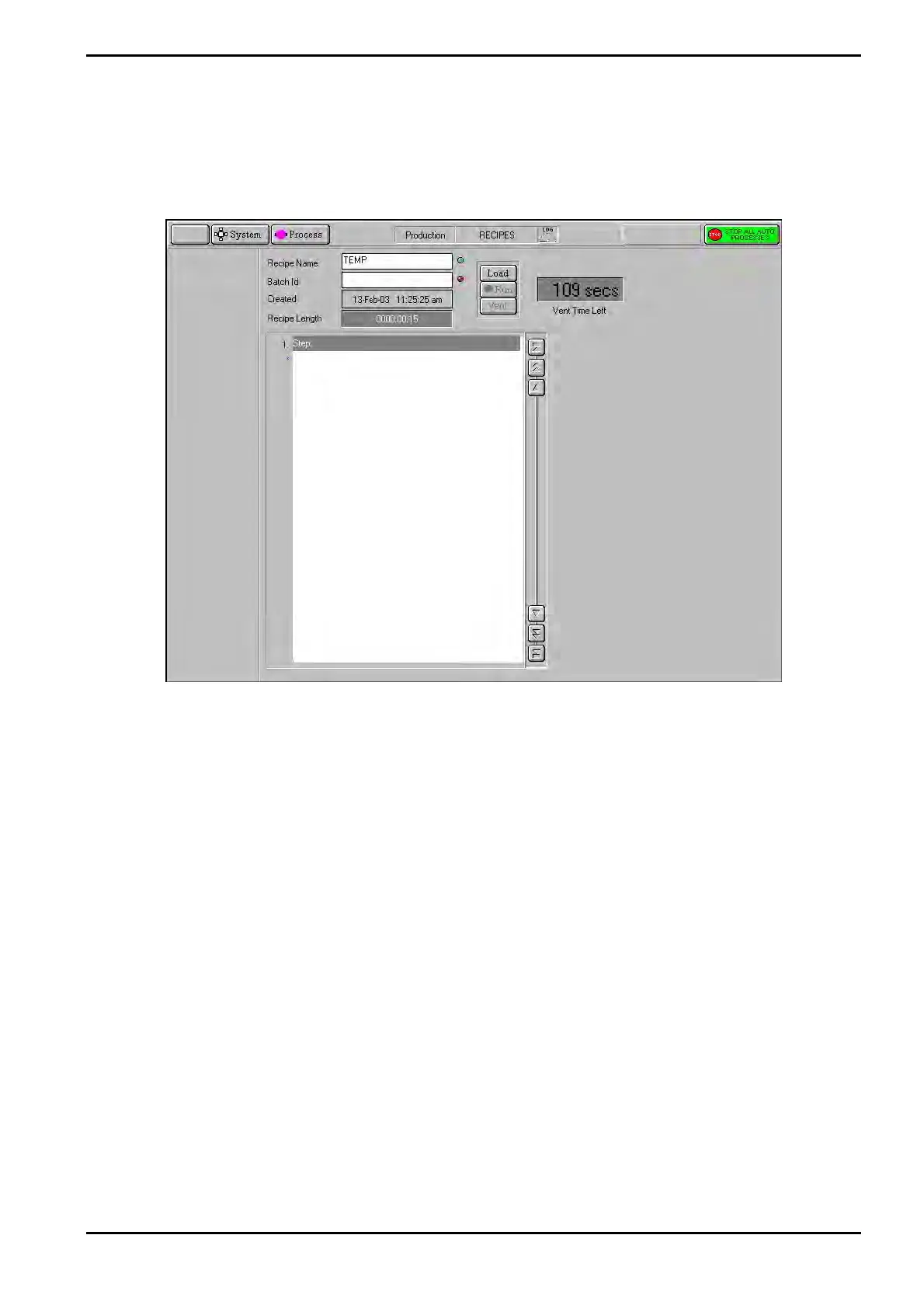
The production mode page (a typical production mode page is shown in Fig 5-17) is
automatically displayed when a user logs on in production mode. To use the production
mode facility, refer to sub-section 5.6.11 (page 5-22).
Fig 5-17: Typical production mode page
The facilities available on this page are:
Recipe Name field
The name of the currently loaded recipe. The indicator at the right of
this field is coloured red until a recipe is loaded when it changes to
green.
Batch Id field
Enter the batch identity of the currently loaded wafer. The indicator
at the right of this field is coloured red until a batch identity is
entered when it changes to green.
Created field
The date and time of recipe creation.
Recipe Length
field
The length of time taken to run the recipe.
Load button
Select to load an existing recipe.
Run button
Select to run the current recipe. Be aware that selecting this
button will cause system components, e.g. valves, heaters,
etc., to operate! Note that this button only becomes active when a
recipe has been loaded and a batch identity has been entered.
Vent button
Select to vent the automatic load lock.
Operating Instructions
Printed: 06 November 2007 09:42 Page 5-45 of 60 Generic (OpAL Plasma) Issue 1: Oct. 07


 To Next Page