Setting Inputs and Outputs 139
500ML Lighting Control Console
Operation Guide
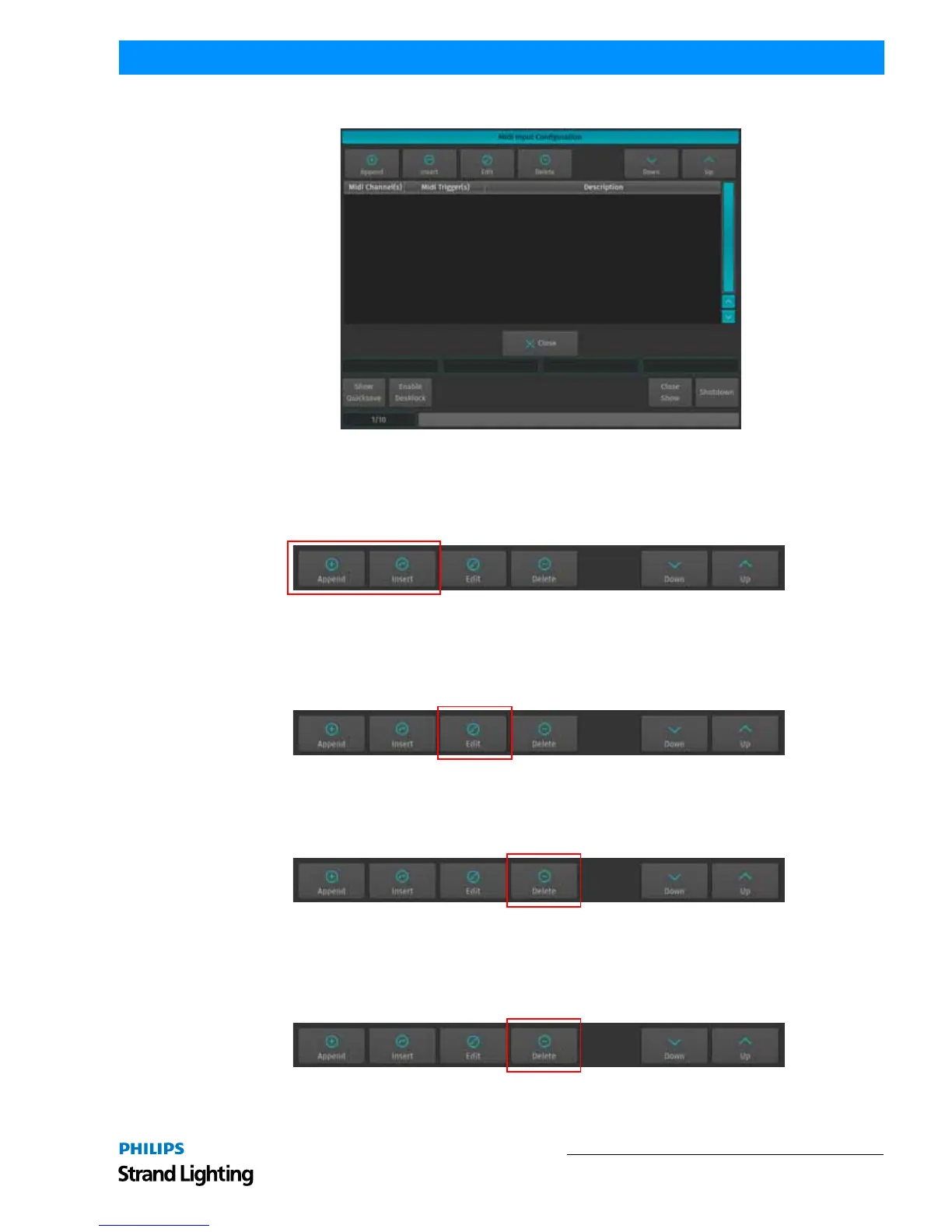
Figure 255: MIDI Input Configuration - Playback Remote List Editor
Add MIDI Triggers
To add a MIDI Input trigger, click either the Append (to append a trigger to the list) or Insert (to insert a trigger in
front of the selected row) Button. The MIDI Trigger - Source Setup window will be shown.
Figure 256: MIDI Input Configuration - Append / Insert MIDI Trigger
Edit MIDI Triggers
To edit an existing MIDI Input trigger, select it from the List of Triggers and click on the Edit button. The MIDI
Trigger Setup Window will be shown.
Figure 257: MIDI Input Configuration - Edit MIDI Trigger
Delete MIDI Triggers
To delete an existing MIDI Input trigger, select it from the List of Triggers and click on the Delete button.
Figure 258: MIDI Input Configuration - Delete MIDI Trigger
Moving MIDI Triggers in the Trigger-List
To move an existing MIDI Input trigger up or down, select it from the List of Triggers and click on the Move Down
or Move Up buttons..
Figure 259: MIDI Input Configuration - Move Down / Move Up MIDI Triggers



 To Next Page