Operation Guide 500ML Lighting Control Console
140 Programming
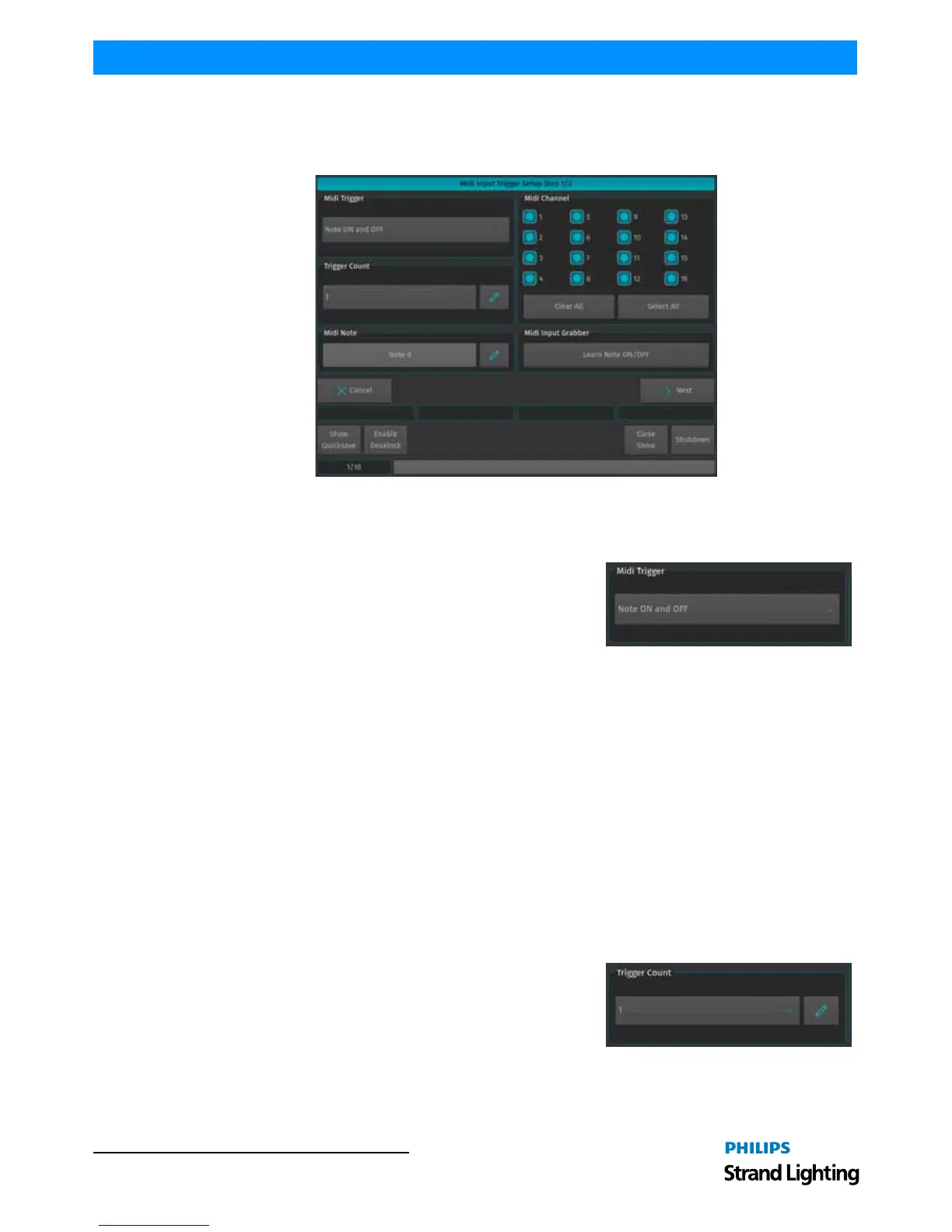
MIDI Trigger Setup Window (Step 1 of 2 - Source Selection)
The MIDI Input Trigger wizard is used to define which MIDI Note, Program or Control Change on which channel the
Console should listen on. When done, click on Next. The Midi Trigger - Target Setup Window will be shown.
Figure 260: Midi Trigger - Source Setup
Setting the MIDI Trigger Type
Note On / Off
Note On / Off Commands are the most common form of MIDI
Triggers. Note On commands are usually sent when a Key on a MIDI
keyboard is pressed, whereas Note Off commands are usually sent
when this key is released, in Example: Channel 1 Note 64 On might be
sent when a key is pressed on the Midi Keyboard, whereas Channel 1
Note 64 Off would be sent when the key is released. Since Notes always transmit the key-state, they are ideally suited
for button remote control. The Midi Note On/Off gets translated into a so called On / Off Trigger, whereas Note On
only or Note Off only Trigger types are translated into so called Single On Triggers.
Program Change
Program Changes are usually used by MIDI Synthesizers to actually change the instrument type for a given MIDI
Channel. Hence Program changes do only consist of a single command as opposed to a Note On or Off command, eg:
Channel 6 Program Change 2 is considered as one complete command. Program Change commands are translated
into so called Single On Triggers.
Controller Events (Control Change)
Controller Events or Control Changes are usually used by MIDI Synthesizers to remotely control potentiometers that,
in example, set the volume or Pan for an instrument. As opposed to DMX; a Midi Controller Event only consists of a
7 bit value (0-128 instead of 0-255) to address the controller and another 7 bit value to set the value. In Example:
Channel 4 Control Change 2 value 64 is one complete command. Because Controller Events provide a range of
values, they should be used to remote control values (like a Cuelist dimmer, ie.) over MIDI. Controller Events are
translated into so called Value Triggers.
Setting the Trigger Count
The Trigger Count defines how many consecutive triggers should be
added, starting at the given Midi Note, Program or Control Change. As
an example: A Trigger Count of 1 will only add the configured trigger.
A Trigger Count of 5 would add 5 triggers - If, the first trigger is set to
react to Control Change 1 and target Fader 1 at Page 1, the second
would react to Control Change 2 and target Fader 2, the third to CC 3, targeting fader 3 and so on.



 To Next Page