Fixture Setup 61
500ML Lighting Control Console
Operation Guide
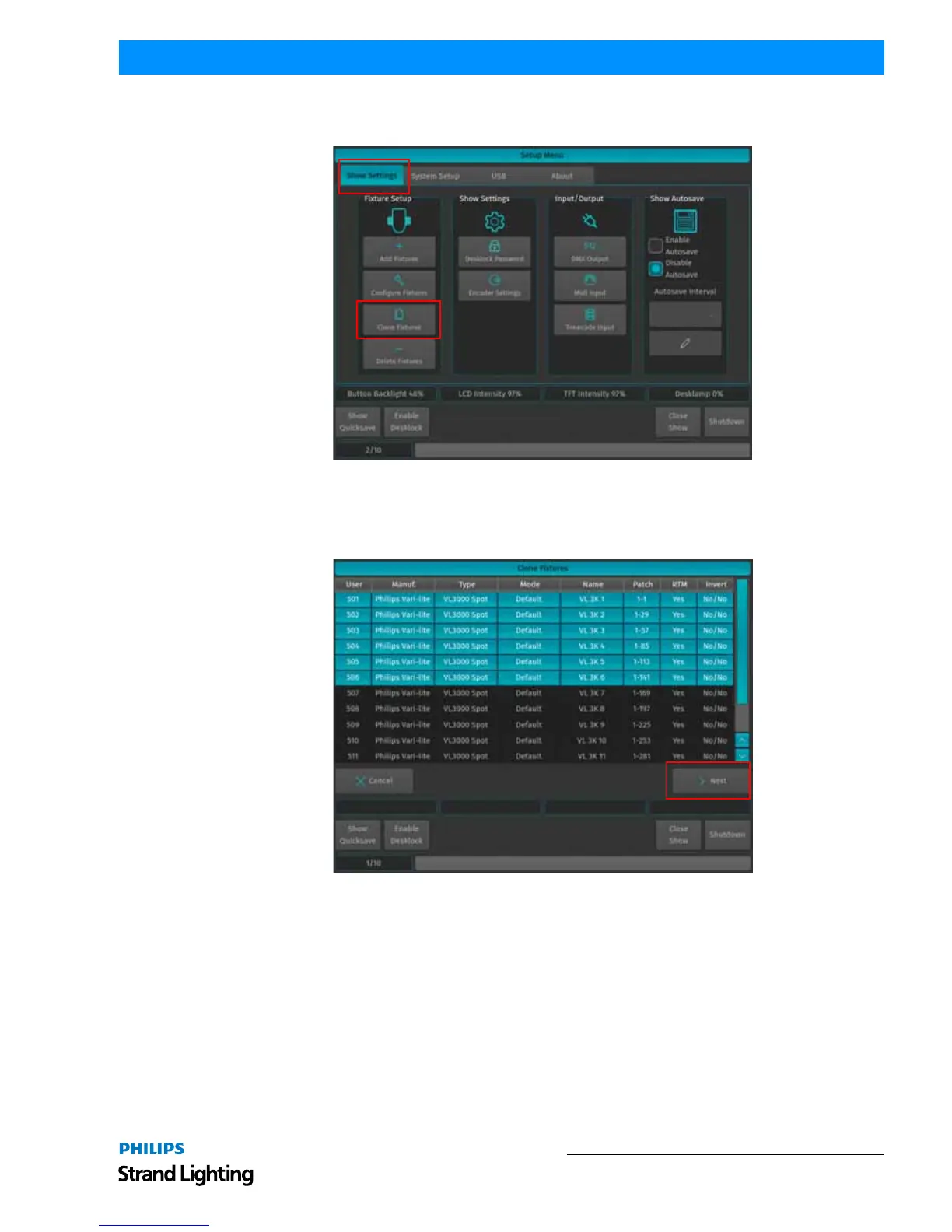
To do this, open up the Setup Menu by pressing [SETUP], select the Show Settings tab and click on Clone Fixtures as
illustrated in Figure 101. A wizard will appear to assist you in the cloning process.
Figure 101: Setup Window - Show Settings - Clone Fixtures Option
In the Clone Fixtures Window (Figure 102), select the fixtures you would like to clone. You may either select the
fixtures from the list, or by using the keypad. You may also select Fixture Groups on the external screen. Selection
order is taken into account. After selection, click on Next.
Figure 102: Clone Fixtures Window
The console will now ask for the amount of fixtures to add and for the types of programming to be cloned (refer to
Figure 103 on page 62). You may choose any of these Items. Keep in mind that cloning Cuelists only makes sense if
you clone Presets as well, since cuelists that are programmed using presets may exhibit unpredictable behavior.



 To Next Page