Chapter 4-Restoring the RealPresence® Collaboration Server (RMX®) 1500/2000/4000 Using the USB Port
Polycom, Inc. 4-5
Before connecting directly, you must modify the IP Address, Subnet Mask and Default
Gateway settings of the workstation to be compatible with the RMX’s Alternate Management
Network.
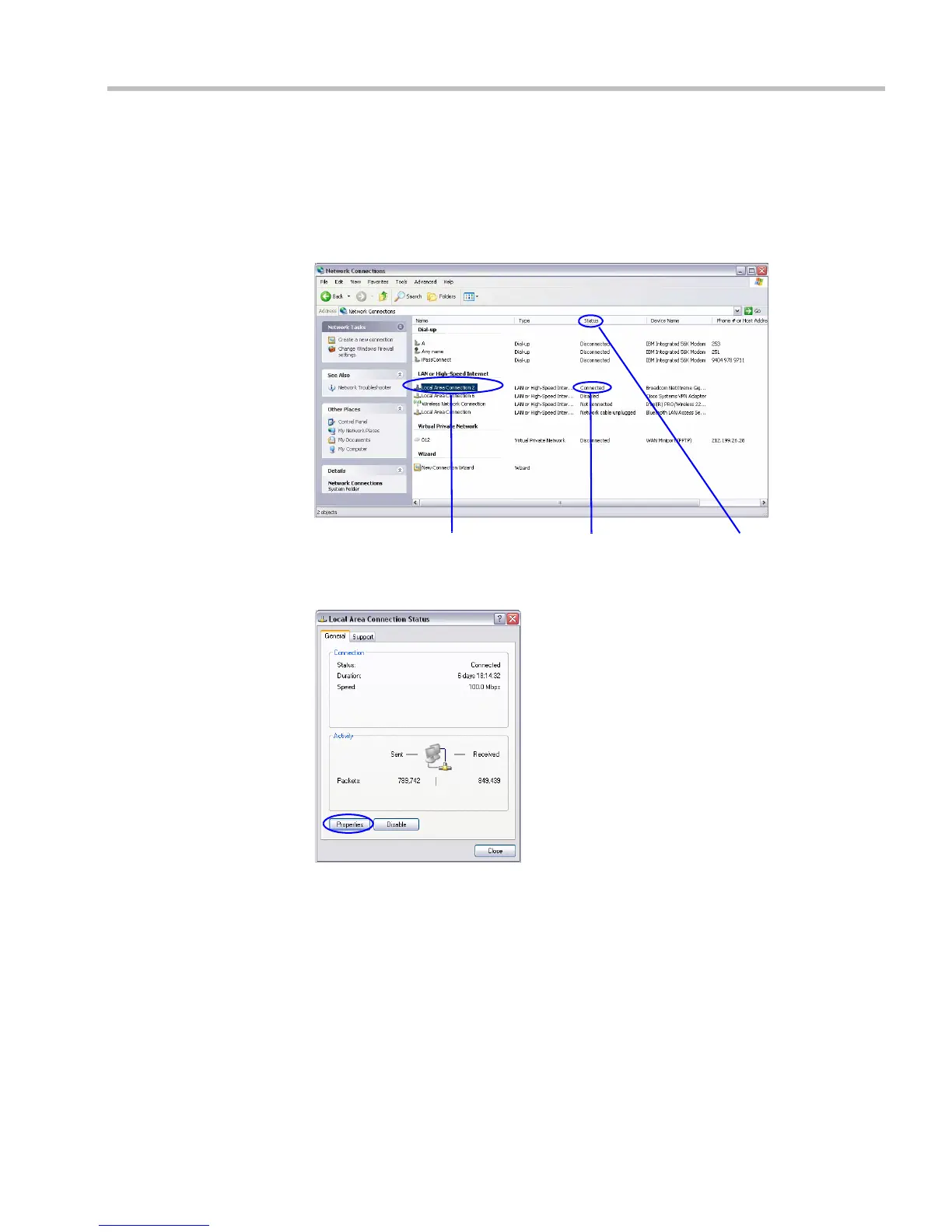
a On the Windows Start menu, select Settings > Network Connections.
b In the Network Connections window, double-click the Local Area Connection that
has Connected status.
c In the Local Area Connection Status dialog box, click the Properties button.
Local Area
Connection
Connected
Status














 To Next Page