Polycom RealPresence Collaboration Server (RMX)1500/2000/4000 Deployment Guide for Maximum Security Environments
5-10 Polycom, Inc.
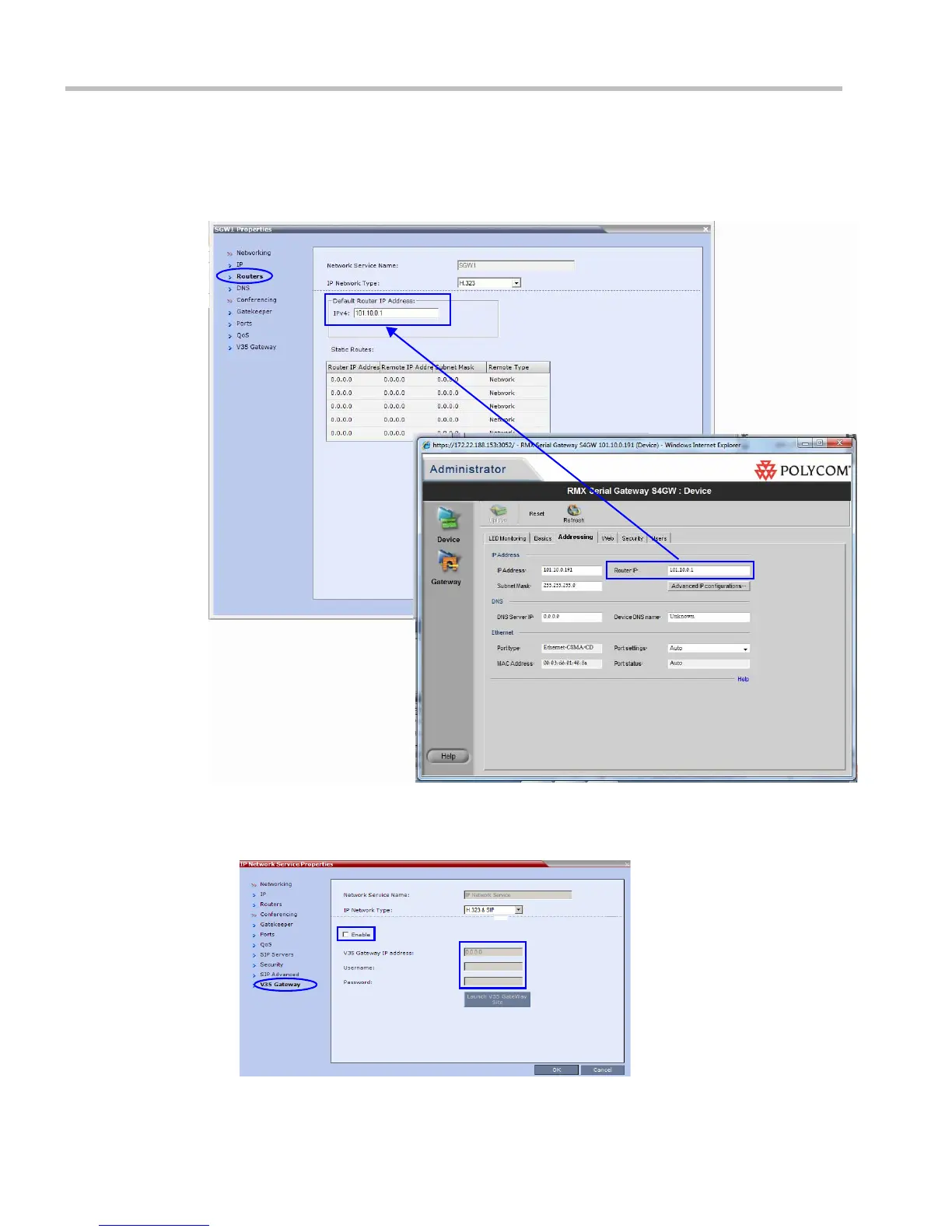
8 Click the Routers tab.
9 Enter a Default Router IP Address that is on the same VLAN as the Serial Gateway
Management address. (This address was configured in Step 3 of "Procedure 1: Initial Setup
of the Serial Gateway” on page 5-4.)
10 Click the V35 Gateway tab.
The network service Properties dialog box is displayed. The Enable field is selected and
cannot be un-checked.














 To Next Page