Application > LP+ Setup > Text Position
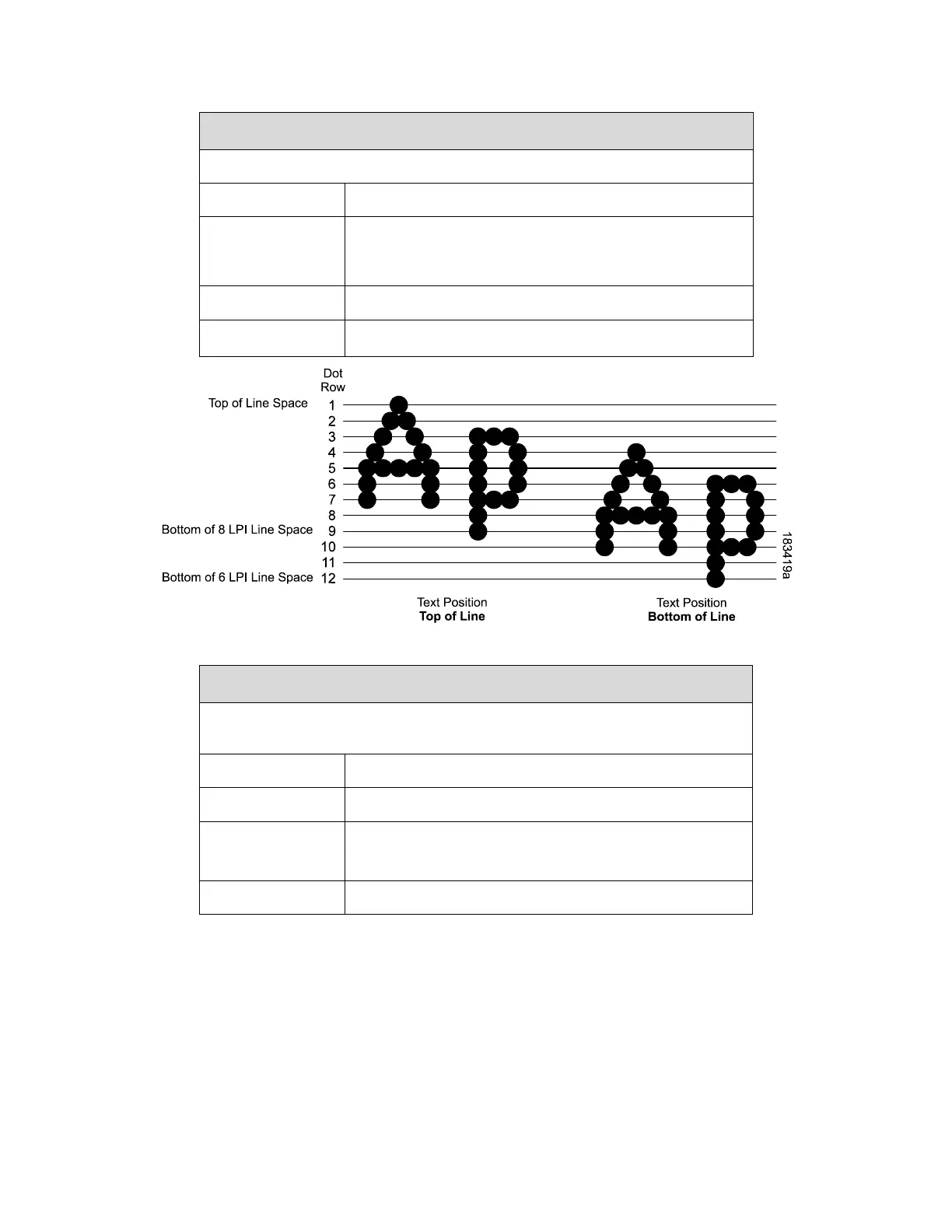
Specifies where the text will be positioned in the line space.
Text is positioned at the top of the line space.
Text is positioned as if it were at the bottom of a line
space at 6 LPI. The following example picture below
shows both Top of Line and Bottom of Line positions.
This option does not apply to OCR-A or OCR-B.
Application > LP+ Setup > Form Length (xx)
Specifies form length in three different units for all preferences of the user:
inches, millimeters, and even lines.
T6x04: 6.0 inches
T6x06: 4.0 inches
Only lines are available when TN5250 is enabled.












 To Next Page