Teklogix 7035, 8255 & 8260 Terminals User Manual 189
Chapter 7: Setting Parameters
SNMP (Simple Network Management Protocol)
802.IQ v2
Port
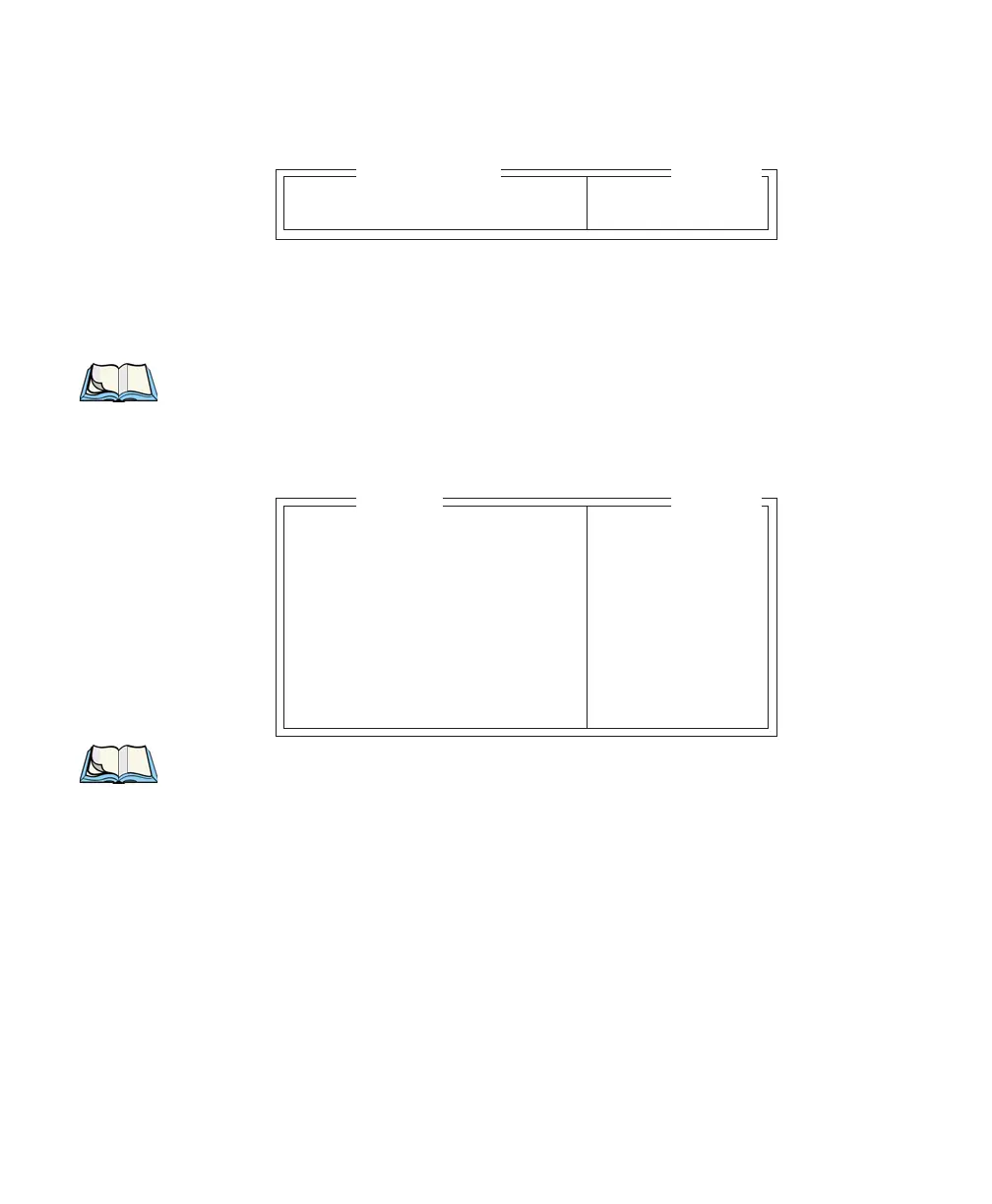
“Port” specifies the UDP port used by 802IQ v2. The default value is 8888. Keep in
mind that the value assigned here must match the value set at the network controller.
Note: When using 802IQ v2, make certain that the terminal “Net Mask”
matches the network controller net mask.
7.13 SNMP (Simple Network Management Protocol)
Note: The SNMP menu for non-IP terminals does not include IP-specific menu
items. For this type of terminal, the SNMP menu displays only the follow-
ing parameters: “Group Name”, “Contact”, “Name”, “Location” and
“Batt Thresh”.
Simple Network Management Protocol (SNMP) is the protocol used to monitor and
manage devices attached to a TCP/IP network (providing they support SNMP).
SNMP uses Management Information Bases (MIBs) that define the variables SNMP
can access. Each product has a defined set of MIBs that determine how SNMP
operates, the type of access allowed and so on. All Teklogix products support the
TEKLOGIX-GENERIC-MIB – a MIB that defines some common features across
Teklogix products. All devices also support MIB-II, a management information base
that defines the common features of TCP/IP networks.
Port 8888 see text
802.IQ v2
Range
Group Name see text
Contact see text
Name see text
Location see text
SNMP Enable Y Y/N
Auth trap Y Y/N
Communities » see text
Batt Thresh 0 0-100
CQ Thresh 0 0-100
SNMP
Range


 To Next Page