Teklogix 7035, 8255 & 8260 Terminals User Manual 177
Chapter 7: Setting Parameters
Serial 1 And Console 2 Parameter Settings
•“Nomad” – TESS and ANSI accepts input from the Nomad scanner through
Console 2 port. (This option is not available for the Serial 1 port.)
•“Output” – TESS pass-through operations and serial output fields
are directed to Serial 1 port. (This option is not available for the
Console 2 port.)
•“IrDA Printer” – A serial peripheral cannot be used while the IrDA port is
in use. (This option is not available for the Console 2 port.)
•“GPS” – TESS accepts input from the GPS receiver through Console 2 port
(This option is not available for the Serial 1 port.)
7.10.2 Serial 1 And Console 2 Parameter Settings
Since the parameters for the “Serial 1” and “Console 2” ports are identical in most
cases, they are discussed in one section. Any differences are clearly indicated.
Important: The most significant difference between the “Serial 1” and
“Console 2” port parameters is that the Scan-See menu is only
available in the Console 2 “Parameters” menu.
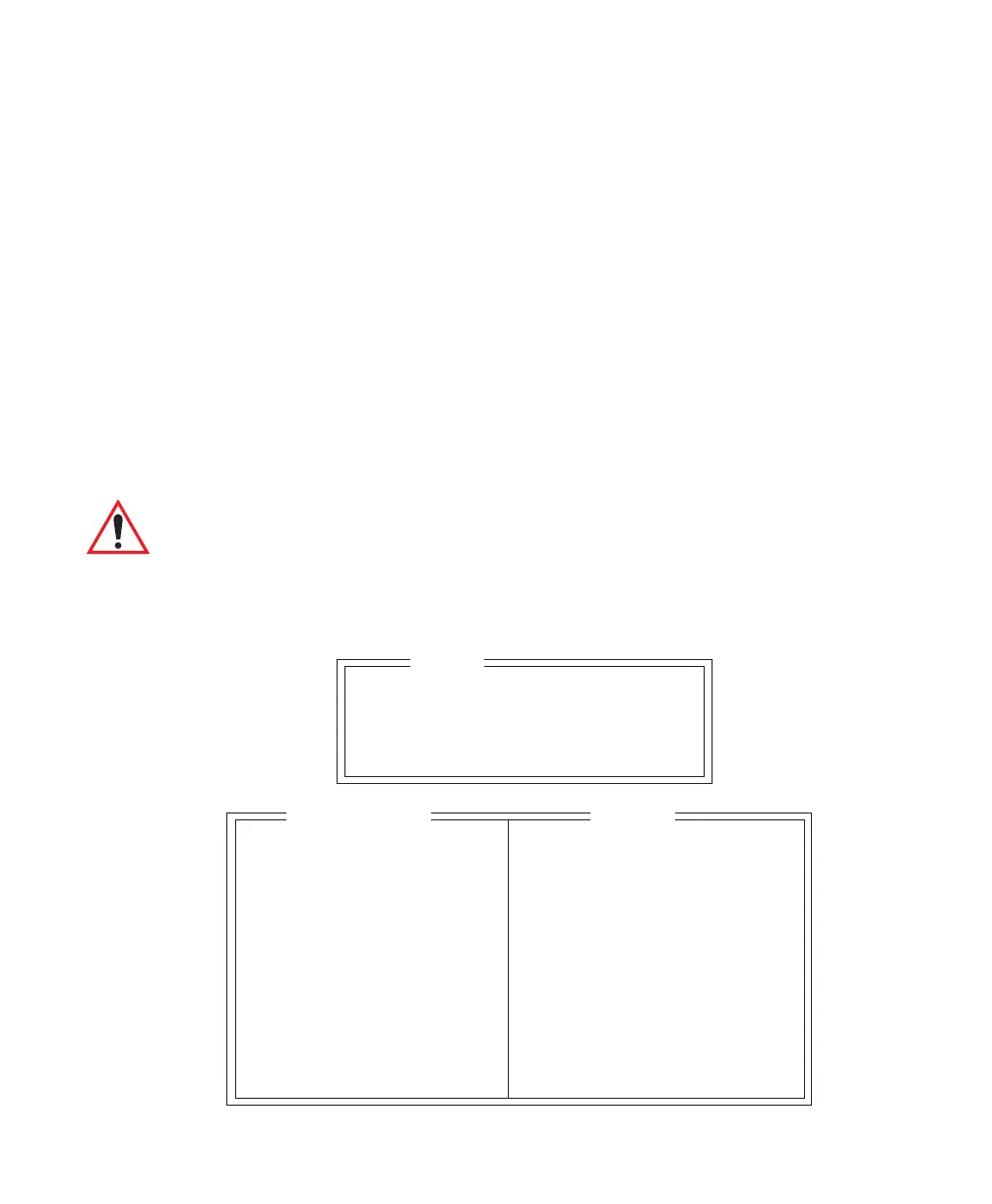
Serial 1 and Console 2 sub-menus change depending on the device you choose.
Serial 1 Disable
Parameters »
Console 2 Scan-See
Parameters »
Ports
Speed 9600 1200 2400 4800 9600
Data Bits 8 7-8
Parity None None Odd Even
Stop Bits 1 1-2
Flow Ctrl None None XON/XOFF
Buffer 512 32-2048
Retries 3 1-100
Retry Tmo 50 0-100
Input Tmo 2 0-100
Scan-See »
see page 180
Test N Y/N
Enable
Range



 To Next Page