Teklogix 7035, 8255 & 8260 Terminals User Manual 199
Chapter 8: Terminal Accessories
External Bar Code Readers
8.1 External Bar Code Readers
Warning: ALWAYS TURN THE TERMINAL OFF before connecting or
disconnecting any bar code reader.
To connect a bar code reader (either a scanner or a contact wand) to the terminal,
attach the device to the 28-pin peripheral port at the bottom of the unit.
Before using the bar code reader, you may need to change some parameters.
For details, review “Barcode” on page 135.
8.1.1 Entering Data With A Bar Code Reader
The terminal supports two types of bar code readers: contact wands or scanners.
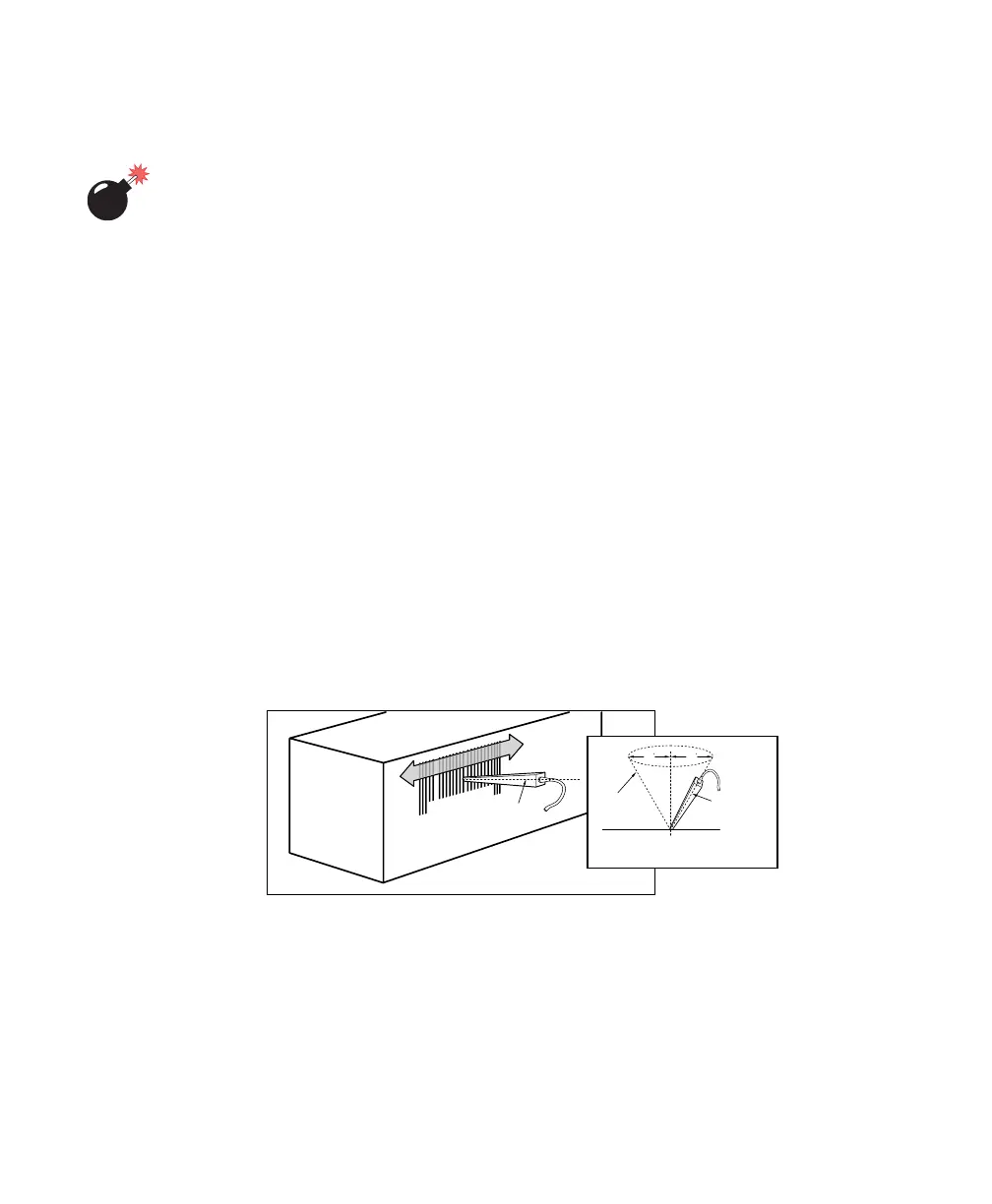
To use a scanner, follow the manufacturer’s instructions. Use the wand as follows:
• Hold the wand at less than 30° from the vertical.
• If there is a switch on the wand, turn it on before starting the scan.
• Keep the tip in contact with the entire label.
• Move the wand across the label at a steady rate.
• Begin the scan on an area of the label with a light background, and move
the wand as if drawing a straight line across the label.
Figure 8.1 Using A Wand Bar Code Reader
If the label is scanned successfully, the scanned data appears on the display.
The terminal will also beep if configured appropriately.
Occasionally, the bar code labels are poorly printed or damaged and cannot be read
with the wand. In this case, use the keyboard to enter data from the label.
0 00 75328 43815 0
Centre Line
of Wand
Vertical
Centre
Bar Code
Surface
30
Centre Line
of Wand
Centre Line
of Wand
30



 To Next Page