Teklogix 7035, 8255 & 8260 Terminals User Manual 19
Chapter 2: Assembly And Basic Operation
Using The Cradle And Cradle Mounting Plate
2.3.2 Using The Cradle And Cradle Mounting Plate
Attaching The Terminal And Cradle
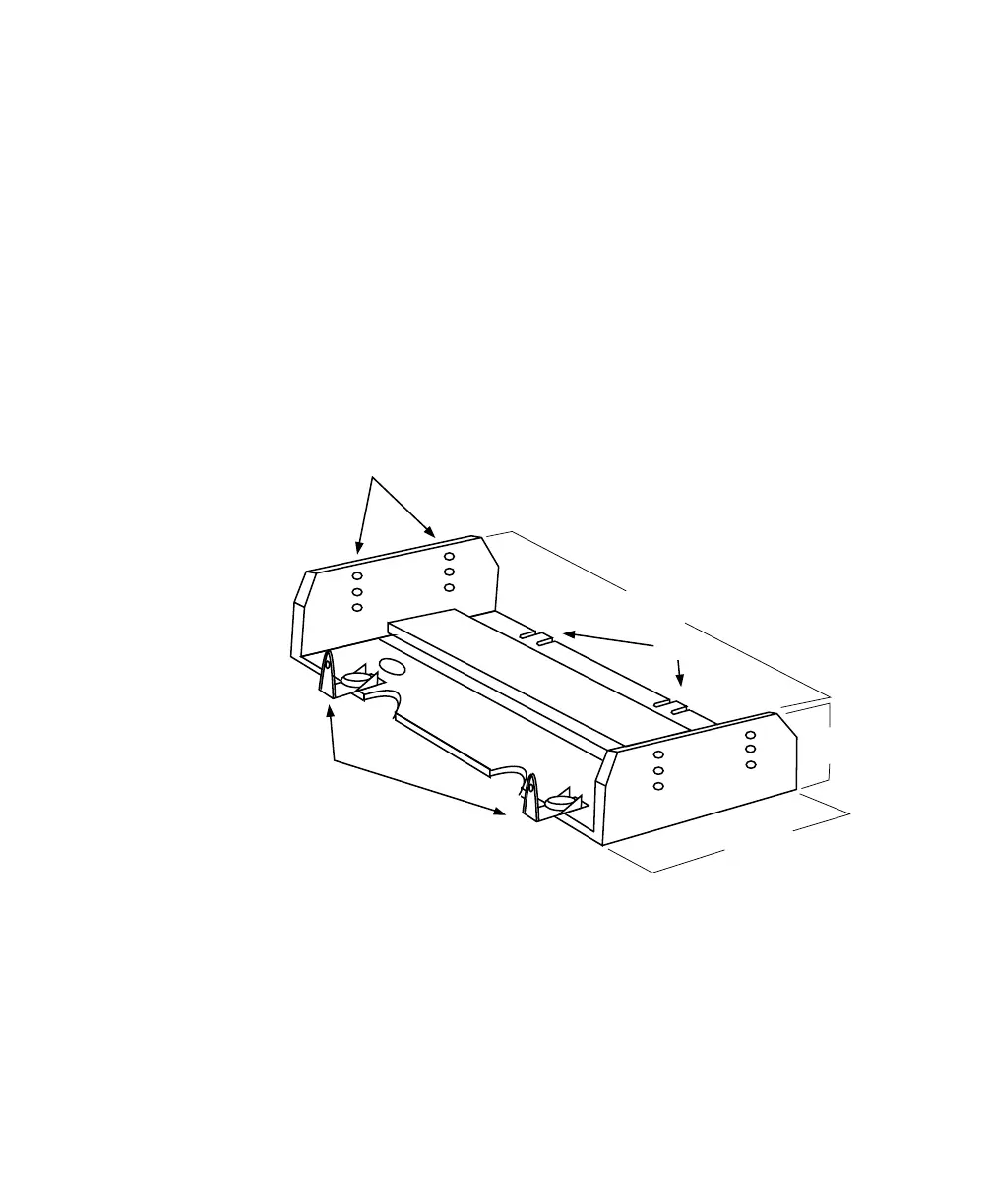
First, the terminal must be attached to the cradle (Figure 2.3). To do this:
• Place the terminal in the cradle so that the display side of the terminal is on
the same side as the quick release fasteners. The keyboard side of the termi-
nal should be on the same side as the tabs.
• Match the side screw holes on the terminal with the appropriate pairs
of holes on the cradle and screw them together. The choice of holes
determines the angle at which the terminal tilts.
Figure 2.3 The Terminal Cradle (PN 18457)
Screw Holes
Tabs
10.75 cm
4.25 in.
5.25 cm
2 in.
29.8 cm
11.45 in.
Front
Back
Quick Release
Fasteners



 To Next Page