Teklogix 7035, 8255 & 8260 Terminals User Manual 217
Chapter 8: Terminal Accessories
Inserting And Removing The 7035 Terminal
8.8.10 Inserting And Removing The 7035 Terminal
The picker cradle is comprised of two parts – a fixed outer metal chassis that is
secured to the vehicle or work surface, and a moveable plastic cradle in which the
7035 terminal is placed. The plastic cradle tilts forward so that the terminal can be
inserted or removed, and it tilts back to lock the terminal.
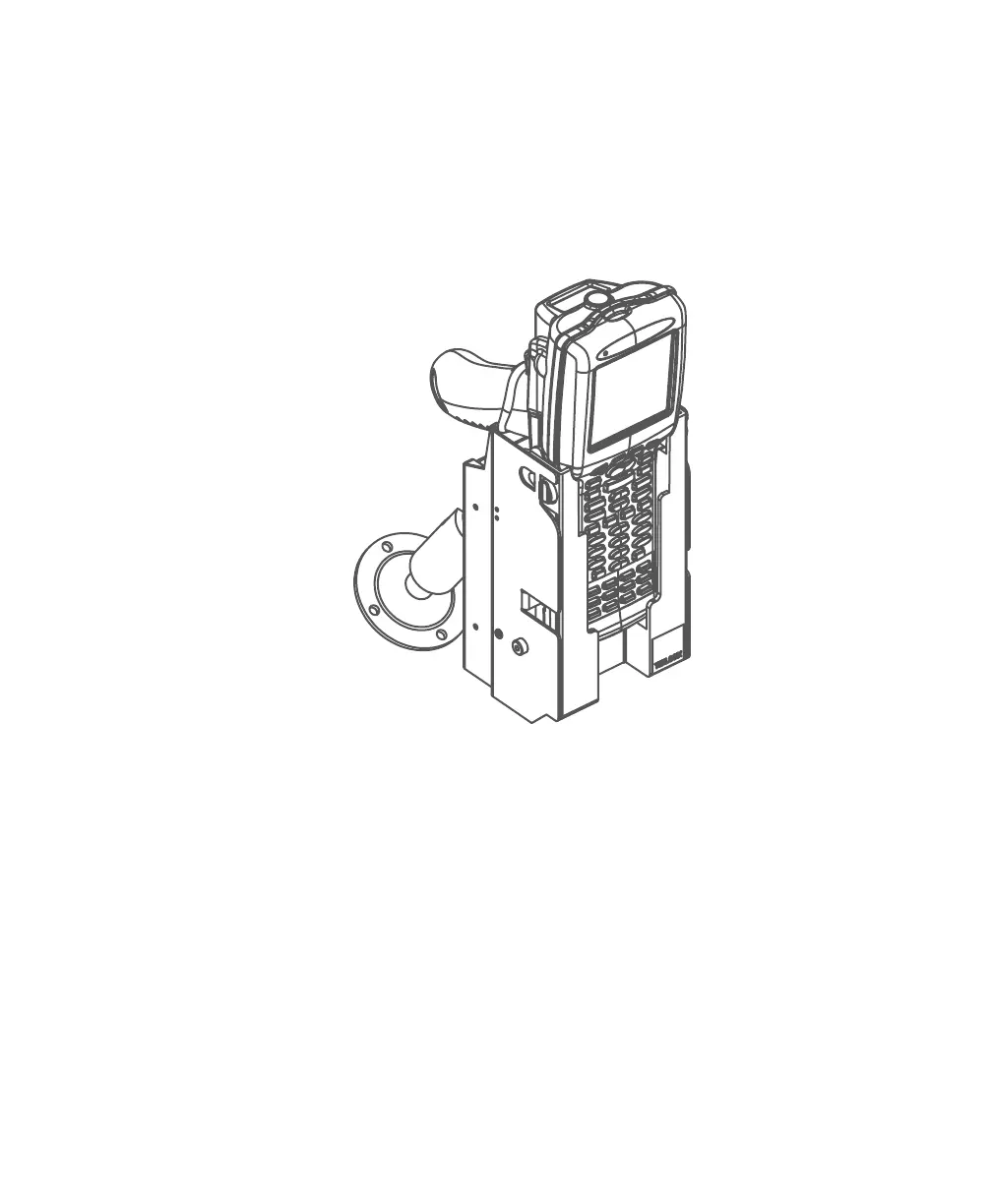
Figure 8.3 Unpowered Picker Cradle 7937A
To insert the 7035 in the plastic cradle:
• Using your thumb and first finger, depress the two raised plastic buttons
located on the top of the cradle.
• Pull the plastic carrier forward until a stop is felt to ensure that the locking
tabs are fully withdrawn from the plastic cradle.
• Push the 7035 terminal into the plastic cradle.
• Push the plastic cradle back, snapping it into place.
To remove the 7035 from the plastic cradle:
• Reverse the above procedure.



 To Next Page