Teklogix 7035, 8255 & 8260 Terminals User Manual 25
Chapter 2: Assembly And Basic Operation
8255 And 8260 Vehicle-Mount Terminals
Important: If the <BLUE> key is locked “on”, the terminal will not
turn
of
f. (If the word BLUE is displayed in uppercase characters in the
status area at the bottom of the screen, this key is locked “on”.) If
it is locked “on”, press the <BLUE> key again to unlock it; then
press <BLUE> <ENTER/ON> to turn the terminal off.
2.4.2 8255 And 8260 Vehicle-Mount Terminals
Turning The 8255s And 8260s On And Off
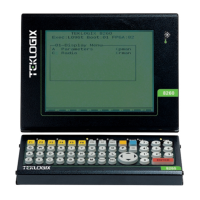
Both types of vehicle-mount terminals have on/off switches at the back of the unit.
• Reach around to the back of the terminal toward your right, and press the
On/Off switch – I represents “on” and “O” represents off.
2.5 Resetting Terminals
Note: Regardless of which type of terminal you are using, a reset will result in a
complete reboot of the unit. When the terminal is reset, it reboots to the
Tekterm application.
2.5.1 Resetting The 7035
To reset the 7035:
• Press and hold down the <BLUE> key and the <ENTER/ON> key for a
minimum of six seconds.
A reset will result in a complete reboot of the unit. When the terminal is reset, it
reboots to the Tekterm application.
2.5.2 Resetting The 8255 And 8260
To reset the 8255 or 8260:
• Using the On/Off switch, turn the terminal off and back on again.


 To Next Page