Chapter 2: Assembly And Basic Operation
Using The Cradle And Cradle Mounting Plate
20
Teklogix 7035, 8255 & 8260 Terminals User Manual
Installing The Cradle Mounting Plate
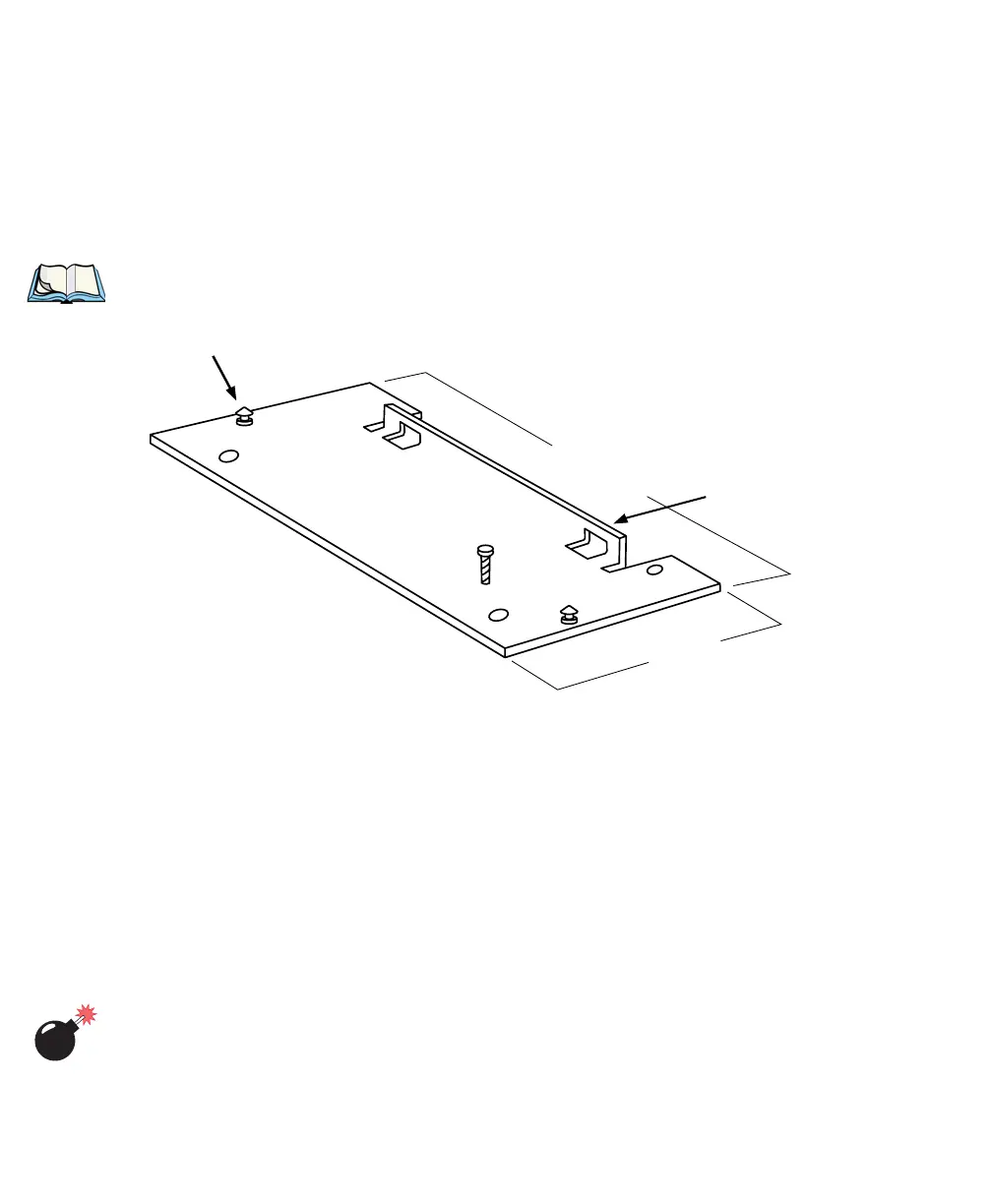
Next, the cradle mounting plate must be attached to the vehicle. The cradle
mounting plate shown in Figure 2.4 holds the terminal and cradle in place.
• Screw the cradle mounting plate onto the vehicle using the four 1/4" holes.
Note: The bolts used for all installations are SAE 1/4-20.
Figure 2.4 The Cradle Mounting Plate (PN 18197)
Attaching The Cradle To The Cradle Mounting Plate
Next, the terminal and cradle must be attached to the cradle mounting plate.
• Align the tabs on the rear of the cradle to the tab guides on the mounting
plate and push the cradle back and down.
• Slide the fasteners on the front of the cradle until they snap to the posts on
the mounting plate.
Warning: Never operate the vehicle if the quick release fasteners are
not locked.
Post
Tab
Guides
25.4 cm
10.0 in.
Front
Back
13 cm
5 in.



 To Next Page