ABL800 FLEX Operator's Manual 4. Sample measurements
Patient result, Continued
Step
Patient result
approval
(continued)
Action
Reject
Press Accept to reject the result and to send it to the
connected RADIANCE system or LIS/HIS.
Press the keyboard icon to write a note.
Press Cancel to return to the previous screen.
Rerun
Press Accept to mark that the measurement should be
repeated, and to send it to the connected RADIANCE
system or LIS/HIS.
Press the keyboard icon to write a note.
Press Cancel to return to the previous screen.
Note
Press the keyboard icon to type a note prior to the
approval or to edit a highlighted note.
To delete a highlighted note, press the keyboard icon and
delete the note.
Once the result has been approved/rejected/rerun, the ID data can only
be viewed, not changed (grayed-out input boxes). The Parameters,
Patient Lookup and Request buttons will not be available either.
In the Patient Report log you can filter patient reports according to the
approval status.
The Approval button changes to Send (if an external connection is
used) after the approval of the patient result has been made.
If result approval is used, data will not be transmitted to a LIS/HIS
connection before the approval has been made.
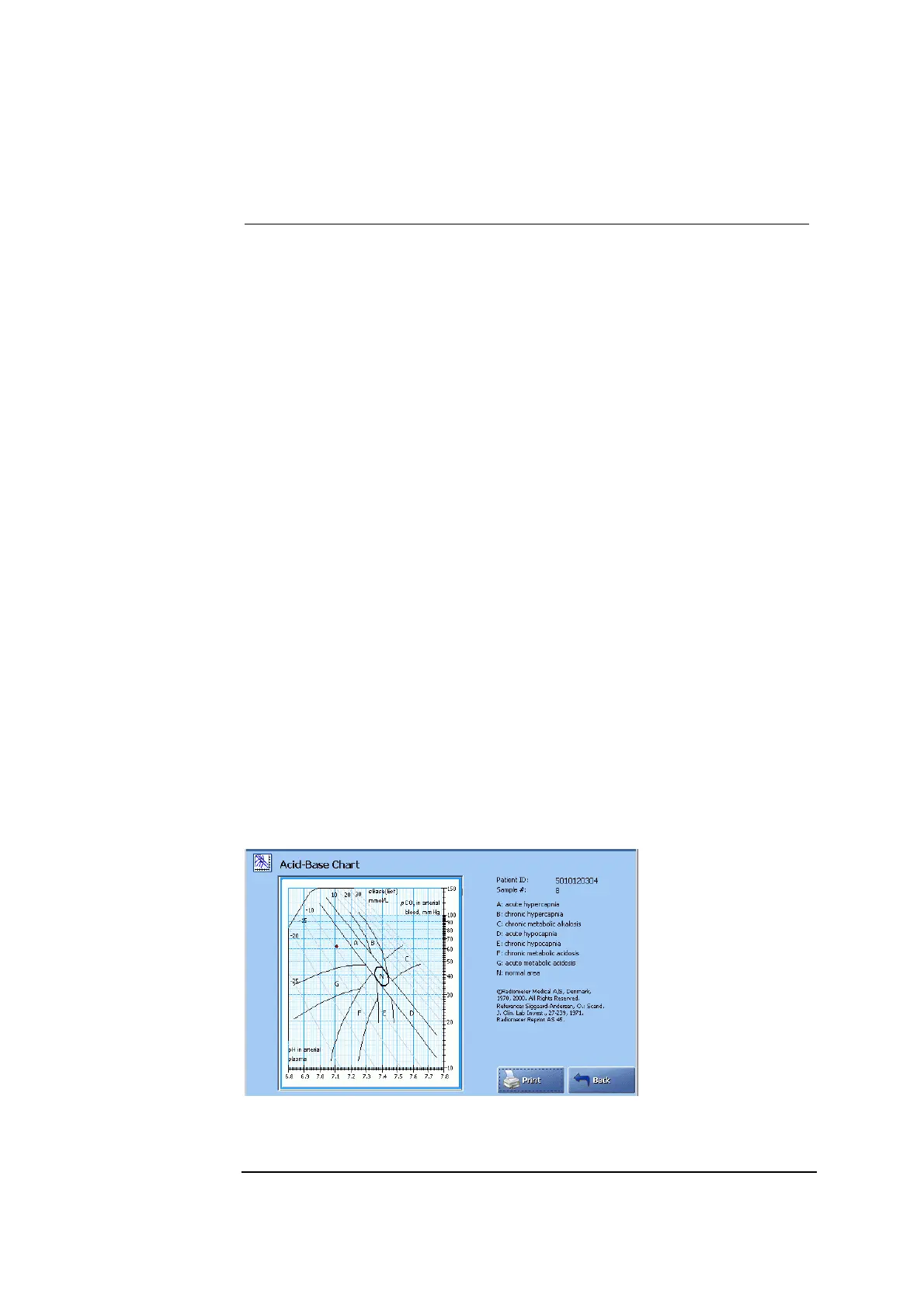
Press Acid-Base Chart to view the acid-base chart for the selected patient result
(the button will not be available if pH and pCO
2
were deselected in the Parameter
setup. The sample type should be either “Arterial” or “Capillary”).
Acid-Base Chart
The chart illustrates the patient result according to the Siggard-Andersen
nomogram. The clinical conditions corresponding to each of the 8 zones listed to
the right of the screen.
Continued on next page
4-23



 To Next Page