Service
Tables
USING SERVICE PROGRAM MODES
SM 5-15 B039/B040/B043
4
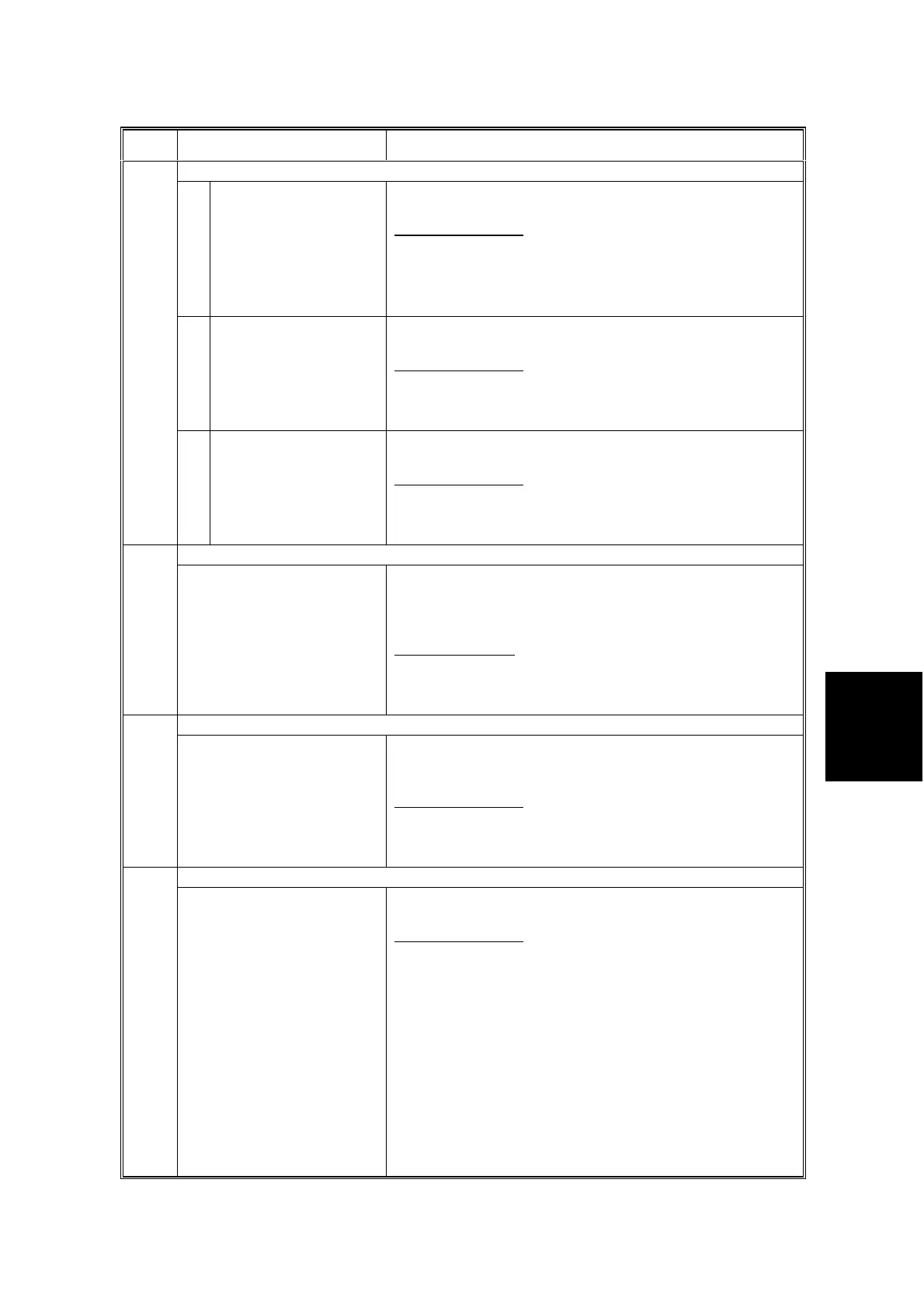
Mode Number/Name Function/[Setting]
Sharpness Adjustment
1 Edge Adjusts the clarity of line images and of solid-image
edges. Higher settings provide greater clarity.
[–2 ~ 2 / 0 / 1/step]
• This setting is applied to all image processing modes of
SP4-921.
• It is used for both MTF filtering and smoothing.
☛
6.5.4 IPU
2 Solid image Adjusts the clarity of solid image areas. Higher settings
provide greater clarity.
[–2 ~ 2 / 0 / 1/step]
This setting is only applied to Text 2 and Special 1 of SP4-
921.
☛
6.5.4 IPU
925*
3 Low ID line
Adjusts the clarity of lines with low image density. Higher
settings provide greater clarity.
[–2 ~ 2 / 0 / 1/step]
This setting is only applied to Text 1, Text 2, Photo 2,
Special 1, Special 2, and Special 5 of SP4-921.
☛
6.5.4 IPU
Texture Removal926*
Adjusts the texture removal level. No adjustment is carried
out if this is set to the default (0). Higher settings increase
the amount of removal, which also tends to reduce the
image clarity.
[0 ~ 5 / 0 / 1/step]
This setting is only applied to Text 1, Photo 1–3, Special
2, and Special 5 of SP4-921.
☛
6.5.4 IPU
Line Width Correction927*
Adjusts the line width correction algorithm. Positive
settings produce thicker lines; negative settings produce
thinner lines.
[–2 ~ 2 / 0 / 1/step]
This setting is only applied to Text 1, Text 2, Photo 2,
Special 1, Special 2, and Special 5 of SP4-921.
☛
6.5.4 IPU
Independent Dot Erase928*
Selects the dot erase level. Higher settings provide
greater erasure.
[–2 ~ 2 / 0 / 1/step]
This setting is only applied to Text 1, Text 2, Photo 2,
Special 1, Special 2, and Special 5 of SP4-921.
☛
6.5.4 IPU



 To Next Page