Installation
COPIER INSTALLATION
SM 1-5 B039/B040/B043
1.1.3 INSTALLATION PROCEDURE
!
CAUTION
When installing the copier, make sure that the copier is unplugged.
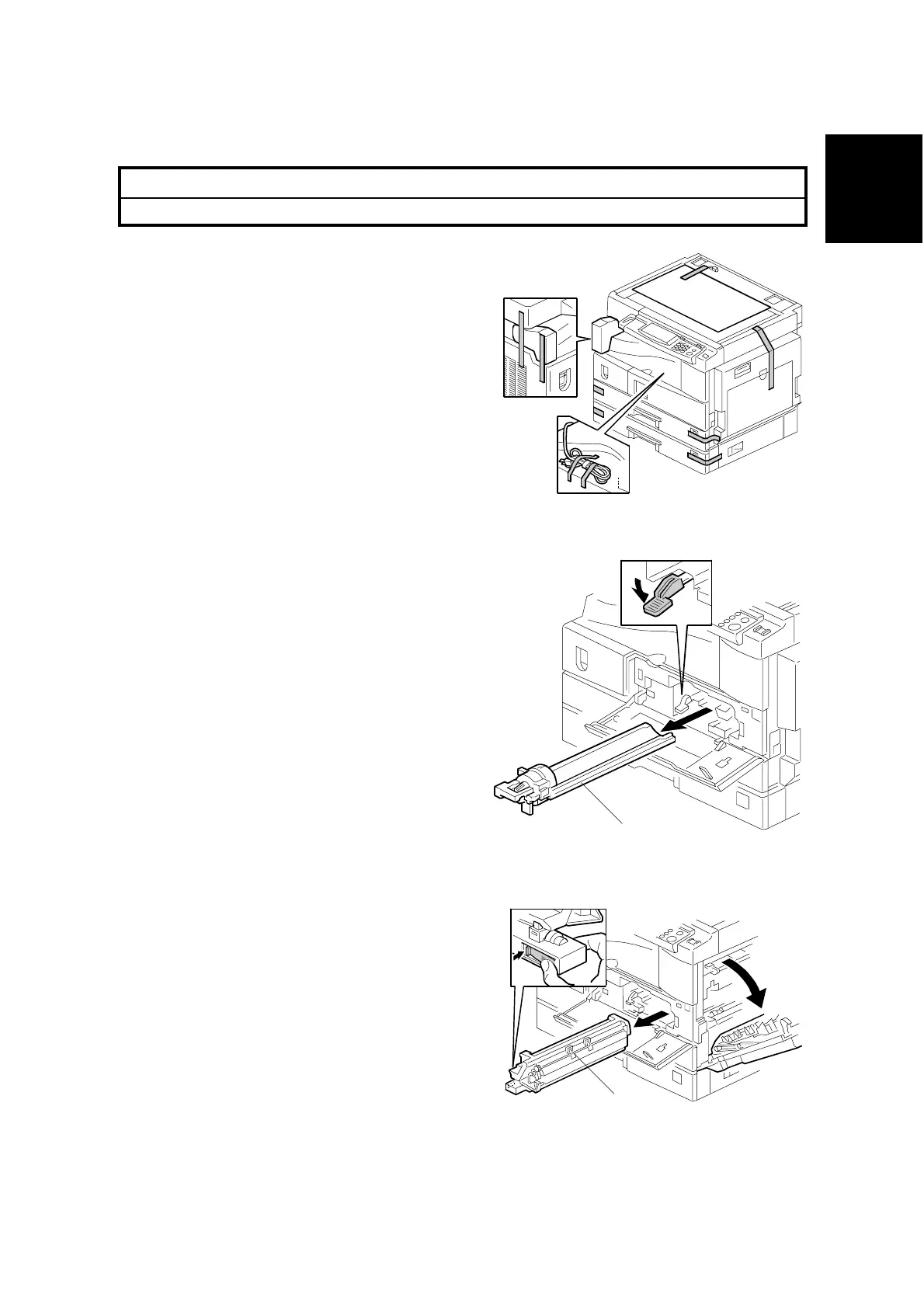
1. Remove the strips of tape.
2. Open the front door and remove the
toner bottle holder [A].
3. Open the right door, and remove the
PCU (Photoconductor Unit) [B].
B039I102.WMF
B039I107.WMF
B039I108.WMF
[A]
[B]



 To Next Page