Fax Unit B404
HANDSET
SM 1-7 B404
1.3 HANDSET
1.3.1 ACCESSORY CHECK
No. Description Q’ty
1 Handset 1
2Screw M3x12 2
3 Screw M3x8 2
4 Handset manual 1
1.1.2 INSTALLATION PROCEDURE
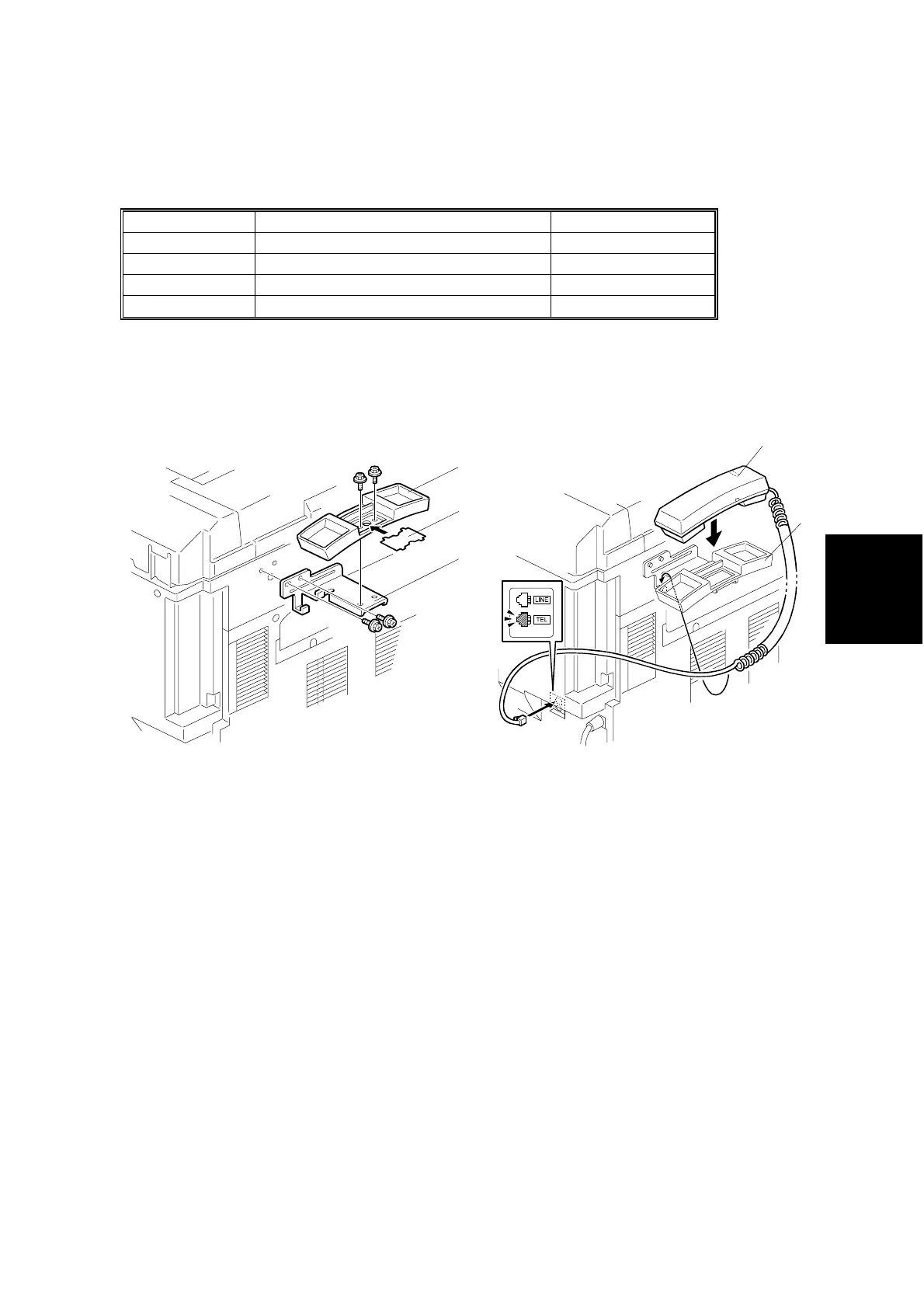
1. Attach the bracket [A] enclosed with the fax unit (2 screws) as shown.
2. Remove the label [B] from the handset cradle [C]. Attach the cradle [B] to the
bracket [A] (2 screws), then replace the label [B].
3. Install the handset [D] on the cradle [C], then connect the cable to the “TEL” jack
at the rear of the machine.
B404I110.WMF
B404I111.WMF
[C]
[D]
[C]
[B]
[A]



 To Next Page