ONE-TRAY PAPER TRAY UNIT INSTALLATION
B039/B040/B043 1-18 SM
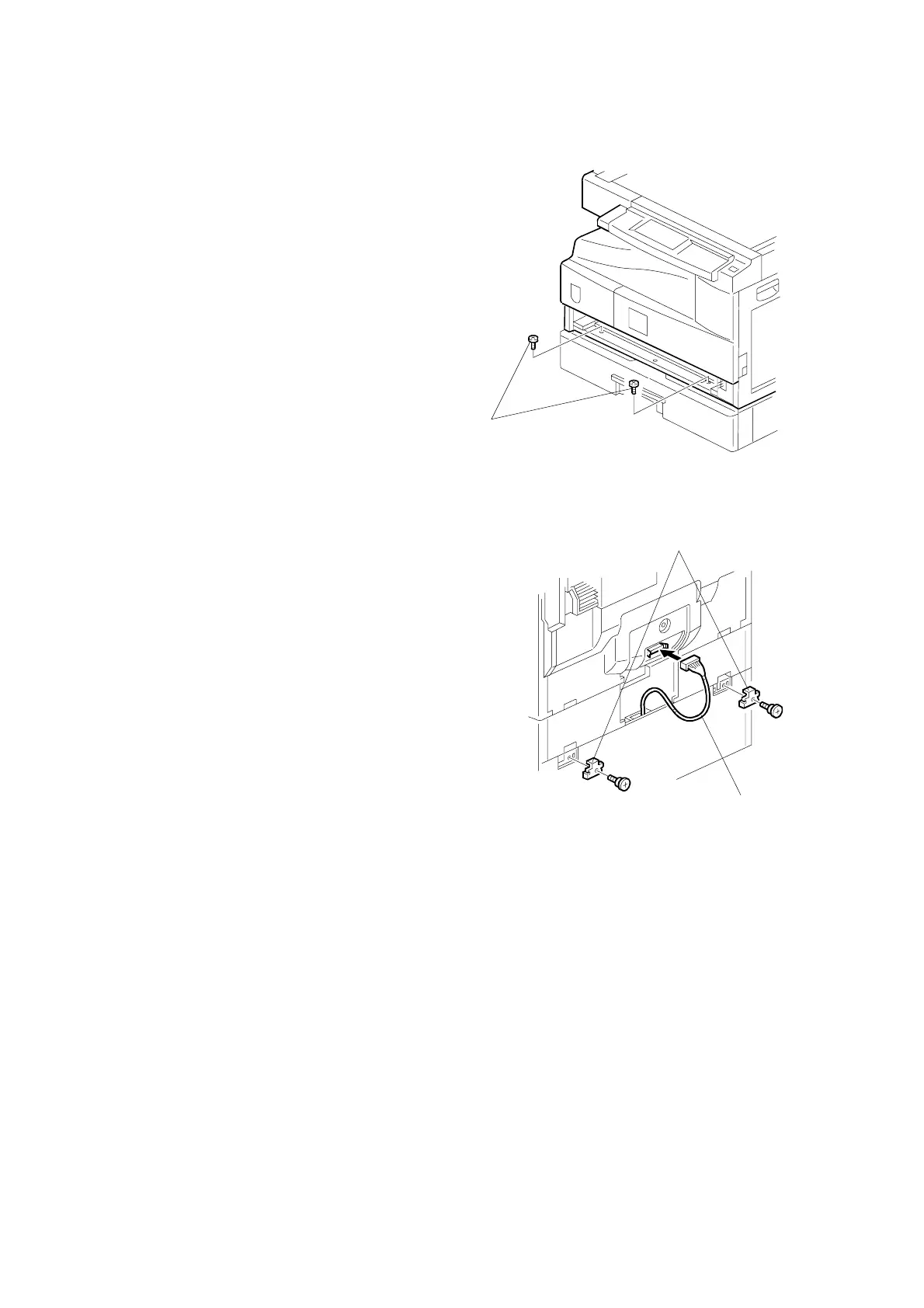
5. Install the two screws [A].
6. Reinstall the tray cassette.
7. Install the two brackets [B]. (1 stepped
screw each).
8. Connect the connecting harness [C] to
the copier.
NOTE: There are cutouts in the plug
on both sides. The left side has
one cutout, and the right side
has two.
9. Reinstall the cover removed in step 2.
10. Load the paper in the paper tray and
make full size copies from tray. Check
if the side-to-side and leading edge
registrations are correct. If they are not,
adjust the registrations (☛ 3.13 Copy
Adjustments: Printing/Scanning).
B385I118.WMF
B385I105.WMF
[A]
[C]
[B]



 To Next Page