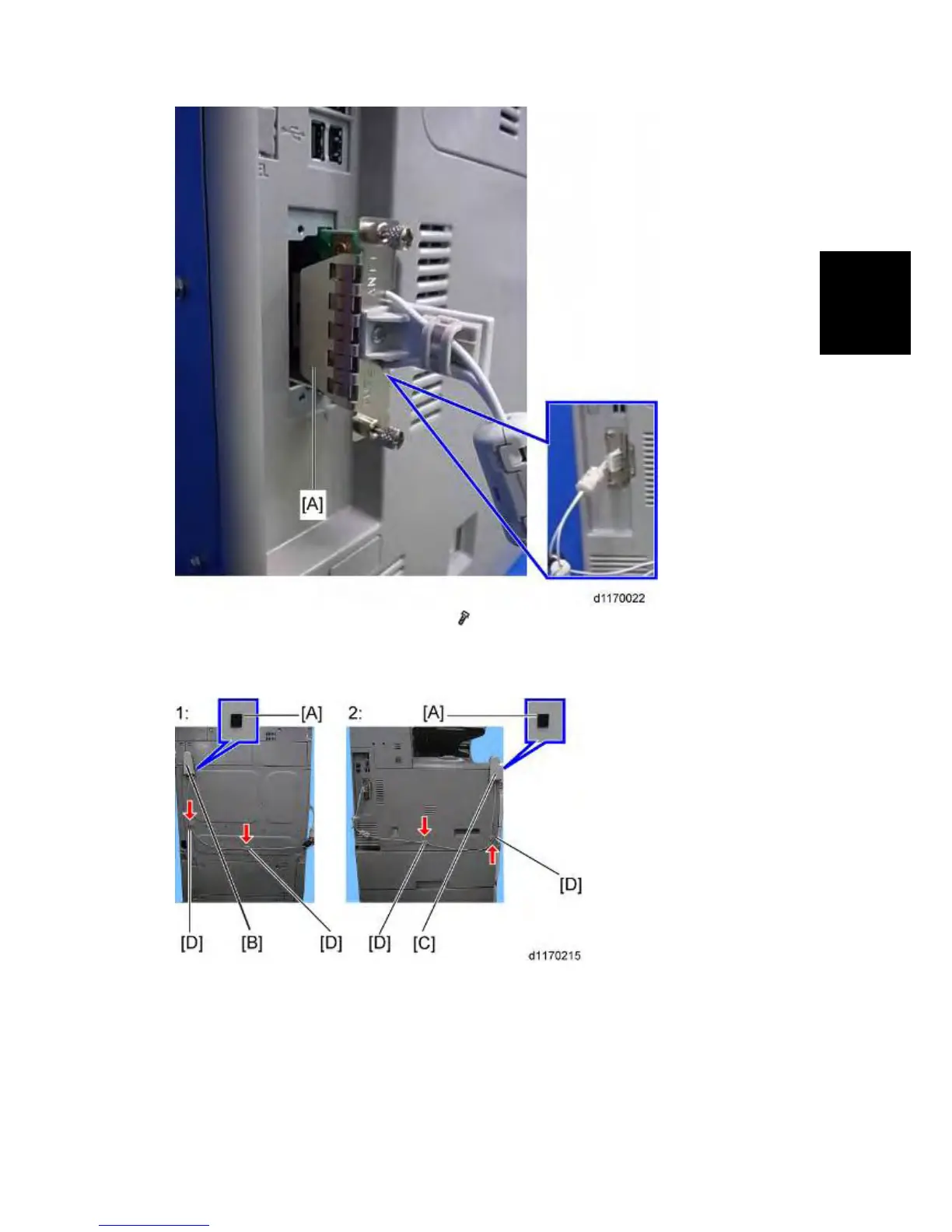
2. Install the wireless LAN board [A] (Knob
x 2) into the board slot.
3. Make sure that the machine can recognize the option (see "Check All Connections" at the end
of this section).
1: Rear
2: Left
4. Peel off the double-sided tapes on the Velcro fasteners [A], and then attach them [A] at the
front left and rear of the machine.
5. Attach "ANT1" (having a black ferrite core) [B] to the rear of the machine.



 To Next Page