Sending Scan File by E-mail
132
5
Note
❒ To select another destination,
highlight the destination you
want to select with the {
{{
{1
11
1}
}}
}
or {
{{
{0
00
0}
}}
} key and press [Se-
lect].
❒ To clear the selected destina-
tion, press [Clear] while the
destination is highlighted.
Check mark will disappear
when the destination is not
selected.
H Press [OK].
To search for another destina-
tion, repeat from step B.
I Press [Exit].
To search destination from the
LDAP server
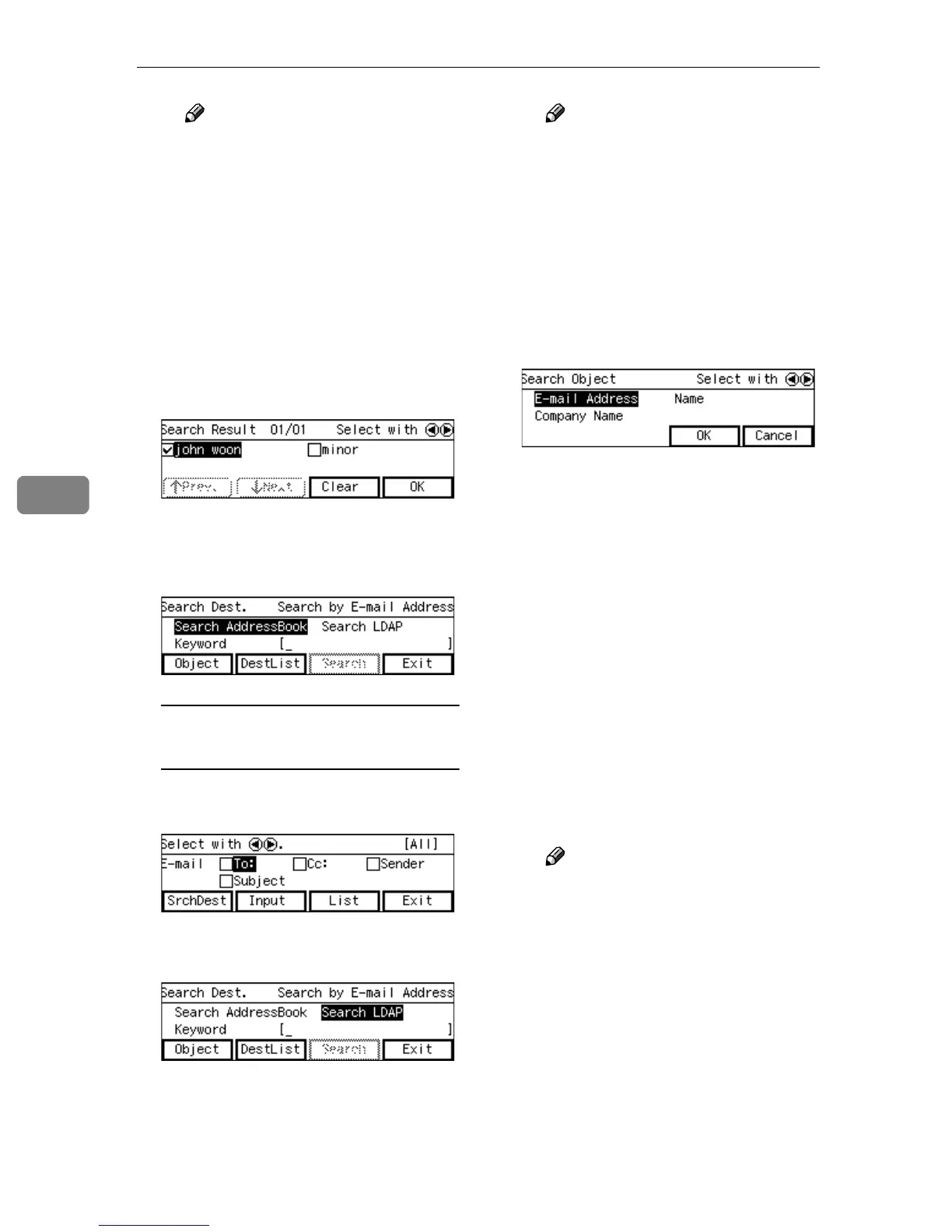
A Press [SrchDest] while [To:] is
highlighted.
B Highlight [Search LDAP] with
the {
{{
{1
11
1}
}}
} key, and press [Object].
Note
❒ Press [DestList] to confirm the
destinations which are al-
ready selected. To clear the
previous selected destina-
tion, press [Clear] while the
destination is highlighted.
Check mark will disappear
when the destination is not
selected.
C Select the item to search with.
D Press [OK].
Press [Cancel] to return to the
previous screen without mak-
ing changes.
E Enter a keyword to search the
destination from the keyboard
of the machine.
[Search] will be enabbled when
the keyword is entered.
F Press [Search].
The search result will be shown.
G Highlight the destination you
want to send E-mail with the
{
{{
{1
11
1}
}}
} or {
{{
{0
00
0}
}}
} key and press [Se-
lect].
Note
❒ To select another destination,
highlight the destination you
want to select with the {
{{
{1
11
1}
}}
}
or {
{{
{0
00
0}
}}
} key and press [Se-
lect].
❒ To clear the selected destina-
tion, press [Clear] while the
destination is highlighted.
Check mark will disappear
when the destination is not
selected.



 To Next Page