Children
This
is
educational
and
interactive content that children
can
watch repeatedly. Enjoy existing stories, songs
and
games with the
Boowa
and
Kwala characters.
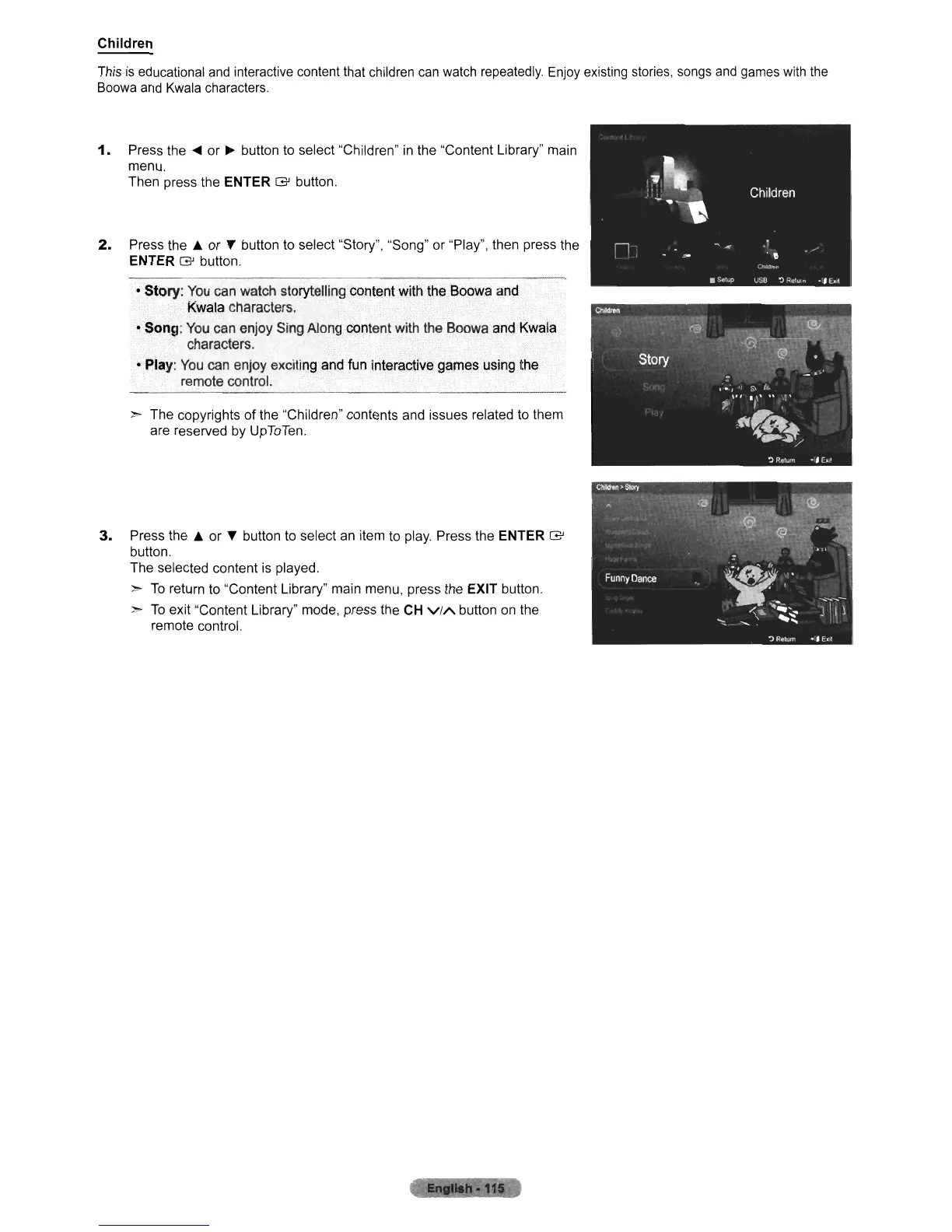
1.
Press the
....
or
~
button to select "Children"
in
the "Content Library" main
menu.
Then press the E:NTER
G'
button.
2.
Press the
~
or T button to select "Story", "Song" or "Play", then press the
ENTER
G'
button.
~
Story:
You
can
watch
storytelling content with
the
Soowa
and
KWcUa
characters.
.
• Song:
You
can
enjoy
Sing
Along
content
with
the
Soowa
and
Kwala
characters.
•
Play:
You
can
enjoy
exciting
and fun interactive
games
using
the
remote
control.
~
The copyrights of the "Children" contents and issues related to them
are reserved by UpToTen.
3.
Press the
~
or T button to select an item to play. Press the ENTER
G'
button.
The selected content is played.
~
To
return to "Content Library" main menu, press the EXIT button
~
To
exit "Content Library" mode, press the CH
ViA
button on the
remote control.












 To Next Page