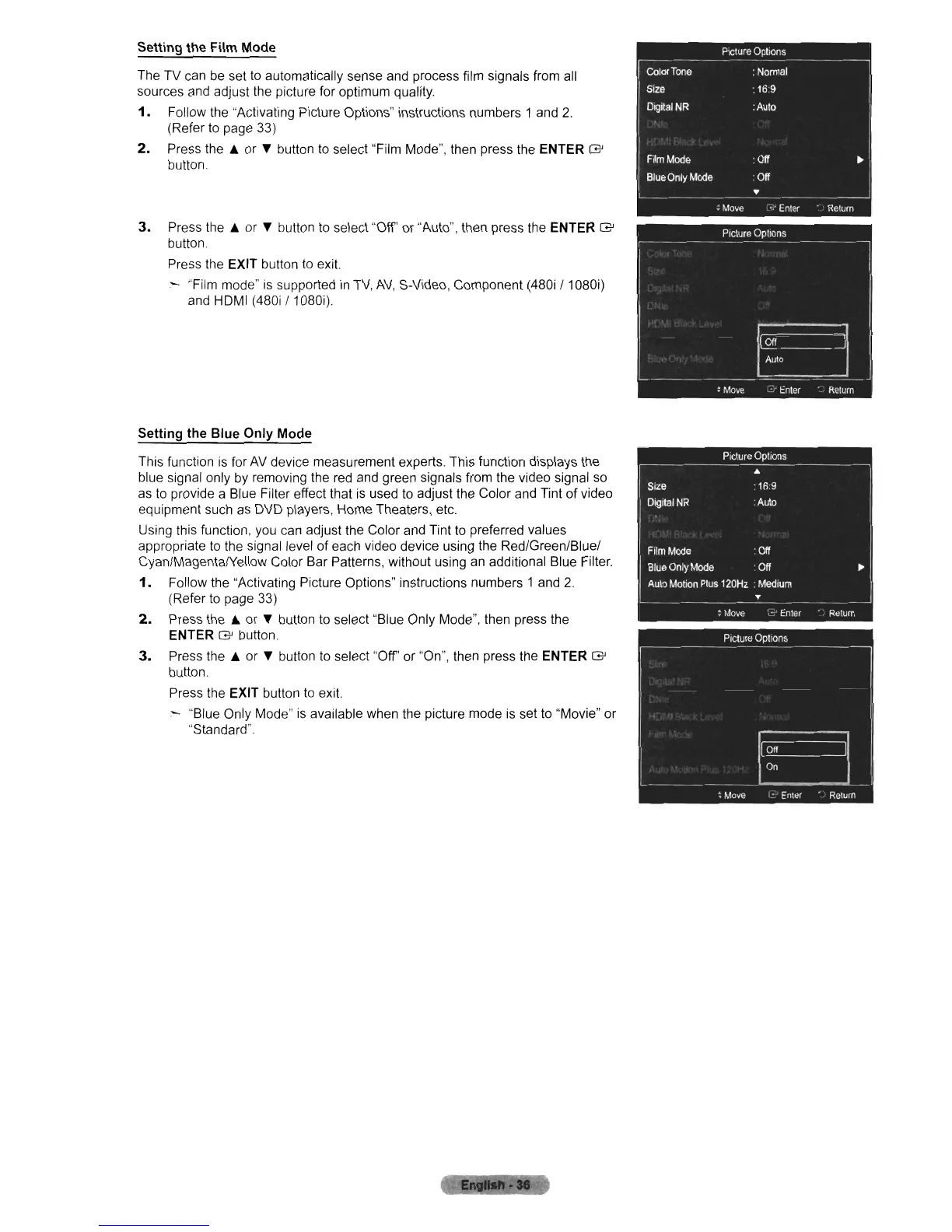
Setting the Film Mode
The TV can
be
set to automatically sense and process film signals from all
sources and adjust the picture for optimum quality.
1.
Follow the "Activating Picture Options" instructions numbers 1 and
2.
(Refer
to
page 33)
2.
Press
the.
or
..
button
to
select "Film Mode", then press the ENTER
G'
button.
3.
Press
the.
or
..
button to select "Off' or "Auto", then press the ENTER
G'
button.
Press the
EXIT button
to
exit.
:-
"Film mode"
is
supported
in
TV,
AV,
S-Video, Component (480i / 1080i)
and HDMI (480i / 1080i).
Setting the Blue Only Mode
This function
is
for
AV
device measurement experts. This function displays the
blue signal only
by
removing the
red
and green signals from the video signal so
as
to
provide a Blue Filter effect that
is
used
to
adjust the Color and Tint of video
equipment such
as
DVD players, Home Theaters, etc.
Using this function, you can adjust the Color and Tint
to
preferred values
appropriate
to
the signal level of each video device using the Red/Green/Blue/
Cyan/MagentalYeliow Color Bar Patterns, without using
an
additional Blue Filter.
1. Follow the "Activating Picture Options" instructions numbers 1 and
2.
(Refer to page 33)
2.
Press
the.
or
..
button
to
select "Blue Only Mode", then press the
ENTER
G'
button.
3.
Press
the.
or
..
button
to
select "Off' or "On", then press the ENTER
G'
button.
Press the
EXIT button
to
exit.
:-
"Blue Only Mode"
is
available when the picture mode
is
set to "Movie" or
"Standard".












 To Next Page