Reserving a Program (Timer Viewing)
If you reserve a program you want to watch, the channel is automatically switched to the reserved channel
in
the Channel
List; even when you are watching another channel.
To
reserve a program, set the current time first. See pages
58-59.
Reserved channels can only
be
set if they are
in
the
"Channel List" (See page 50).
1.
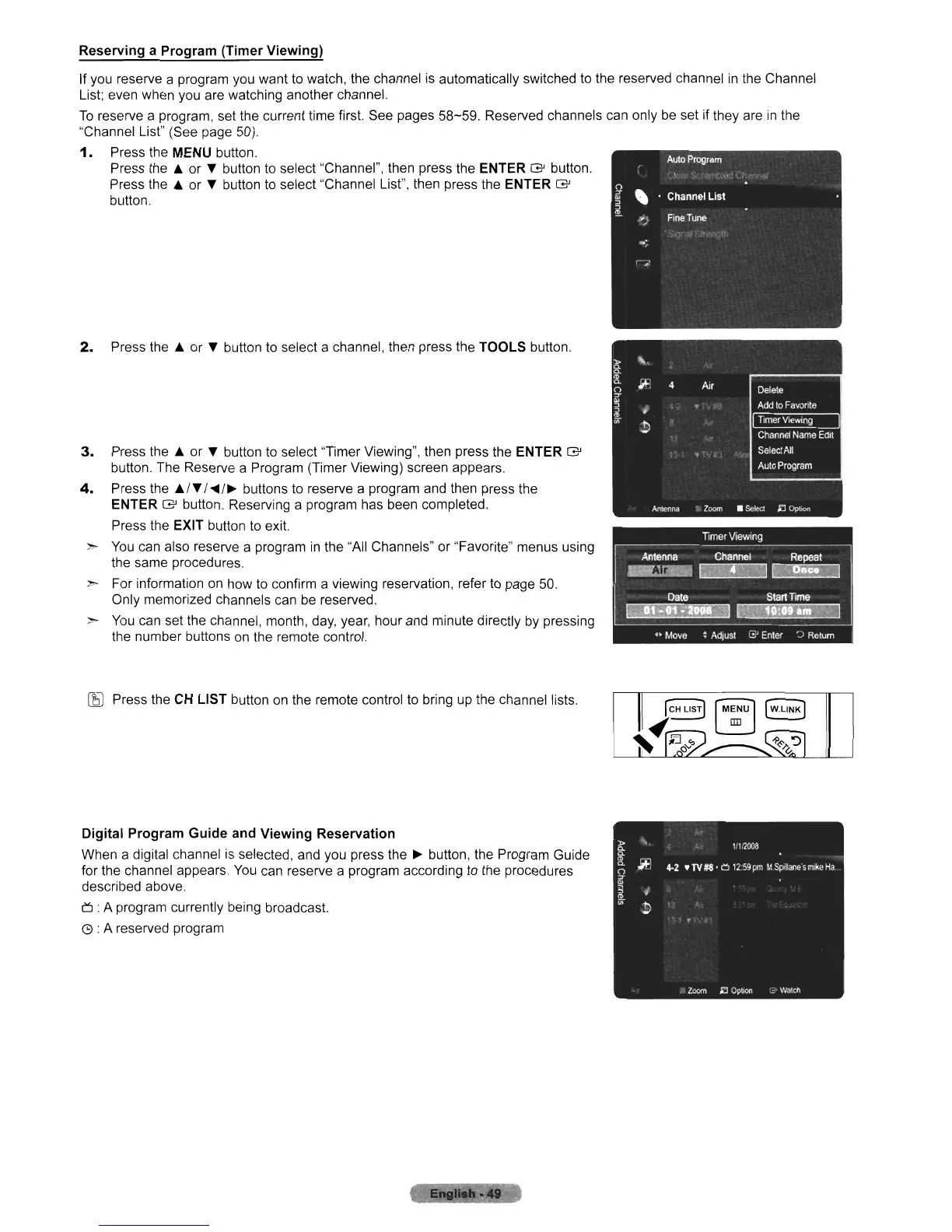
Press the MENU button.
Press the
.A
or " button to select "Channel", then press the ENTER G button.
Press the
.A
or " button to select "Channel List", then press the ENTER G
button.
2.
Press the
.A
or " button to select a channel, then press the TOOLS button.
3.
Press the
.A
or " button to select "Timer Viewing", then press the ENTER G
button. The Reserve a Program (Timer Viewing) screen appears.
4.
Press the
.AI"
I
....
/~
buttons to reserve a program and then press the
ENTER
G button. Reserving a program has been completed.
Press the EXIT button to exit.
>
You
can also reserve a program
in
the "All Channels" or "Favorite" menus using
the same procedures.
> For information on
110W
to confirm a viewing reservation, refer to page 50.
Only memorized channels can be reserved.
>
You
can set the channel, month,
day,
year, hour and minute directly
by
pressing
the number buttons
on
the remote control.
~
Press the CH LIST button
on
the remote control to bring up the channel lists.
Digital Program Guide and Viewing Reservation
When a digital channel is selected, and you press the
~
button, the Program Guide
for the channel appears.
You
can reserve a program according to the procedures
described above.
6:
A program currently being broadcast.
G : A reserved program












 To Next Page