10.31
Date Code 20090730 Instruction Manual SEL-734 Meter
Communications
Command Explanations
PAS Command (View/Change Passwords)
PAS allows you to inspect or change existing passwords.
The factory default passwords for Access Levels 1, E, and 2 are shown in
Table 10.20.
To inspect passwords, type the following:
=>>PAS <Enter>
1:OTTER
E:BLONDEL
2:TAIL
=>>
To change the password for Access Level 1 to Ot3579, enter the following:
=>>PAS 1 Ot3579 <Enter>
Set
=>>
Similarly, PAS E and PAS 2 can be used to change the Access Level E and
Access Level 2 passwords, respectively.
Passwords may include up to eight characters. The printable characters from
the 7-bit ASCII set (i.e., values between 0x21 and 0x7e) are the only
allowable password characters. Upper- and lowercase letters are treated as
different characters. Strong passwords consist of eight characters, with at least
one special character or digit and mixed case sensitivity, but do not form a
name, date, acronym, or word. Passwords formed in this manner are less
susceptible to password guessing and automated attacks. Examples of valid,
distinct strong passwords include:
NOTE: When accessing the meter
using the front panel, you must accept
the blank entry at the password
prompt if passwords are disabled.
Ot3579ae A24.6852 Ihr2dcst 4u-Iwgth .734s.q
After entering new passwords, type PAS <Enter> to inspect them. Make sure
they are what you intended, and record the new passwords.
If you wish to disable password protection for a specific access level, set the
password to DISABLE. For example, PAS 1 DISABLE disables password
protection for Level 1. The passwords can also be disabled by installing
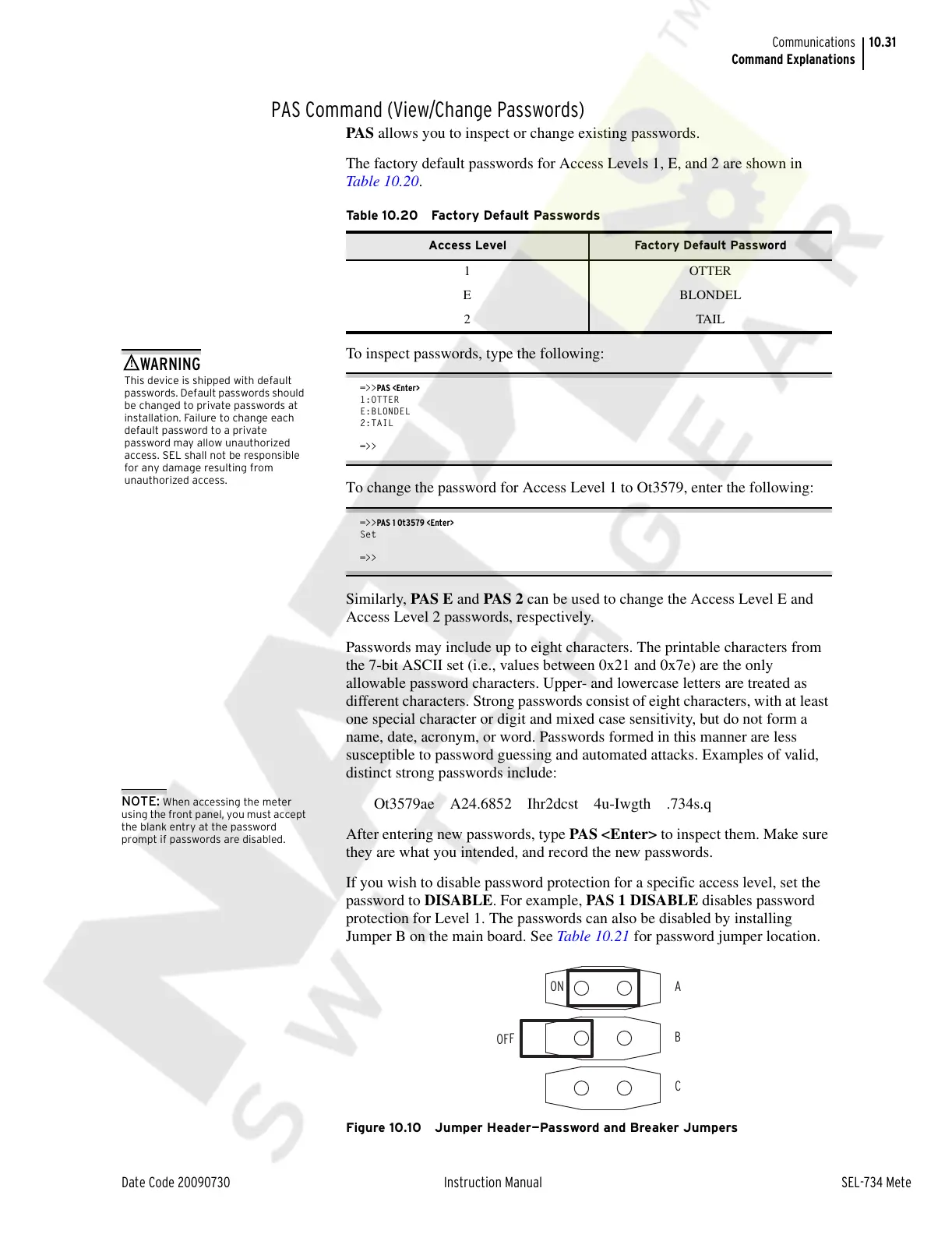
Jumper B on the main board. See Table 10.21 for password jumper location.
Figure 10.10 Jumper Header—Password and Breaker Jumpers
Table 10.20 Factory Default Passwords
Access Level Factory Default Password
1 OTTER
E BLONDEL
2TAIL
This device is shipped with default
passwords. Default passwords should
be changed to private passwords at
installation. Failure to change each
default password to a private
password may allow unauthorized
access. SEL shall not be responsible
for any damage resulting from
unauthorized access.
!
WARNING
Courtesy of NationalSwitchgear.com



 To Next Page