5.6
SEL-734 Meter Instruction Manual Date Code 20090730
Time-of-Use
TOU Setup
Calendar Tab
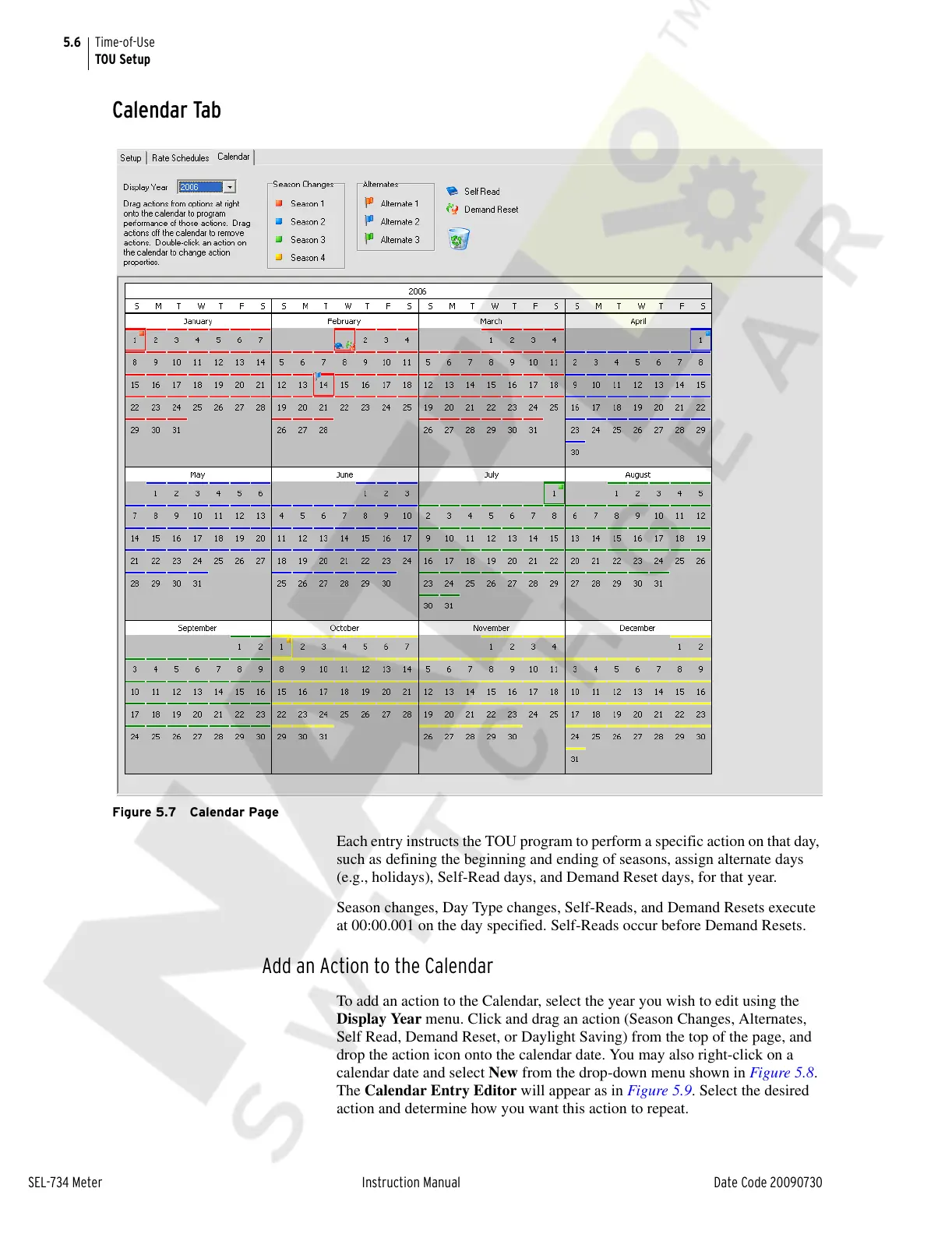
Figure 5.7 Calendar Page
Each entry instructs the TOU program to perform a specific action on that day,
such as defining the beginning and ending of seasons, assign alternate days
(e.g., holidays), Self-Read days, and Demand Reset days, for that year.
Season changes, Day Type changes, Self-Reads, and Demand Resets execute
at 00:00.001 on the day specified. Self-Reads occur before Demand Resets.
Add an Action to the Calendar
To add an action to the Calendar, select the year you wish to edit using the
Display Year menu. Click and drag an action (Season Changes, Alternates,
Self Read, Demand Reset, or Daylight Saving) from the top of the page, and
drop the action icon onto the calendar date. You may also right-click on a
calendar date and select New from the drop-down menu shown in Figure 5.8.
The Calendar Entry Editor will appear as in Figure 5.9. Select the desired
action and determine how you want this action to repeat.
Courtesy of NationalSwitchgear.com



 To Next Page