NOTE: Edit the Access Level 2
password by using the steps
described in Access Level 2 or Access
Level E Password Entry on page 11.4.
Remember that the meter password
is case sensitive. To disable Access
Level 2 password protection, set
Password = DISABLE.
NOTE: If passwords are disabled,
accept the blank entry at the
password prompt.
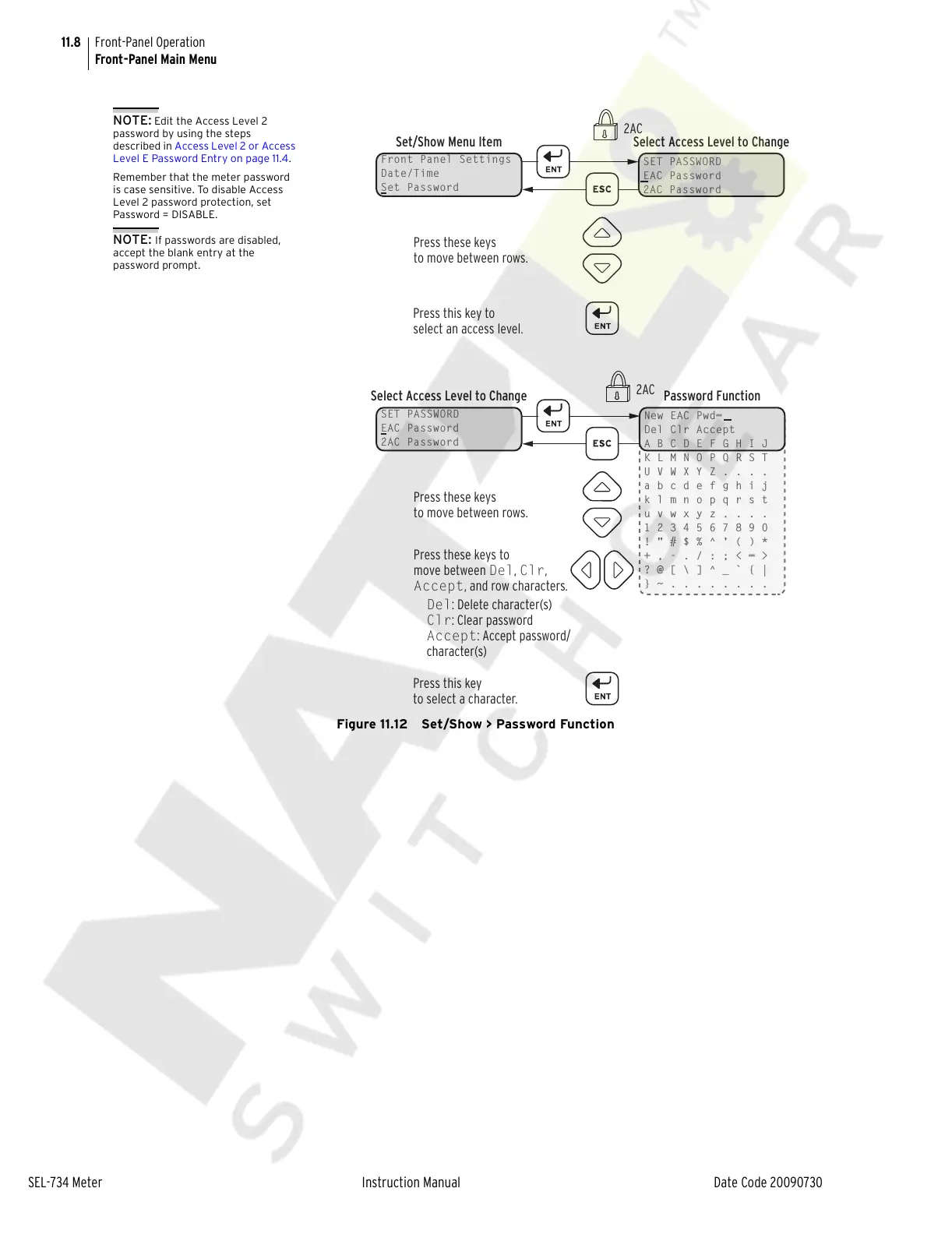
Front Panel Settings
Date/Time
Set Password
Set/Show Menu Item Select Access Level to Change
SET PASSWORD
EAC Password
2AC Password
Press these keys
to move between rows.
Press this key to
select an access level.
2AC
2AC
SET PASSWORD
EAC Password
2AC Password
Select Access Level to Change Password Function
New EAC Pwd=
Del Clr Accept
A B C D E F G H I J
K L M N O P Q R S T
U V W X Y Z . . . .
a b c d e f g h i j
k l m n o p q r s t
u v w x y z . . . .
1 2 3 4 5 6 7 8 9 0
! " # $ % ^ ' ( ) *
+ , - . / : ; < = >
? @ [ \ ] ^ _ ` { |
} ~ . . . . . . . .
Press these keys
to move between rows.
Press this key
to select a character.
Press these keys to
move between Del, Clr,
Accept, and row characters.
Del: Delete character(s)
Clr: Clear password
Accept: Accept password/
character(s)



 To Next Page