11.7
Date Code 20090730 Instruction Manual SEL-734 Meter
Front-Panel Operation
Front-Panel Main Menu
Main Menu >
Set/Show
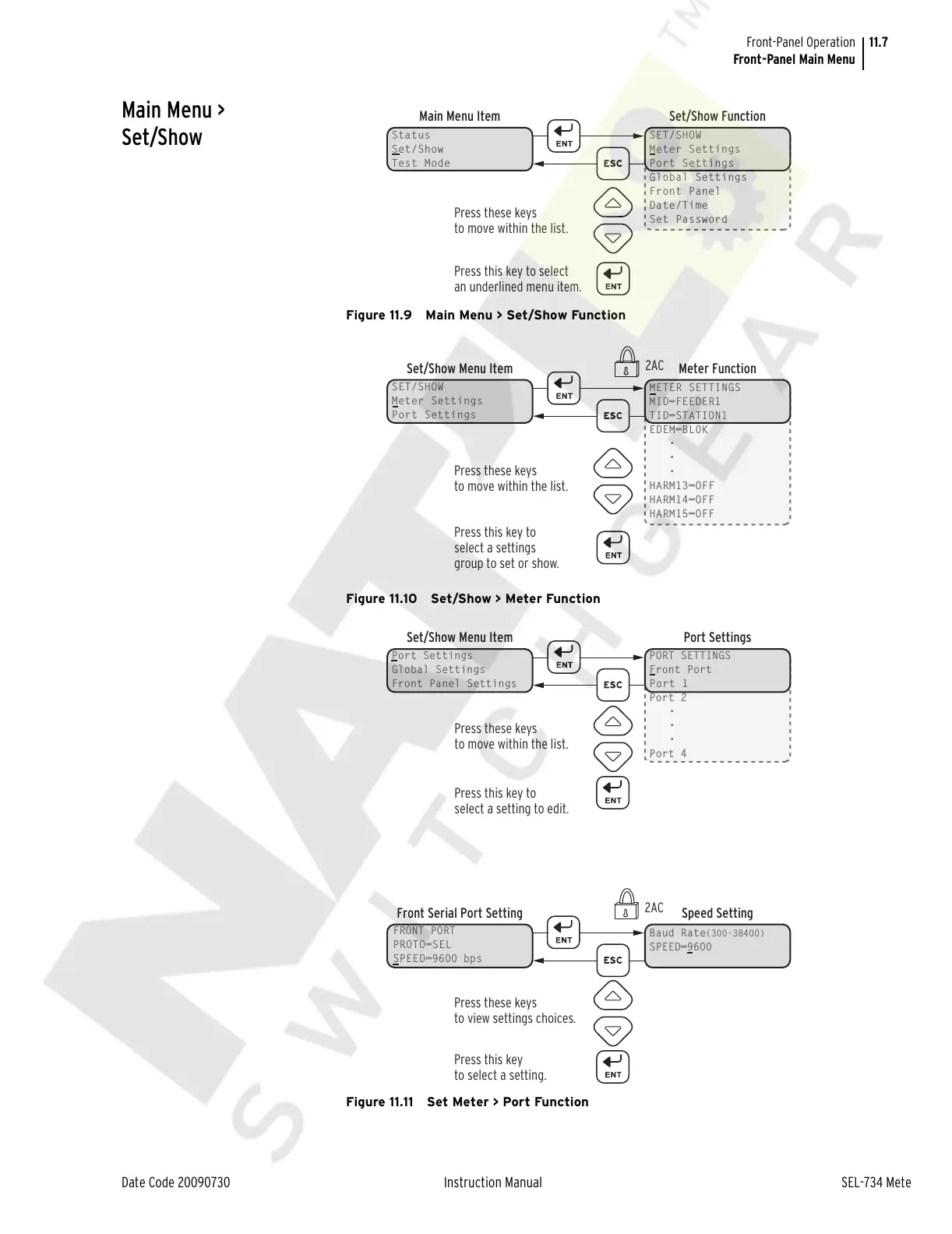
Figure 11.9 Main Menu > Set/Show Function
Figure 11.10 Set/Show > Meter Function
Figure 11.11 Set Meter > Port Function
Status
Set/Show
Test Mode
Main Menu Item Set/Show Function
SET/SHOW
Meter Settings
Port Settings
Global Settings
Front Panel
Date/Time
Set Password
Press these keys
to move within the list.
Press this key to select
an underlined menu item.
SET/SHOW
Meter Settings
Port Settings
Set/Show Menu Item Meter Function
METER SETTINGS
MID=FEEDER1
TID=STATION1
EDEM=BL0K
•
•
•
HARM13=OFF
HARM14=OFF
HARM15=OFF
Press these keys
to move within the list.
Press this key to
select a settings
group to set or show.
2AC
Port Settings
Global Settings
Front Panel Settings
Set/Show Menu Item Port Settings
PORT SETTINGS
Front Port
Port 1
Port 2
•
•
•
Port 4
Press these keys
to move within the list.
Press this key to
select a setting to edit.
FRONT PORT
PROTO=SEL
SPEED=9600 bps
Front Serial Port Setting Speed Setting
Baud Rate(300-38400)
SPEED=9600
Press these keys
to view settings choices.
Press this key
to select a setting.
2AC
Courtesy of NationalSwitchgear.com



 To Next Page