12.4
SEL-734 Meter Instruction Manual Date Code 20090730
Testing and Troubleshooting
Testing Methods and Tools
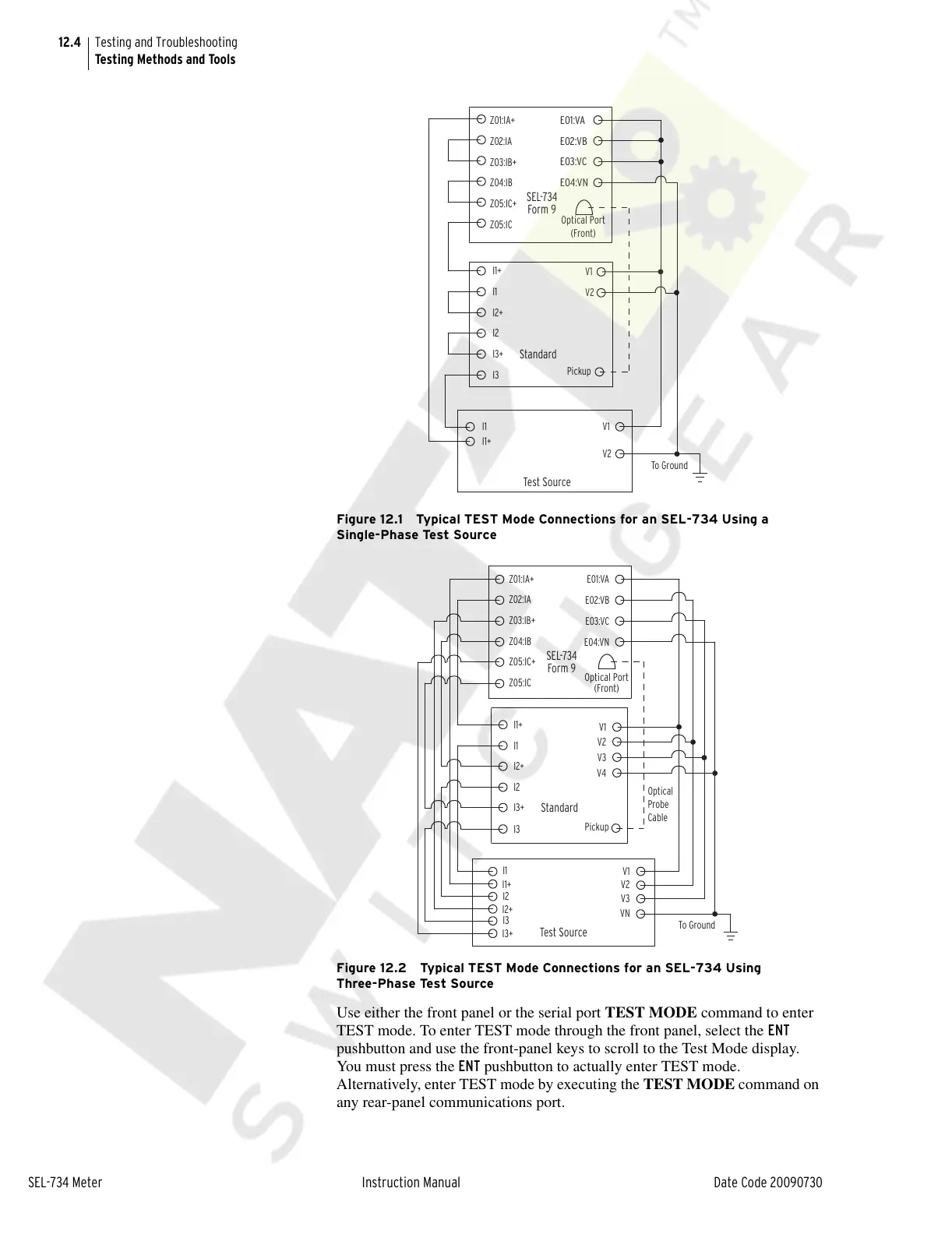
Figure 12.1 Typical TEST Mode Connections for an SEL-734 Using a
Single-Phase Test Source
Figure 12.2 Typical TEST Mode Connections for an SEL-734 Using
Three-Phase Test Source
Use either the front panel or the serial port TEST MODE command to enter
TEST mode. To enter TEST mode through the front panel, select the ENT
pushbutton and use the front-panel keys to scroll to the Test Mode display.
You must press the ENT pushbutton to actually enter TEST mode.
Alternatively, enter TEST mode by executing the TEST MODE command on
any rear-panel communications port.
SEL-734
Form 9
Standard
V1
E01:VA
E02:VB
E03:VC
E04:VN
V2
V1
V2
I3+
I2+
I1
I1
I2
I3
I1+
I1+
ZO5:IC+
ZO3:IB+
Z02:IA
Z04:IB
Z05:IC
Z01:IA+
Test Source
Pickup
To Ground
Optical Port
(Front)
SEL-734
Form 9
E01:VA
E02:VB
E03:VC
E04:VN
Z01:IA+
Z02:IA
Z03:IB+
Z04:IB
Z05:IC+
Z05:IC
V1
V2
I1+
I1
I2+
I2
I3+
I3
Test Source
Standard
V1
VN
I1
I1+
V2
V3
Optical Port
(Front)
Pickup
To Ground
Optical
Probe
Cable
I2
I2+
I3
I3+
V3
V4
Courtesy of NationalSwitchgear.com



 To Next Page