5.3
Date Code 20090730 Instruction Manual SEL-734 Meter
Time-of-Use
TOU Setup
Rate Schedules Tab
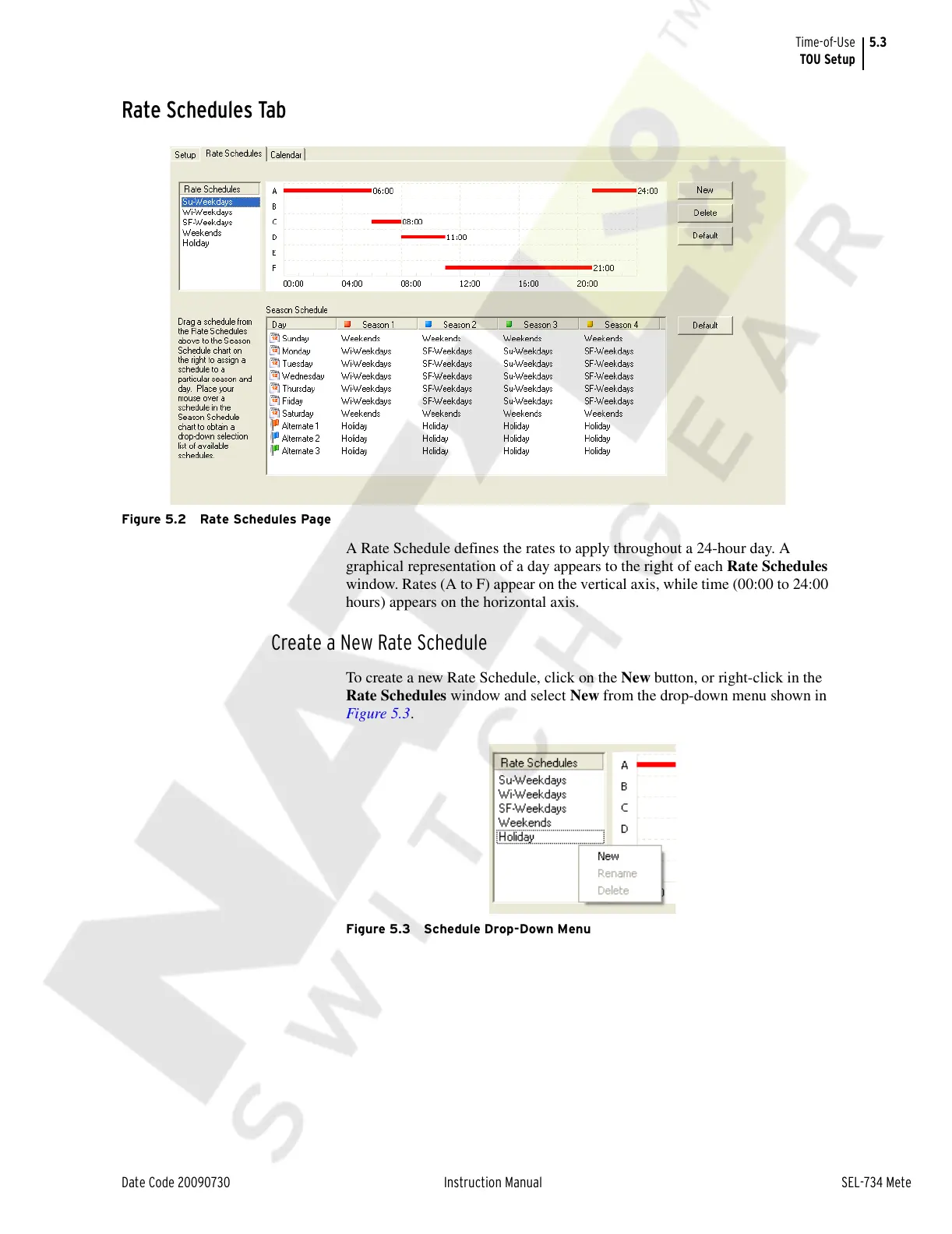
Figure 5.2 Rate Schedules Page
A Rate Schedule defines the rates to apply throughout a 24-hour day. A
graphical representation of a day appears to the right of each Rate Schedules
window. Rates (A to F) appear on the vertical axis, while time (00:00 to 24:00
hours) appears on the horizontal axis.
Create a New Rate Schedule
To create a new Rate Schedule, click on the New button, or right-click in the
Rate Schedules window and select New from the drop-down menu shown in
Figure 5.3.
Figure 5.3 Schedule Drop-Down Menu
Courtesy of NationalSwitchgear.com



 To Next Page