5.8
SEL-734 Meter Instruction Manual Date Code 20090730
Time-of-Use
TOU Setup
Establish Quick Set Defaults
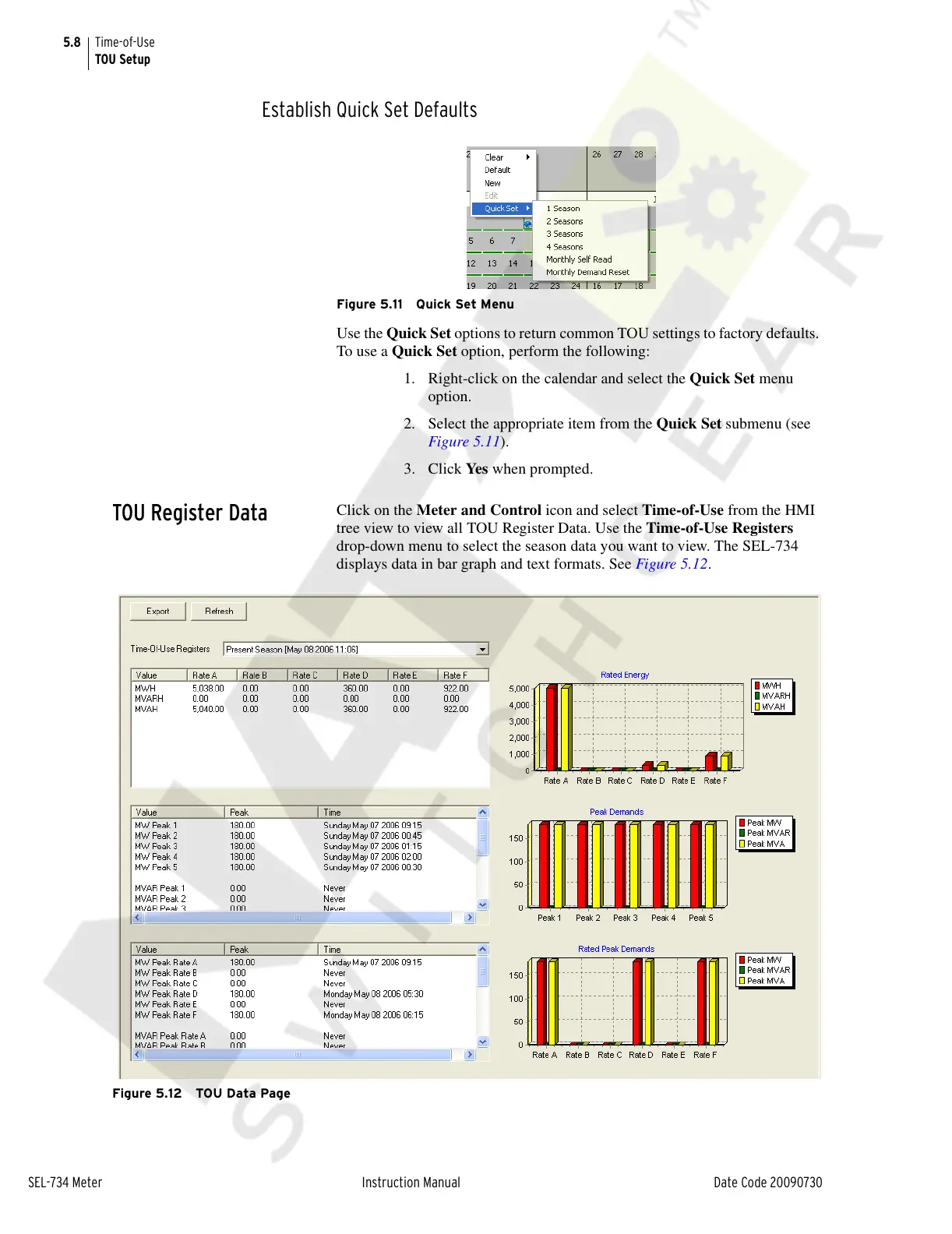
Figure 5.11 Quick Set Menu
Use the Quick Set options to return common TOU settings to factory defaults.
To use a Quick Set option, perform the following:
1. Right-click on the calendar and select the Quick Set menu
option.
2. Select the appropriate item from the Quick Set submenu (see
Figure 5.11).
3. Click Yes when prompted.
TOU Register Data
Click on the Meter and Control icon and select Time-of-Use from the HMI
tree view to view all TOU Register Data. Use the Time-of-Use Registers
drop-down menu to select the season data you want to view. The SEL-734
displays data in bar graph and text formats. See Figure 5.12.
Figure 5.12 TOU Data Page
Courtesy of NationalSwitchgear.com



 To Next Page