60 53 362 D3472
118 D3472.201.10.20.02 07.2016
5Operation DAC UNIVERSAL ADVANCED Sirona Dental A/S
5.3Reprocessing with the DAC UNIVERSAL ADVANCED Operating Instructions DAC UNIVERSAL
6. Enter the "program selection“ menu section.
7. Press the “Left/Right”-Keys accordingly to select the desired
program.
8. Press the “Down”-Key to confirm the selection.
9. Return to the ready screen.
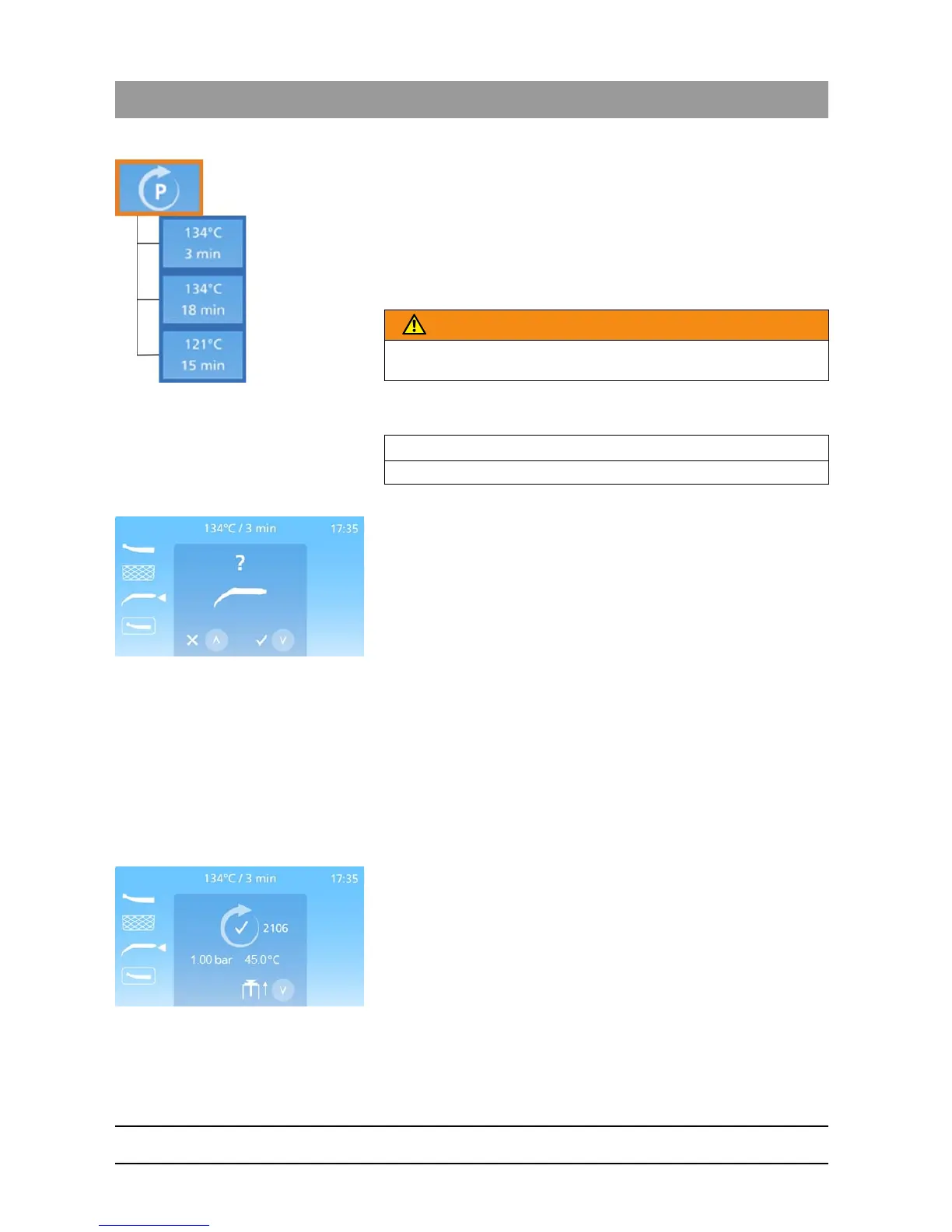
The selected program is displayed at the top of the ready screen.
The program is shown as temperature/holding time.
10. Make sure the FLEX lid is selected. If not press the “Up/Down”-Keys
accordingly, to select this lid.
11. Press the “Start/Stop“-Key to start the cycle.
A prompt appears on the display, as seen on the picture, asking
the user to confirm that the FLEX lid is in fact inserted into the
DAC UNIVERSAL.
12. Press the “Down”-Key to confirm that the FLEX lid is inserted into the
DAC UNIVERSAL.
A prompt to press down on the safety ring will appear on the
display.
13. Press down on the safety ring to start the cycle. If the safety ring is
not pressed within 20 seconds, you must choose the lid and press the
"Start/Stop"-Key again
The FLEX lid of the DAC UNIVERSAL closes as soon as the
safety ring is pressed.
The DAC UNIVERSAL automatically runs the cleaning and high-
level disinfection cycle.
The display shows at any time which phase the DAC
UNIVERSAL is in, see section "Display information DAC
UNIVERSAL ADVANCED [ → 71]“.
When the selected cycle is completed the display will indicate as
seen on the picture.
The lid moves about halfway out of the chamber. This indicates
that a cycle has been completed and the instruments have been
reprocessed.
The cycle number is shown next to the completed cycle symbol.
WARNING
If no program is selected, the standard program for reprocessing is
used.
IMPORTANT
If no lid is selected the STANDARD lid is set as default.














 To Next Page