60 53 362 D3472
100 D3472.201.10.20.02 07.2016
5Operation DAC UNIVERSAL ADVANCED Sirona Dental A/S
5.3Reprocessing with the DAC UNIVERSAL ADVANCED Operating Instructions DAC UNIVERSAL
General attachment
Place the instruments on their respective adapters of the STANDARD lid.
Depending on the instrument and the kind of adapter, you must press or
click the instrument onto the adapter, activate a snap lock on the adapter,
or tighten a threaded ring on the instrument.
Please make sure that you hear a slight "click" when you place the
instrument on the adapter.
Pull lightly on the instrument to ensure that it is firmly attached to the
adapter.
General placement
Placement is described in the separate sections if it deviates from the
general placement described here.
See "Adapters for the STANDARD lid [ → 219]" for detailed instructions on
the individual adapters.
5.3.2.2
Start cycle on the STANDARD lid DAC UNIVERSAL ADVANCED
Process
✔ All settings of the DAC UNIVERSAL were preset according to
"Regular activities [ → 59]".
✔ The DAC UNIVERSAL is switched on and ready for operation.
✔ The maximum number of 6 instruments are ready for reprocessing.
✔ The STANDARD lid is at hand.
1. Remove the STANDARD lid from the holder on the DAC
UNIVERSAL.
2. Place the STANDARD lid on the counter or put it in the optional lid
holder.
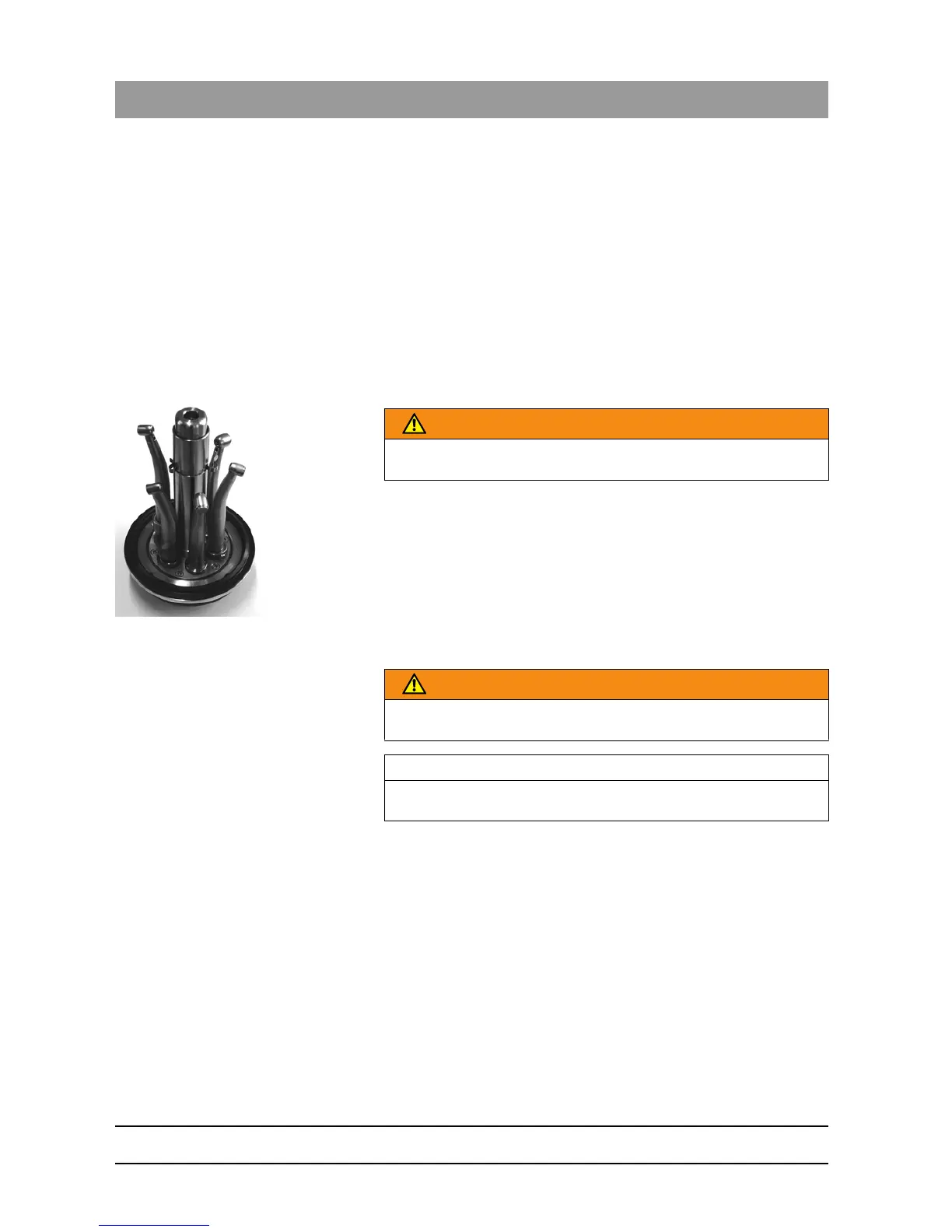
3. Plug each instrument onto the corresponding adapter in the
STANDARD lid. See "General placement of instruments DAC
UNIVERSAL ADVANCED [ → 99]" for more information on attaching
WARNING
Rotate the head of the instrument to the center post so the instrument
heads do not point at each other, as shown on the picture.
WARNING
The instruments may not be wrapped when using the STANDARD lid,
as cleaning, lubrication, and sterilization would then fail.
IMPORTANT
Do not start the DAC UNIVERSAL without a lid inserted into the lid
holder.














 To Next Page