60 53 362 D3472
D3472.201.10.20.02 07.2016
31
Sirona Dental A/S 3Product description
Operating Instructions DAC UNIVERSAL 3.2Controls and functional elements of the DAC UNIVERSAL
båÖäáëÜ
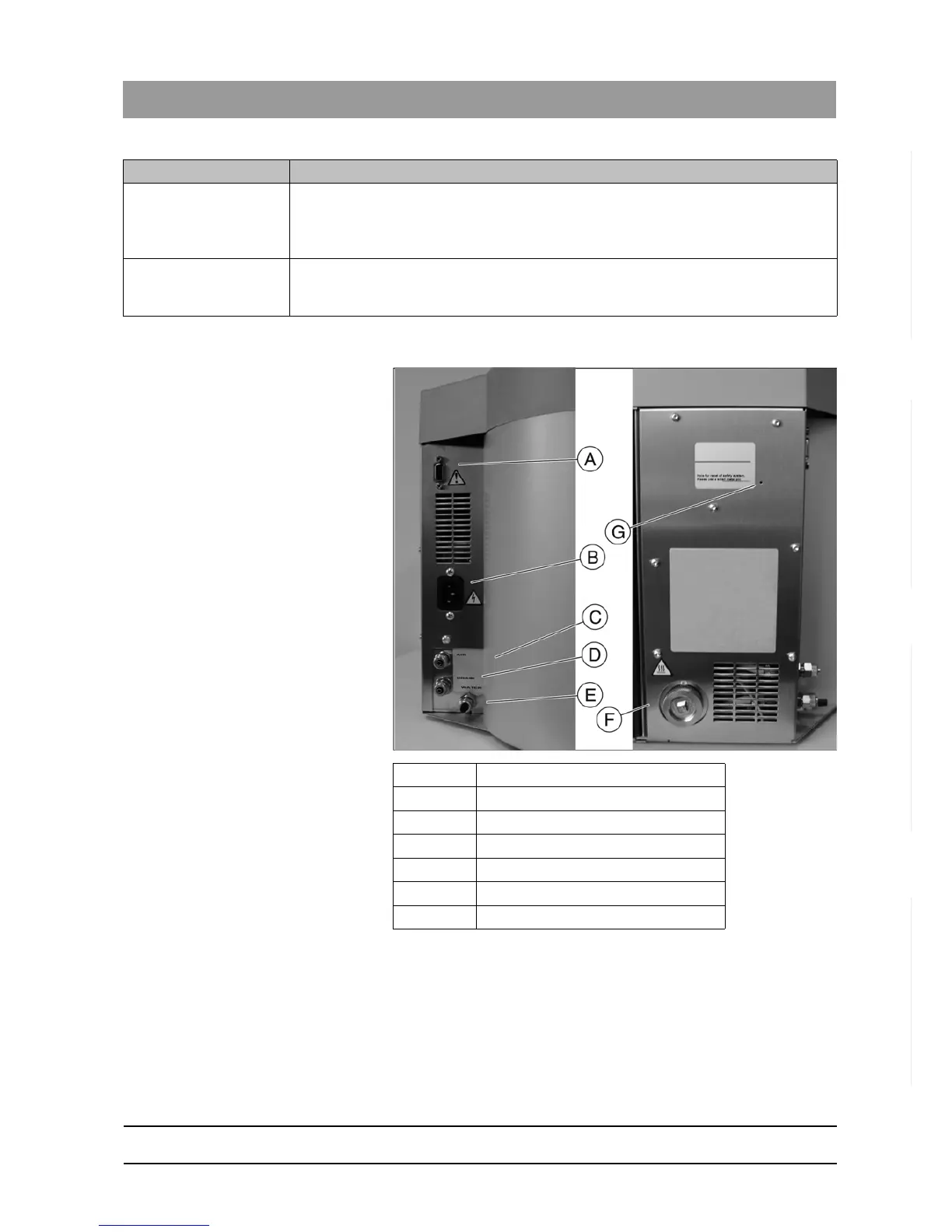
3.2.4 Back of unit
See also "Installation of DAC UNIVERSAL connections [ → 49]".
I: "Wrapped"-Key The "Wrapped"-Key is for the cycle for reprocessing wrapped instruments. Cleaning and
lubrication are then deactivated. When the program is active, a blue LED control lamp
lights up. Pressing the "Wrapped"-Key when it is switched on activates the respective
program.
J: Alarm When this lamp lights up, an error has occurred. The message is shown on the display.
It is important to check any error that occurs. See "Display messages DAC UNIVERSAL
STANDARD [ → 211]" for a list of all messages.
Display/button Description
A Standard interface RS232
B Power supply connection
C Compressed air connection
D Waste water connection
E Fixed water connection
F Filter and filter housing
G Reset button














 To Next Page