60 53 362 D3472
D3472.201.10.20.02 07.2016
83
Sirona Dental A/S 5Operation DAC UNIVERSAL ADVANCED
Operating Instructions DAC UNIVERSAL 5.2Using the menu and display information DAC UNIVERSAL ADVANCED
båÖäáëÜ
5.2.2.2
Navigation in the menu structure DAC UNIVERSAL ADVANCED
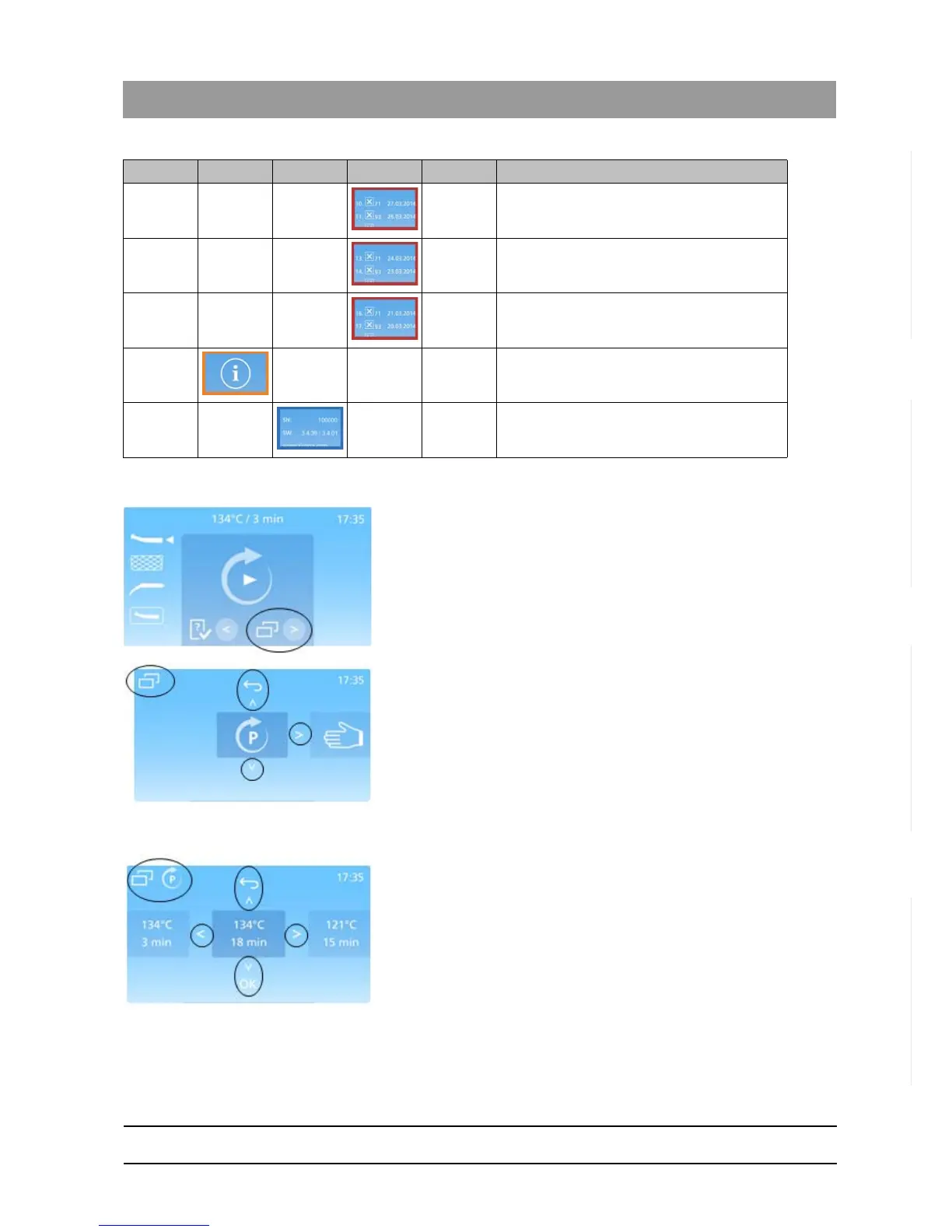
The current position in the menu structure is shown in the top left hand
corner of the screen. This is indicated by the menu icon and the icon of
the overlying category.
✔ The display shows the ready screen.
1. Press “Right”-Key to enter the menu system.
2. Scroll through different options by pressing the “Right”- or “Left”-Keys
accordingly.
3. Notice the difference in the downward symbol:
If the symbol is an arrow, the “Down”-Key is pressed to move deeper
into the menu structure.
If the symbol is “ok”, the “Down”-Key is pressed to confirm a
selection.
4. Press the “Up”-Key to return to previous layers of the menu.
5. Press the “Up”-Key again, until returned to the ready screen.
5.2.2.3
Menu options DAC UNIVERSAL ADVANCED
The menu system is designed to offer the user a seamless interaction
with the DAC UNIVERSAL. For an overview of the structure behind this
interface consult the diagram in "Menu overview DAC UNIVERSAL
ADVANCED [ → 77]".
The menu is started from the ready screen, which leads to 5 underlying
categories. These categories enable the user to perform different tasks
with the DAC UNIVERSAL.
Errors 10-12
Errors 13-15
Errors 16-18
Info
Details
Level 1 Level 2 Level 3 Level 4 Level 5 Description














 To Next Page