60 53 362 D3472
70 D3472.201.10.20.02 07.2016
5Operation DAC UNIVERSAL ADVANCED Sirona Dental A/S
5.2Using the menu and display information DAC UNIVERSAL ADVANCED Operating Instructions DAC UNIVERSAL
5.2
Using the menu and display information DAC
UNIVERSAL ADVANCED
With the DAC UNIVERSAL ADVANCED a graphical user interface has
been introduced.
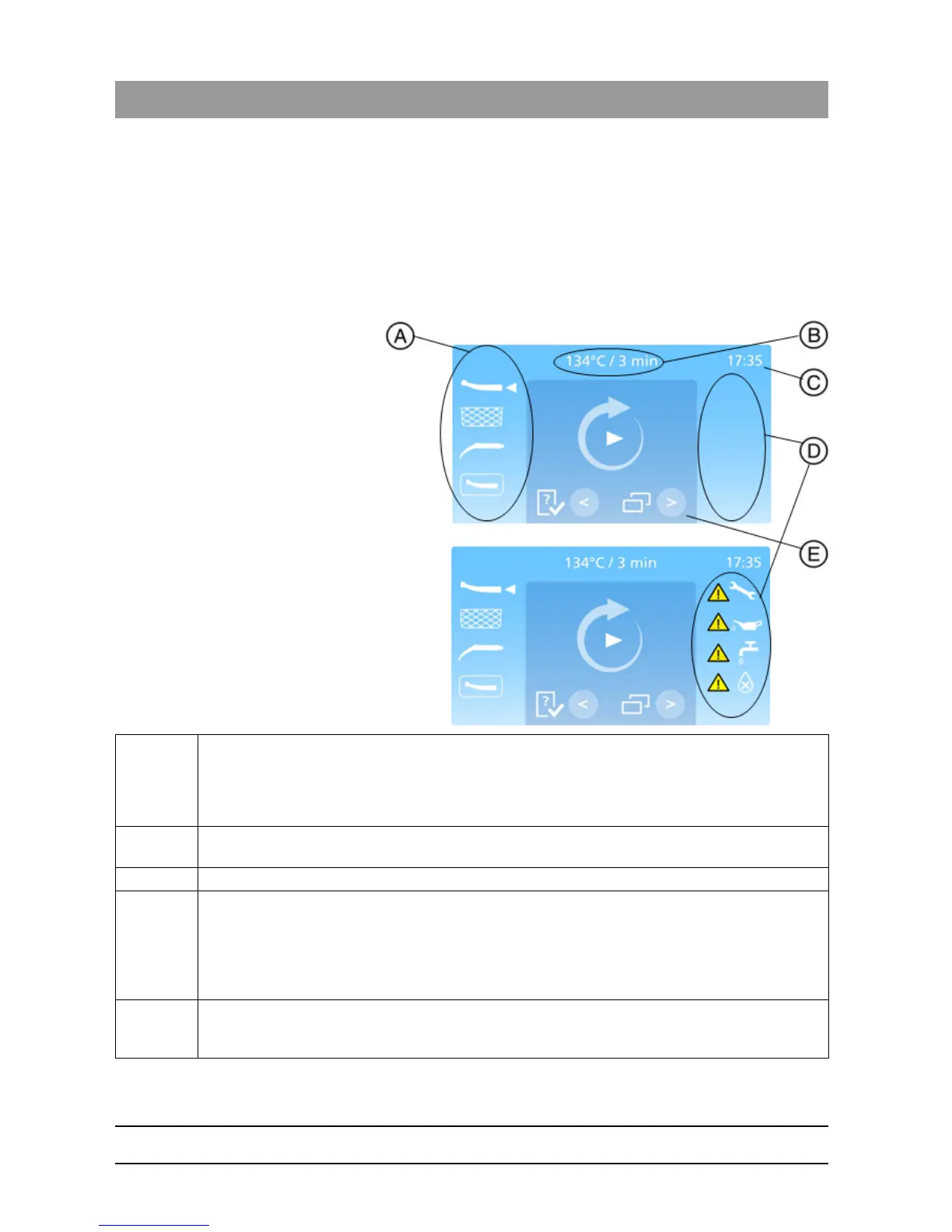
The ready screen is the primary screen, which allows the user to get an
overview of the status of the machine. It is displayed when the autoclave
has been started and the automatic heating is completed.
A The selected lid is shown on the left hand side of the ready screen. The lids are listed as following:
• STANDARD lid
• BASKET lid
• WRAPPED lid
• FLEX lid
B The selected program is displayed at the top of the ready screen. The program is shown as
temperature/holding time.
C The current time is always displayed in the top right hand corner.
D Warning messages are displayed in the right side of the ready screen. These warnings are as following:
“Service needed” appears after 2 years or 3.000 cycles.
“Low oil” appears when there’s insufficient oil quantity in the oil bottle.
“Low water” appears when there’s insufficient water quantity in the water tank.
“Bad water quality” appears when the water quality isn’t good enough. The water quality needs to be
3.0 μS/cm or better.
E The dark blue field of the ready screen indicates that the autoclave is ready to run a cycle. The Check
& Clean section can be entered by pressing the “Left”-Key while the menu can be entered by pressing
the “Right”-Key.














 To Next Page