60 53 362 D3472
D3472.201.10.20.02 07.2016
63
Sirona Dental A/S 5Operation DAC UNIVERSAL ADVANCED
Operating Instructions DAC UNIVERSAL 5.1Regular activities
båÖäáëÜ
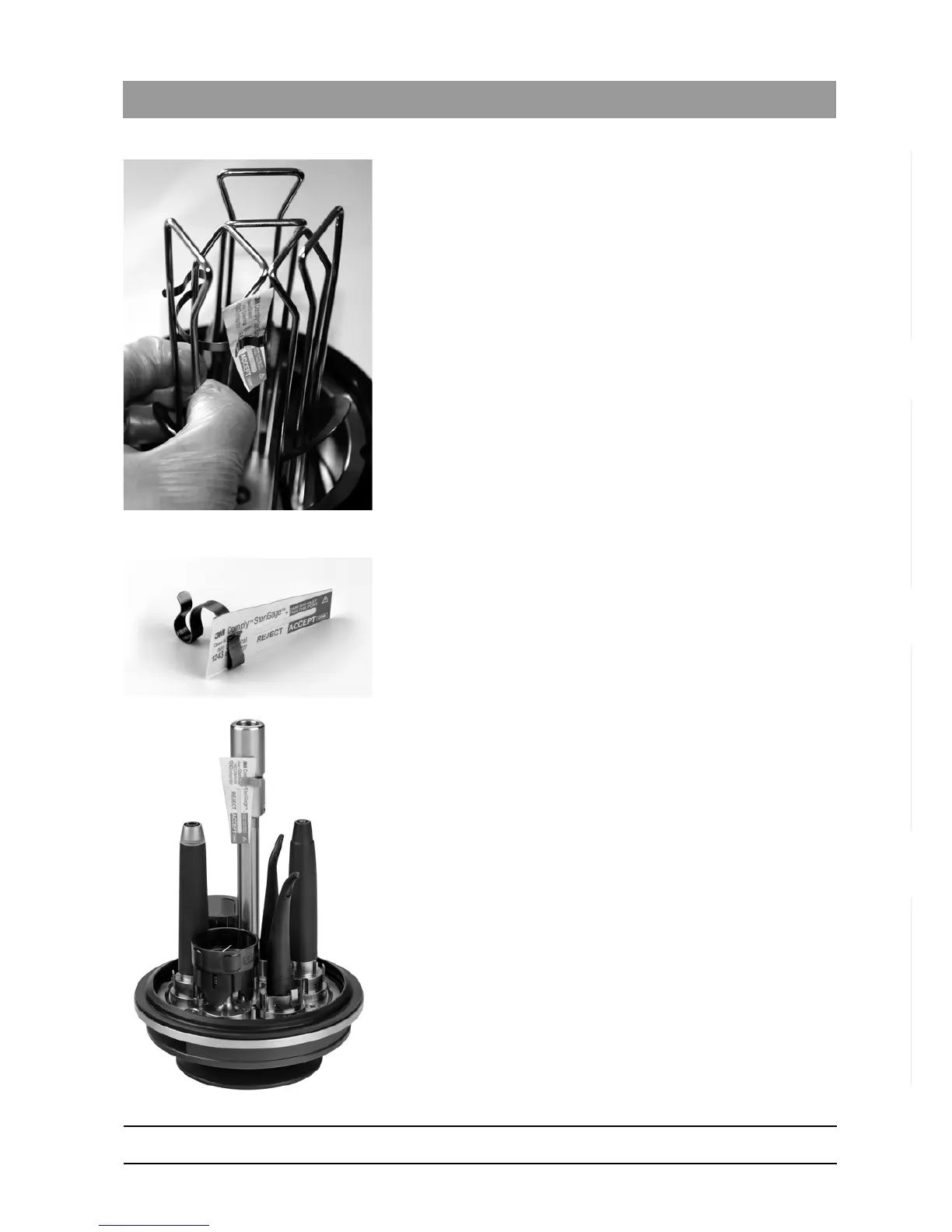
2. Attach the STANDARD indicator holder to one of the three wire
brackets of the WRAPPED lid so the brackets of the indicator holder
point to the center of the lid.
3. Press the STANDARD indicator holder toward the lid as far as
possible.
4. Attach a wrapped instrument between the wires at each of the two
empty positions.
5. Start a cycle. See "Reprocessing with the WRAPPED lid DAC
UNIVERSAL ADVANCED [ → 110]" for the detailed procedure.
6. After the end of the cycle, check that the chemical indicator indicates
the sterilization test was passed.
5.1.2.1.4 Using a chemical indicator with the FLEX lid
1. Attach the chemical indicator in the smaller of the two brackets on the
FLEX indicator holder.
2. Attach the FLEX indicator holder in the groove on the center post of
the FLEX lid.
3. Start a cycle. See "Reprocessing with the FLEX lid DAC UNIVERSAL
ADVANCED [ → 115]" or "Reprocessing with the FLEX lid DAC
UNIVERSAL STANDARD [ → 187]" for the detailed procedure.
4. After the end of the cycle, check that the chemical indicator indicates
the disinfection test was passed.














 To Next Page